18.1 Signalising due Service Messages
Due service messages are signalised as follows:
Flashing of the entire display
Flashing ends immediately upon touching the touchscreen.
Automatic jump to the menu Service Messages
Note: The menu Service messages can also be called up at any
time as follows:
Menu hotkey
Service Messages
Acoustic alarm signal
(Provided the function Acoustic signal for Service Messages is
activated in the menu Alarm Settings)
The acoustic alarm signal ends immediately upon touching the
touchscreen.
Note:
Due service processes are signalised at 8:00 a.m. on the
corresponding day.
18.2 Re-scheduling service messages
When re-scheduling, PoolManager
®
recalculates the due date of a
service message by adding the configured service interval to the
current date.
Example:
For pH calibration, a service interval of 3 months is configured.
On 6 December 2012, it will be re-scheduled.
The new due date is 6 March 2013.
Service messages are re-scheduled in the following cases:
Change to the service interval in the menu Service Intervals
Acknowledgement of a due service message
Successful calibration
(for calibration messages only)
Calling up the function Re-schedule service messages in the
menu Service intervals
19 Eventlog
The eventlog is called up as follows:
Menu hotkey
Eventlog
The eventlog is a record of all important events involving
PoolManager
®
with date and time. PoolManager
®
has memory for up
to 500 events. When that number is met, the oldest events are
overwritten with new ones.
The eventlog is an important tool in controlling proper operation of the
swimming pool system and analysing potential problems.
19.1 Events
The following events are logged individually in the eventlog:
PoolManager
®
power on and off
Alarms (start and end)
Calibration with detailed calibration data
Parameter changes with old and new value
O2 dosings and average temperature values
Manual dosings
Dosed product volumes
Remote access
Software updates
Access code reset
Reset to default values
PoolManager
®
displays all entries in the eventlog in an easy-to-follow
manner. That is why there is no detailed presentation of the individual
events in this manual.
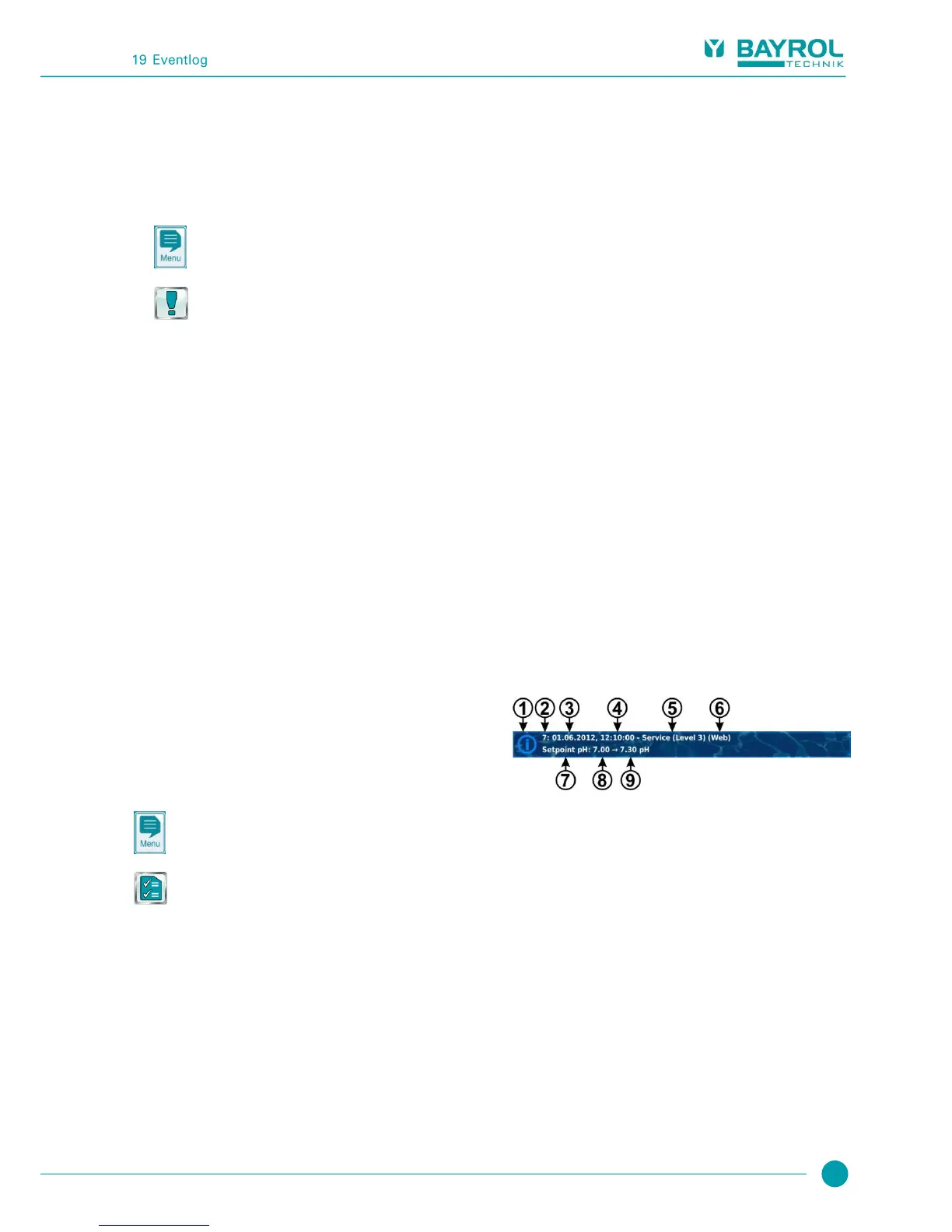
19.2 Information displayed
For each event, the following supplemental information is stored and
displayed in the eventlog:
Date and time
User
(Provided a user can be allocated to the event, e.g. parameter
changes, calibrations, manual dosing, etc.)
Type of access
Local operation (local)
Remote access from the local network (LAN)
Remote access from the Internet (Web)
19.2.1 Event display
Here is a detailed explanation of how an event is displayed using the
example of a parameter change:



 To Next Page