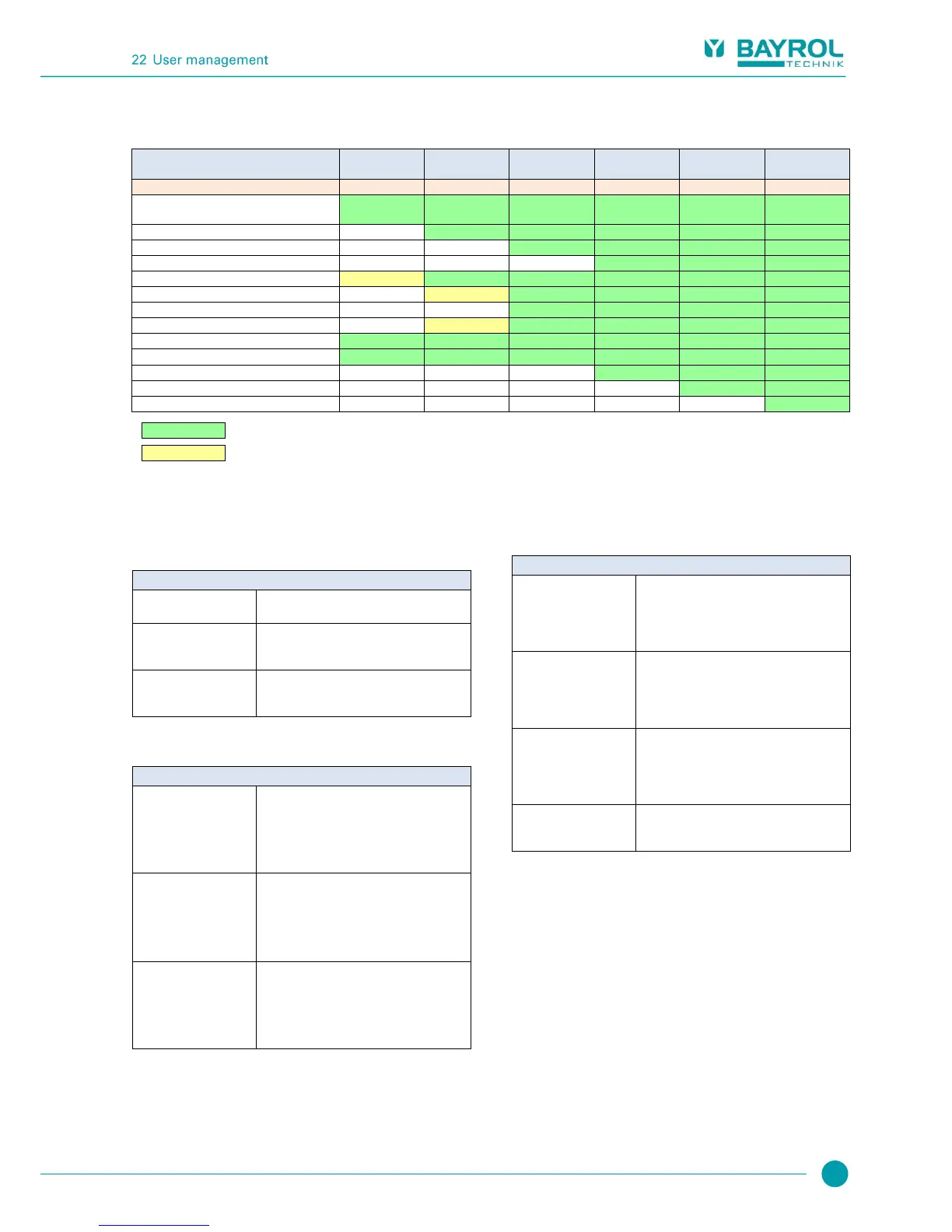
22.3 Overview of user rights
Complete menu navigation
"See everything - change nothing"
Setting uncritical parameters
Setting parameters critical to function
Setting parameters relevant to safety
Acknowledge acoustic alarms
Acknowledge service messages
Master (level 4) - Special functions
Factory (level 5) - Special functions
Function permitted for the corresponding user level
Function not permitted for the corresponding user level, but can be released in the menu by system operator.
22.4 Enable remote access for various functions
In the menu Enable remote access for various functions, you can
define whether remote access is allowed or not for various functions. It
is possible to configure the following settings:
Remote access to the corresponding function is
blocked.
Remote access to the corresponding function is
released on the local network only, but not on
the Internet (Web).
Remote access to the corresponding function is
released both on the local network and on the
Internet (Web).
Remote access can be released or blocked for the following functions:
Sub-menu Configure access rights for remote access
Allow remote access
to Mode menu
Release of the Mode menu for remote access
Depending on the system configuration, critical
functions might be turned on and off accidentally
during remote access to the Mode menu. That is
why the default setting blocks remote access to
the Mode menu.
Allow remote access
for calibration
In general, calibration has to be performed on-
site. That is why the default configuration blocks
remote access to calibration.
If needed, however, calibration can be released
for remote access if, for example, a mobile
device is going to be used on-site.
Allow remote access
for manual dosing
In general, manual dosing has to be performed
on-site. That is why the default setting blocks
remote access to the manual dosing. If needed,
however, calibration can be released for remote
access if, for example, a mobile device is going
to be used on-site.
22.5 Adjust user levels for various functions
In the menu Adjust user levels for various functions, the required user
level for access to various functions can be adjusted as needed:
Sub-menu Adjust user level for various functions
User level
for 1-point calibration
Required user level for
1-point calibration.
Potential settings:
Customer (level 1)
Customer (level 2)
User level
for manual dosing
Required user level for
manual dosing.
Potential settings:
Customer (level 1)
Customer (level 2)
Required user level for access to the Mode
menu.
Potential settings:
Customer (level 0) ( no login!)
Customer (level 1)
The safety advice which is usually displayed
when calling up the Mode menu, can be
deactivated here



 To Next Page