The pump test function is used to quickly check whether the individual
dosing pumps are connected correctly and are fundamentally
operational. There is no alarm block during a pump test, i.e. the
corresponding pump should definitely be running during a pump test. If
that is not the case, then there is an error in the pump or in the
electrical connection.
The duration of the pump test is limited to a maximum of 60 seconds
for safety reasons.
Otherwise, the pump test process corresponds exactly to normal
manual dosing.
17 Safety functions and alarms
17.1 Overview
PoolManager
®
continuously monitors all relevant data and operating
status in order to guarantee safe operation and optimum water quality.
If PoolManager
®
discovers a problem while doing so, then it will
generate an alarm message notifying of the problem. Some alarms
block product dosing until the alarm's cause has be remedied.
PoolManager
®
monitors the following alarm statuses.
Upper and lower measured value alarms (pH, mV, Cl, Br,
temperature)
are triggered when there is a measured value outside the
configured alarm thresholds.
Flow alarm (no flow signal)
is triggered when circulation is not running or if there is no
measuring water flow for some other reason.
Level warning (pH, Cl, mV, O2)
is triggered when a canister with maintenance product (pH Minus,
sodium hypochlorite, or Bayrosoft
®
) contains only a certain
residual amount (e.g. 5 l). The suction lance in the product
canister delivers a corresponding signal once the threshold is
reached.
Level warnings and level alarms can be deactivated in the menu
"Alarm Settings" if there is no suitable low-level signal available.
Level alarm (pH, Cl, mV, O2)
is triggered when a canister with maintenance product (pH Minus,
sodium hypochlorite, or Bayrosoft
®
) is empty.
Level warnings and level alarms can be deactivated in the menu
"Alarm settings" if there is no suitable low-level signal available.
Intelligent dosing monitoring (pH, Cl, Br, mV)
is triggered when PoolManager
®
does not successfully approach
the setpoint within a predefined time (typically 60 minutes). In this
case, PoolManager
®
will assume there is a potential problem and
block further dosing.
Battery alarm
is triggered when the voltage on the buffer battery installed on the
PoolManager
®
unit drops below the threshold of 2.70 V. In this
case, the battery should be replaced within a few weeks. The
buffer battery supplies PoolManager’s
®
real-time clock with
voltage while the mains supply is turned off.
17.2 Flow monitoring
17.2.1 Input terminal blocks for
flow monitoring
PoolManager
®
offers two separate inputs for flow monitoring:
17.2.1.1 Measuring water monitoring (standard)
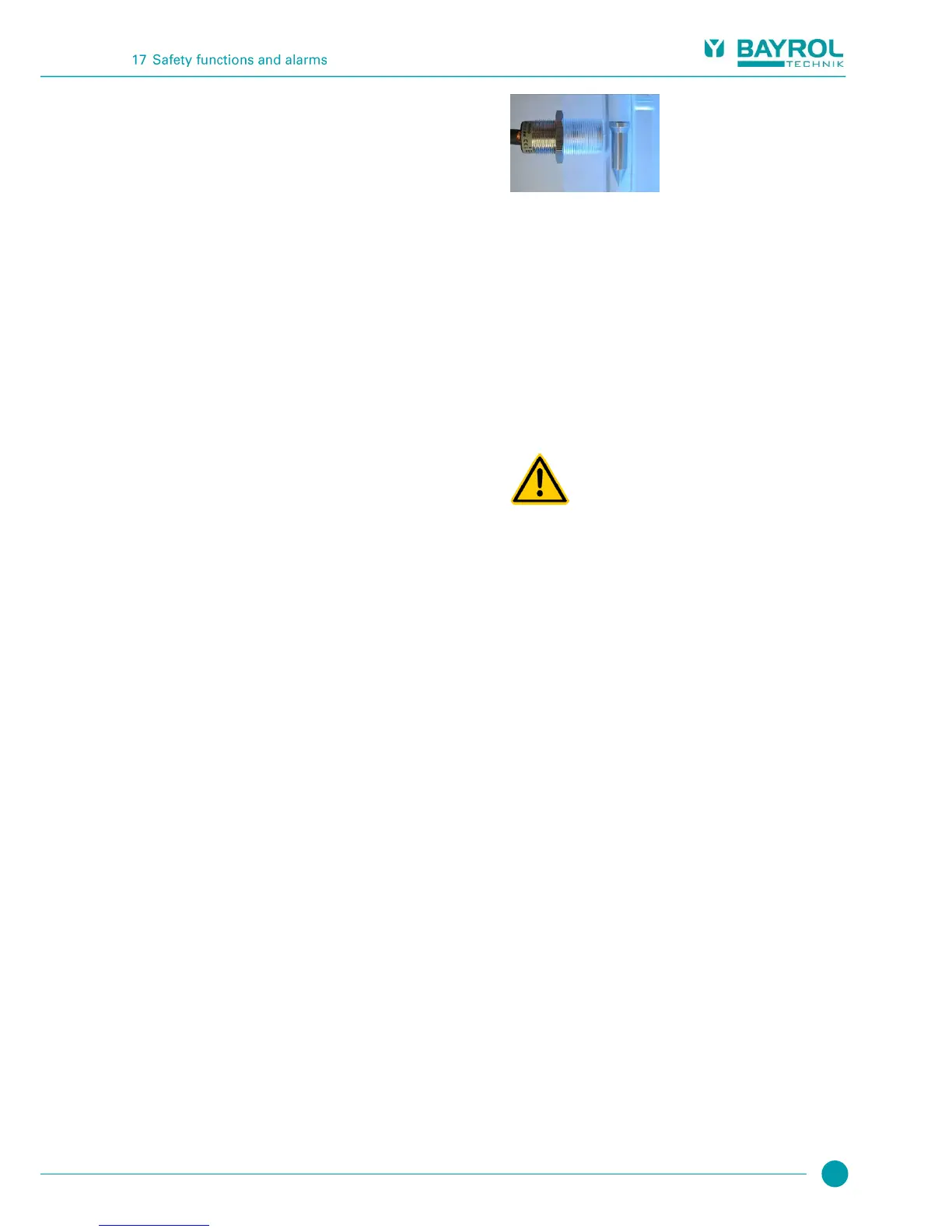
Measuring water flow is usually monitored with an inductive proximity
switch integrated into the measurement chamber. Flowing water raises
the float in the measurement chamber. If the float rises to the level of
the proximity switch, then the latter will supply the flow signal.
The proximity switch has three connection lines and is connected to
PoolManager
®
terminal block [2] (Flow). The flow signal is ALWAYS
monitored; this monitoring cannot be deactivated for safety reasons.
17.2.1.2 Circulation monitoring (optional)
Optionally, an additional signal can be used to monitor the circulation
circuit. For that purpose, usually a pressure switch is connected to
PoolManager’s
®
terminal block [6] (IN1). Alternatively, BNC connector
IN1 (Flow) can be used, which is internally connected with terminal
block [6] (IN1). In PoolManager’s
®
default configuration, monitoring of
this input is deactivated. It can be activated as needed in the menu
Alarm Settings (Flow Alarm Settings).
It is also possible to use the sensor connected to the IN1 input instead
of the inductive proximity switch as the sole sensor for flow monitoring.
This option can also be configured in the menu Alarm settings (Flow
Alarm Settings).
Gaseous chlorine produced from dosing in
standing water via unreliable flow monitoring.
If only one single sensor on input IN1 is being used for
flow monitoring, then there is risk for dosage in
standing water in the event of an error. Poisonous
chlorine gas can be yielded when sodium hypochlorite
and pH Minus come together.
Potential consequence: Death or the gravest
degree of injury, heavy material damage.
Ensure that the sensor being used is functioning
reliably.
Ensure that PoolManager
®
dosing pumps are only
supplied with power while circulation is running;
see section “Blocking via the circulation pump”.
17.2.2 Automatic / manual acknowledgement
PoolManager
®
offers two different options for handling a missing flow
signal:
17.2.2.1 No alarm in case of missing flow signal
(Default, Acknowledge Flow Alarm = Auto)
In this option, PoolManager
®
does not assess a missing flow signal as
an error, but rather as a normal operating state. For many swimming
pools, circulation only runs in intervals and not around the clock. In
this case, it is entirely normal for PoolManager
®
to not receive a flow
signal in times without circulation.
Accordingly, PoolManager
®
signalises the missing flow signal only as
a normal operating status, not as an alarm status. The special
mechanisms for signalising alarms are not activated (blinking display,
acoustic alarm, etc.).
Dosing is blocked for as long as no flow signal is present. Once the
flow signal returns and the start delay has passed, PoolManager
®
automatically returns to normal operation.



 To Next Page