28.3 Function
The desired temperature setpoint and switch hysteresis can be
configured as parameters.
The setpoint temperature is configurable in a range between 10.0 °C
and 40.0 °C.
Hysteresis ensures that heating control does not turn on and off for
marginal temperature changes, rather only when there is a certain
deviation from the setpoint.
Hysteresis is configurable in a range between 0.1°C and 5.0 °C.
The temperature setpoint and the temperature hysteresis yield the
temperatures at which heating control turns on and off as follows:
Temperature setpoint minus half of hysteresis
Temperature setpoint plus half of hysteresis
Example 1
Temperature setpoint 25.0 °C
Temperature hysteresis 1.0 °C
Turn-on temperature 24.5 °C
Turn-off temperature 25.5 °C
Example 2
Temperature setpoint 25.0°C
Temperature hysteresis 0.3°C
Turn-on temperature 24.9°C (value rounded)
Turn-off temperature 25.2°C (value rounded)
The hysteresis setting can be used to optimally adjust the control
system to the local circumstances.
28.4 Show in home view
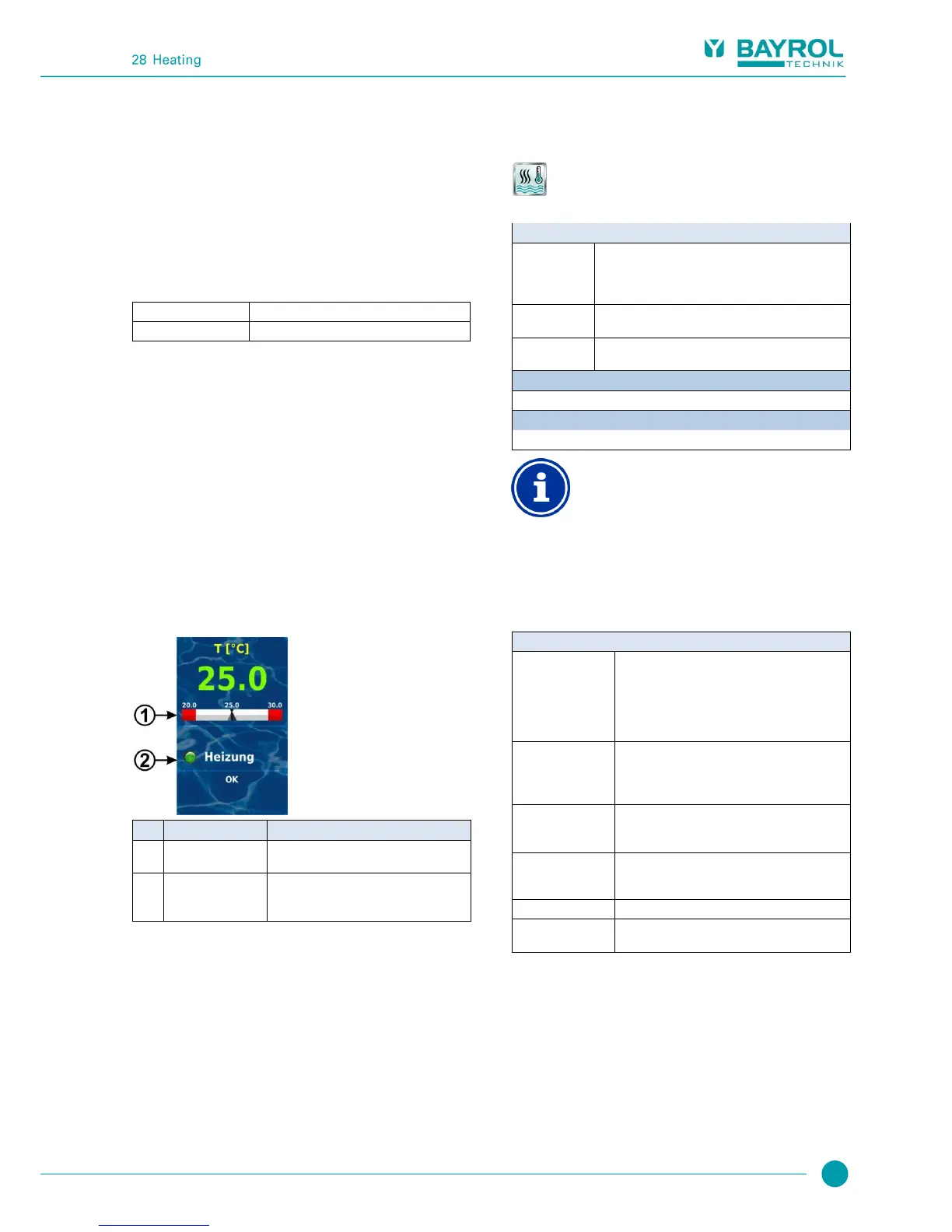
The operating state of the heating system or solar heating system is
displayed in Home view in the temperature module.
Display of temperature setpoint on the
measured value scale
Status of heating
and/or solar heating
Status display of heating or solar heating.
When heating is on, the LED symbol
illuminates.
28.5 Menu Heating
The configuration menu for heating control is called up with the
following icon:
Heating
The following settings are available:
Heating mode of
operation
Inactive (heating control not used)
Heating off (heating control used, but turned off)
Always heat (regardless of temperature!)
Auto (automatic temperature control)
Desired pool temperature in [°C]
Permissible tolerance range for temperature control in
[°C]
Basic settings for heating control.
Safety settings for heating control.
Allocation of a relay switch output
Heating control can only be activated if you have
allocated a relay switch output to it beforehand in the
Basic configuration menu.
28.5.1 Basic configuration
The menu Basic configuration is used to configure the basic settings
for heating control. This is generally done once at the start-up.
The following settings are available:
Sub-menu Basic configuration
Temperature input used for measuring pool
temperature:
Inactive (function not used)
Temp. input 1 [3]
Temp. input 2 [4]
Temp. input 3 [5]
Relay switch output used for activating heating
(None / OUT 1 [26] / OUT 2 [27] / OUT 3 [30] /
OUT 4 [31] / pH+ [22] / pH- [21] / Alarm [25]).
None Heating control is inactive
Block if solar heating
is active
Yes Heating is not turned on when solar heating
is active (solar priority).
If an input is selected for this function, then the
heating output is turned off if the selected input is in
the state indicated.
Temperature sensor
configuration
Configure types and functions of temperature
sensors.



 To Next Page