3.6 E-health Preparation
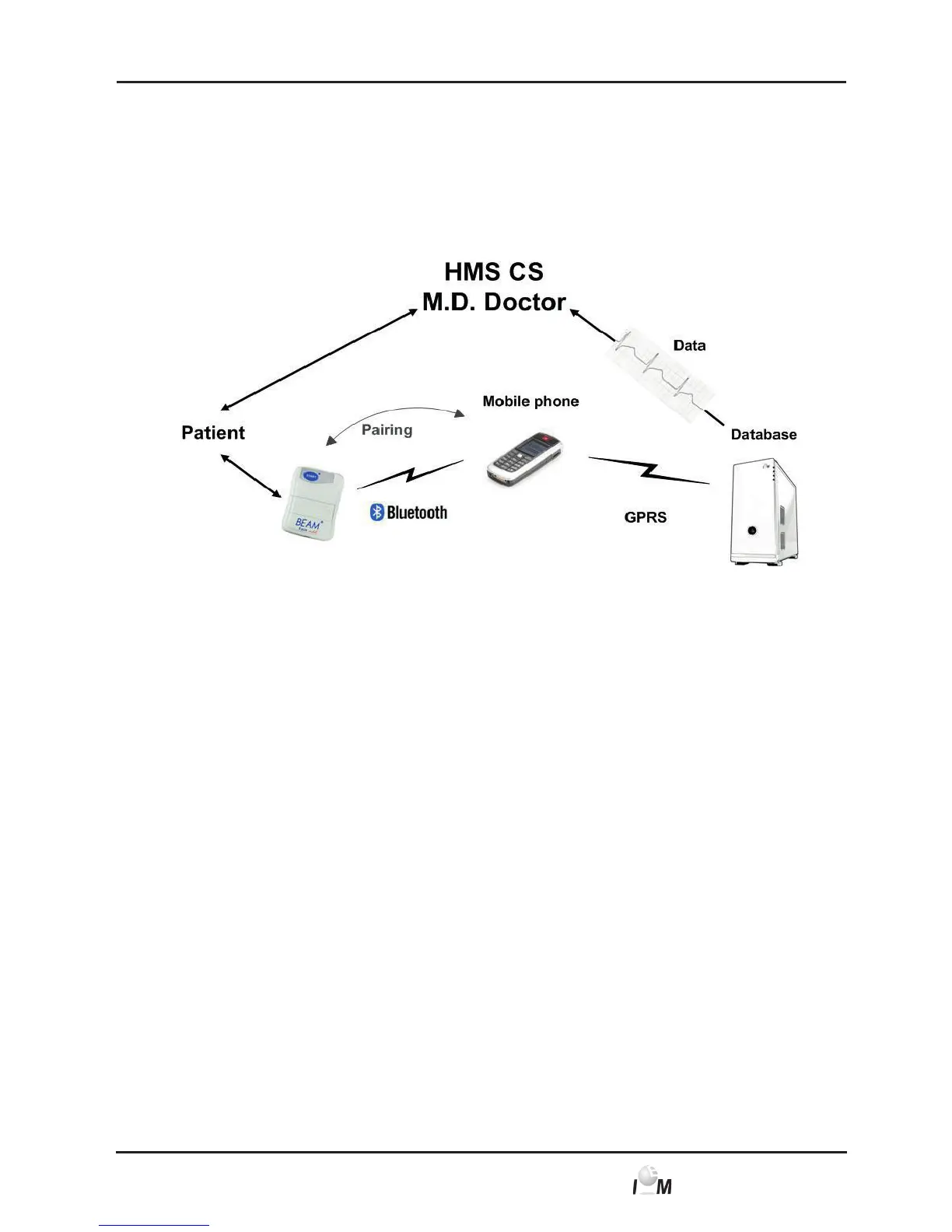
For the use of the e-health function portable radio equipment with Bluetooth interface
and special software (MIDLET) are required. The recordings are transmitted to the
radio equipment via Bluetooth and the sent to the e-health server via GPRS.
The portable radio equipment can be a smart phone or a special modem of the
I.E.M. GmbH company.
Figure 3.3 E-Health Data Transfer
The ECG Loop-/Event Recorder and the portable radio have to be connected once
via Bluetooth. If this has not been done by the vendor or by I.E.M. GmbH, the fol-
lowing steps have to be carried out:
■ Activate the GPRS / online transmission of the Beam
®
, as described in
chapter 4.8.6, via the HMS CS.
■ Bring your Beam
®
into the active pairing-mode by pressing and holding
the start button, inserting the battery, and keep holding the start button for
another 5 seconds until an audible signal confirms that pairing mode and the
LED is continuously green.
■ Your Beam
®
now opens a Bluetooth interface of the initially located radio.
You should ensure that for pairing, only the desired cell phone or modem
has an active Bluetooth interface in the immediate environment.
■ If you use a cell phone, the question whether the devices should be coupled/
connected will pop up on the phones display and a prompt for the Bluetooth-
Pin/Password will appear (Pin: 6624).
When using a GPRS-Modem, generally only an audible signal of the ECG
recorder for the confirmation of a successful pairing has to be waited for,
depending on the type.
■ If all questions are answered, the Beam
®
responds with another audible
signal and starts flashing green every 2 seconds.
For further information and the activation of the e-health-service please refer to your
vendor or to I.E.M. GmbH.



 To Next Page