■ Menu ?
Menu Item Function
About... Display information about HMS CS Version
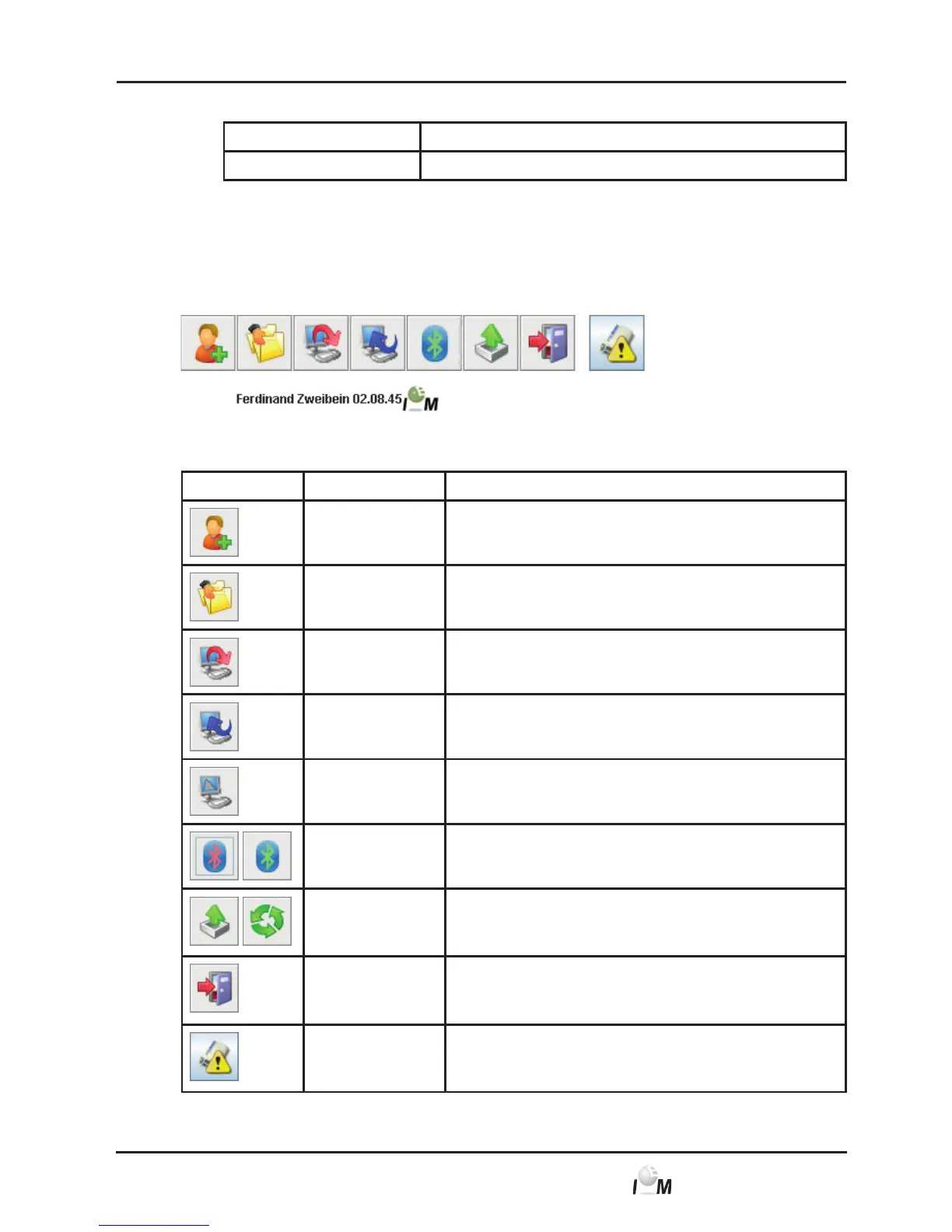
4.4.2 Taskbar
In the upper area of the operating windows under the menu bar is the taskbar. It
contains symbols for the quick access of important functions. On the right side you
will see the name and date of birth of the current patient.
Tip: If you hover over the symbol a short description (tooltip) will appear.
Symbol Meaning Function
New patient Add new patient, see 4.6.1, Create New Patient
Patient List Display list of already created patients, see 4.6.2,
Select already created patients
Prepare device Program measuring device for the next long-term
measurement
Read out device Read out measured values from recorder
Start PWA A pulse wave analysis reading in the
Mobil-O-Graph NG
®
will be started
Bluetooth red: Bluetooth not active
green: Bluetooth not active
e-health Export current patient to e-health database.
Synchronise current patient with e-health database.
Close Program End HMS CS.
Practice
Monitoring
Receive series of measurements via the practice
monitoring
Note: Some of these functions can also be selected via menu items in the menu bar.



 To Next Page