30
Beam
®
, Operating Manual, Rev. 4.6.1 01/2016, GmbH
4.6 Edit Patient Information
Patient information is saved in a database. You can
■ add a new patient, see 4.6.1, Create New Patient
■ display a list of already created patients, see 4.6.2, Select already created
patients
■ import already existing patient information from different sources.
All patient information can be changed anytime after its creation.
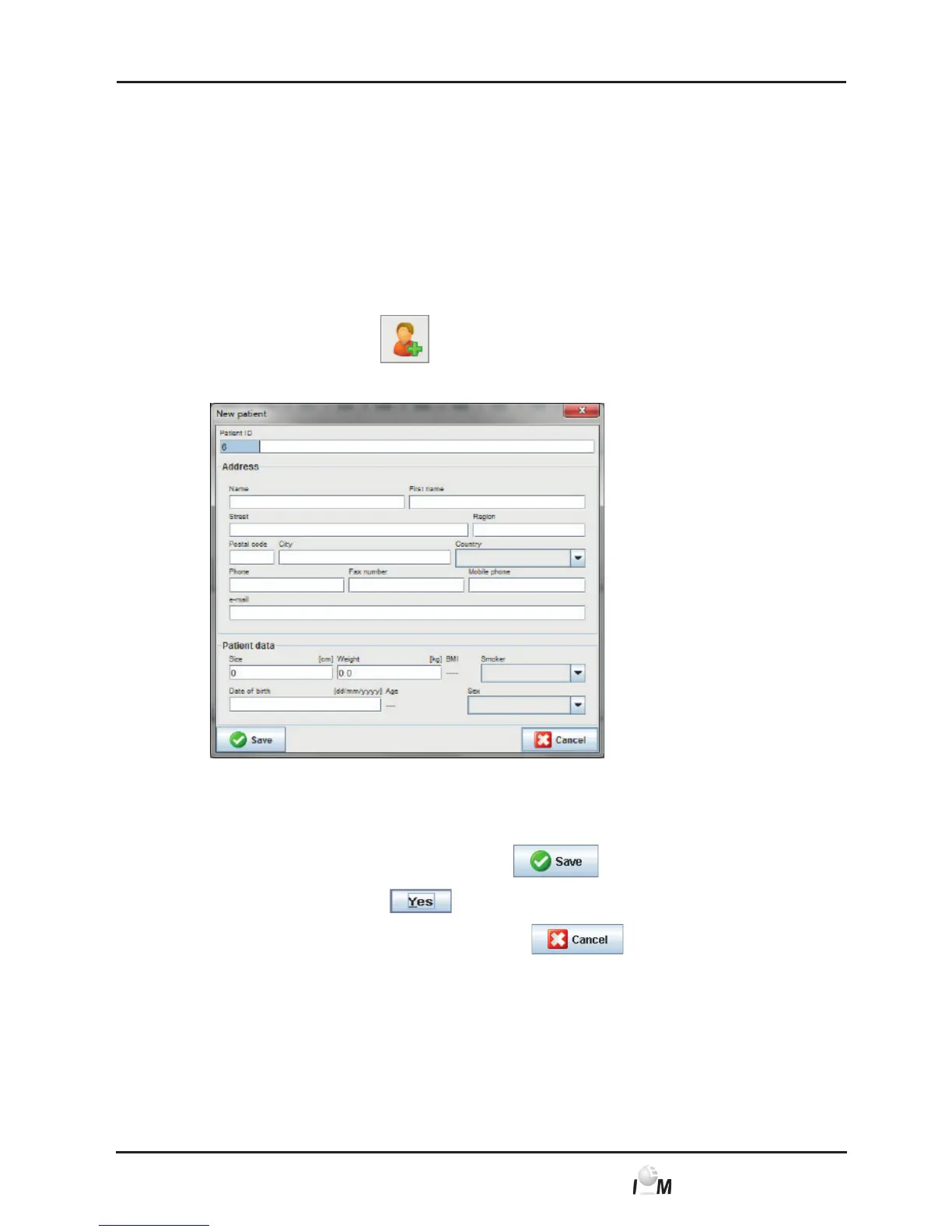
4.6.1 Create new patient
► In the task bar click on
.
The New Patient window appears.
Patient-ID and Last Name are mandatory fields (both information are sorting
or search criteria), all other information is optional.
Tip: Use the tab key to jump from one field to the next.
► In order to save the new patient, click on
.
Answer the prompt with
.
► In order to discard the new patient, click on
.
In both cases you will return to the working window.



 To Next Page