47
Beam
®
, Operating Manual, Rev. 4.6.1 01/2016, GmbH
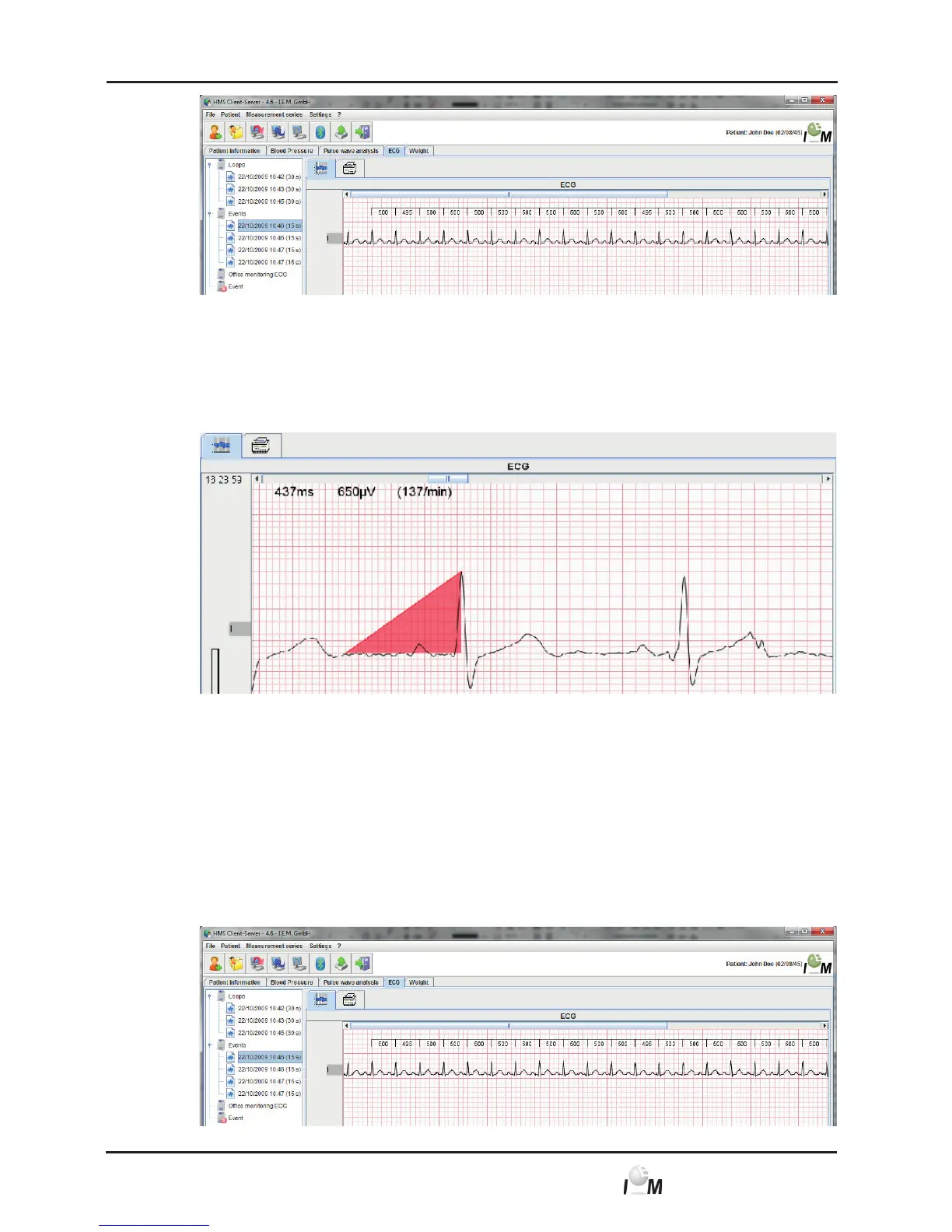
► Click on a measurement.
The belonging ECG will be displayed.
► For the measurement click on one point in the ECG and drag a red triangle
or a line from this point. Another click fixes the measurements. The measure-
ments of the tagged area appears on the upper left side of the ECG field.
► Click again somewhere in the ECG graph and the line or triangle disappears.
Additionally there is 1 mV sized calibration spike for an improved scale recognition
on the lower left side of the ECG figure.
4.10.5 Add comments
► Display the desired patient (see 4.6.2, Select already created patient).
► In the working window click on the ECG tab.
The ECG tab contains a list of already transferred recordings on the left side.



 To Next Page