10
Multifunction Control Panel
®®
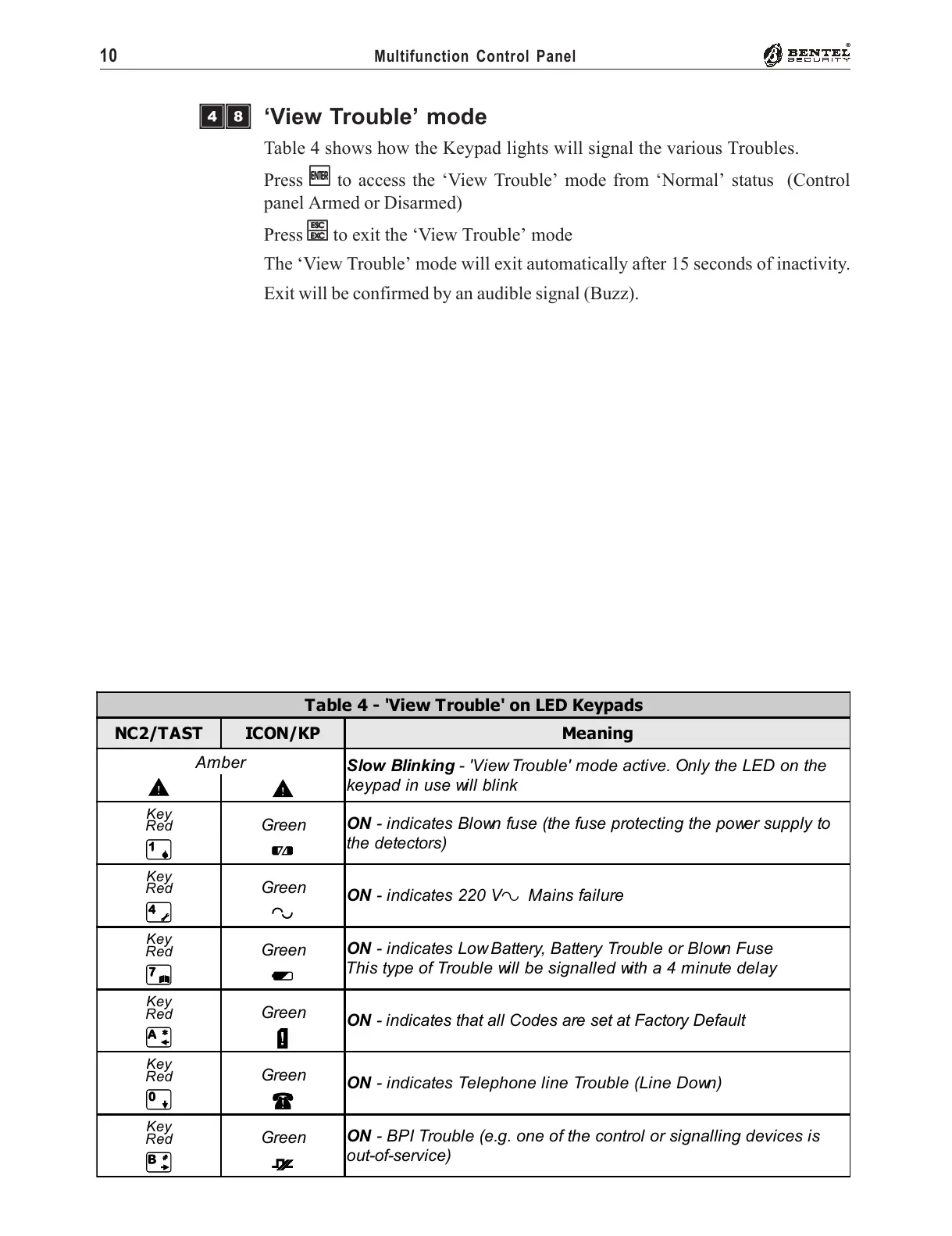
Table 4 - 'View Trouble' on LED Keypads
NC2/TAST ICON/KP Meaning
Amber
Slow Blinking - 'View Trouble' mode active. Only the LED on the
keypad in use will blink
G
G
Key
Red
Green
ON - indicates Blown fuse (the fuse protecting the power supply to
the detectors)
1
F
Key
Red
Green
ON - indicates 220 V
~
Mains failure
4
R
Key
Red
Green
ON - indicates Low Battery, Battery Trouble or Blown Fuse
This type of Trouble will be signalled with a 4 minute delay
7
L
Key
Red
Green
ON - indicates that all Codes are set at Factory Default
A
D
Key
Red
Green
ON - indicates Telephone line Trouble (Line Down)
0
x
Key
Red
Green
ON - BPI Trouble (e.g. one of the control or signalling devices is
out-of-service)
B
/
‘View Trouble’ mode
Table 4 shows how the Keypad lights will signal the various Troubles.
Press
EE
EE
E to access the ‘View Trouble’ mode from ‘Normal’ status (Control
panel Armed or Disarmed)
Press
ee
ee
e to exit the ‘View Trouble’ mode
The ‘View Trouble’ mode will exit automatically after 15 seconds of inactivity.
Exit will be confirmed by an audible signal (Buzz).
ÌÐ










 To Next Page