12
Multifunction Control Panel
®®
LCD Keypads (OMNIA/TAST-R and MIA)
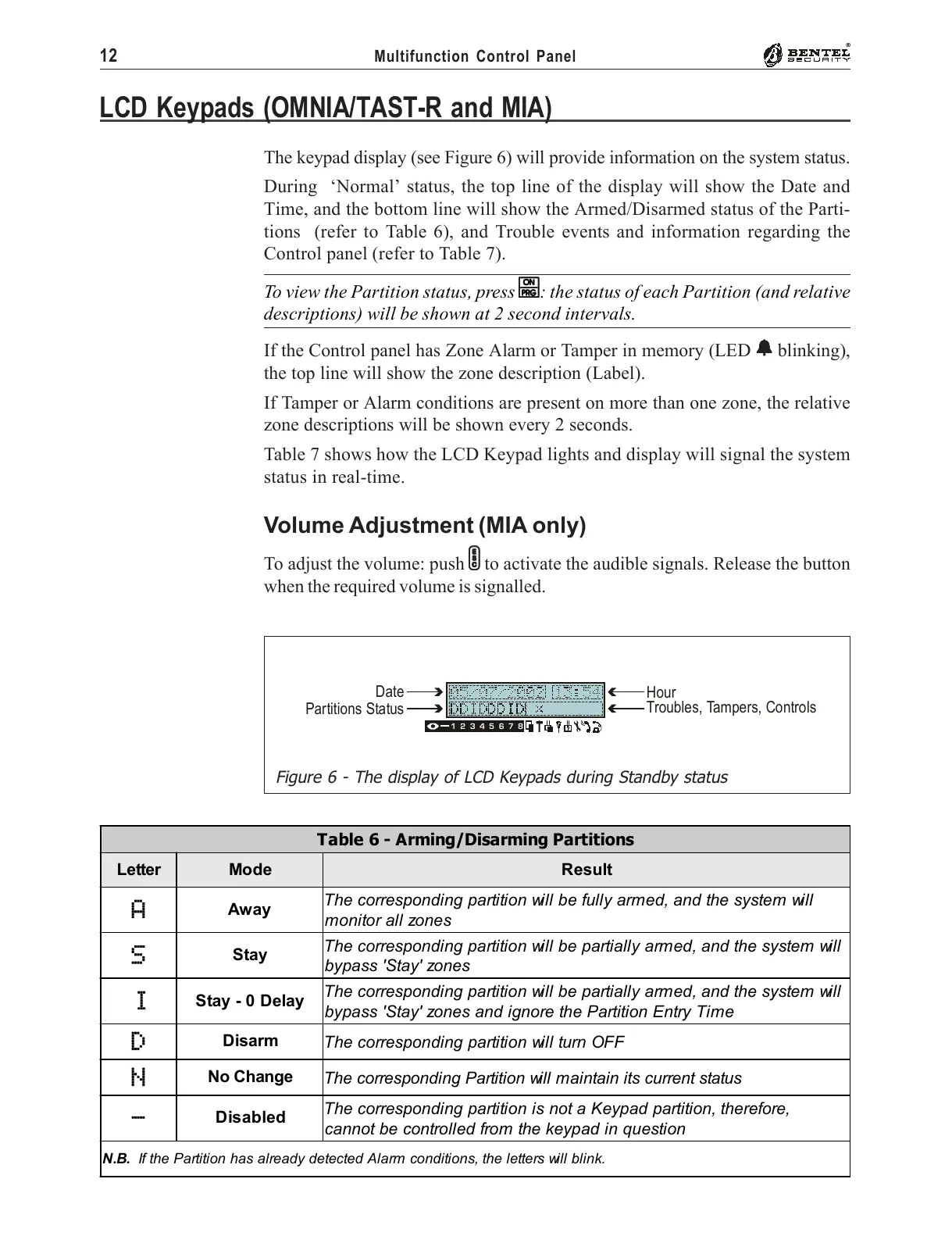
The keypad display (see Figure 6) will provide information on the system status.
During ‘Normal’ status, the top line of the display will show the Date and
Time, and the bottom line will show the Armed/Disarmed status of the Parti-
tions (refer to Table 6), and Trouble events and information regarding the
Control panel (refer to Table 7).
To view the Partition status, press
OO
OO
O: the status of each Partition (and relative
descriptions) will be shown at 2 second intervals.
If the Control panel has Zone Alarm or Tamper in memory (LED
aa
aa
a blinking),
the top line will show the zone description (Label).
If Tamper or Alarm conditions are present on more than one zone, the relative
zone descriptions will be shown every 2 seconds.
Table 7 shows how the LCD Keypad lights and display will signal the system
status in real-time.
Volume Adjustment (MIA only)
To adjust the volume: push
ee
ee
e to activate the audible signals. Release the button
when the required volume is signalled.
13572468
Date
Partitions Status
Hour
Troubles, Tampers, Controls
Figure 6 - The display of LCD Keypads during Standby status
Table 6 - Arming/Disarming Partitions
Letter Mode Result
A
Away
The corresponding partition will be fully armed, and the system will
monitor all zones
S
Stay
The corresponding partition will be partially armed, and the system will
bypass 'Stay' zones
I
Stay - 0 Delay
The corresponding partition will be partially armed, and the system will
bypass 'Stay' zones and ignore the Partition Entry Time
D
Disarm
The corresponding partition will turn OFF
N
No Change
The corresponding Partition will maintain its current status
-
Disabled
The corresponding partition is not a Keypad partition, therefore,
cannot be controlled from the keypad in question
N.B. If the Partition has already detected Alarm conditions, the letters will blink.










 To Next Page