24
Multifunction Control Panel
®®
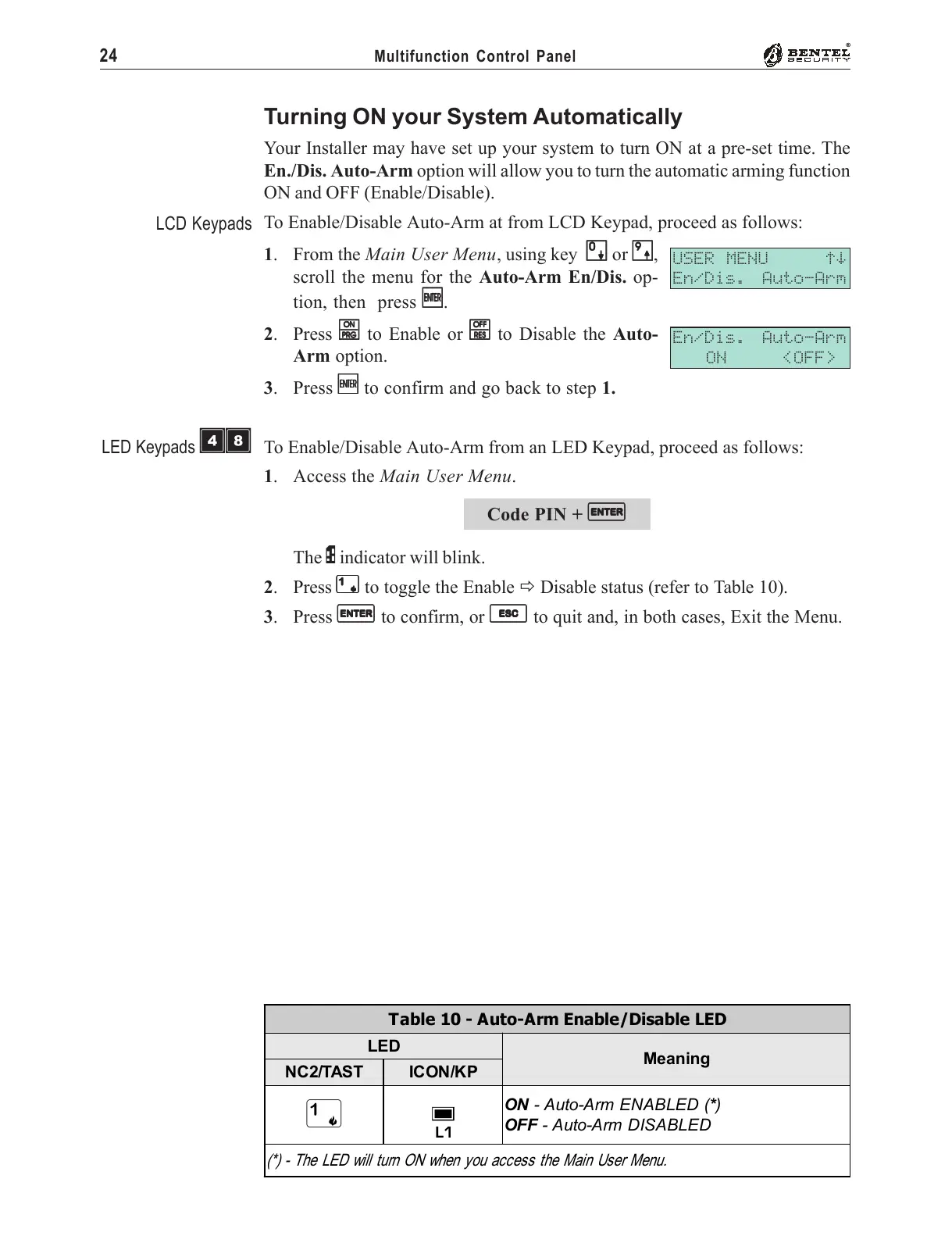
Turning ON your System Automatically
Your Installer may have set up your system to turn ON at a pre-set time. The
En./Dis. Auto-Arm option will allow you to turn the automatic arming function
ON and OFF (Enable/Disable).
To Enable/Disable Auto-Arm at from LCD Keypad, proceed as follows:
1. From the Main User Menu, using key
00
00
0 or
99
99
9,
scroll the menu for the Auto-Arm En/Dis. op-
tion, then press
EE
EE
E.
2. Press
OO
OO
O to Enable or
oo
oo
o to Disable the Auto-
Arm option.
3. Press
EE
EE
E to confirm and go back to step 1.
To Enable/Disable Auto-Arm from an LED Keypad, proceed as follows:
1. Access the Main User Menu.
Code PIN +
EE
EE
E
The P indicator will blink.
2. Press
11
11
1 to toggle the Enable " Disable status (refer to Table 10).
3. Press
EE
EE
E to confirm, or
ee
ee
e to quit and, in both cases, Exit the Menu.
USER MENU áâ
En/Dis. Auto-Arm
En/Dis. Auto-Arm
ON <OFF>
LCD Keypads
Table 10 - Auto-Arm Enable/Disable LED
LED
Meaning
NC2/TAST ICON/KP
1
g
L1
ON - Auto-Arm ENABLED (*)
OFF - Auto-Arm DISABLED
(*) - The LED will turn ON when you access the Main User Menu.
LED Keypads ÌÐ










 To Next Page