11
®®
Operating from a Keypad
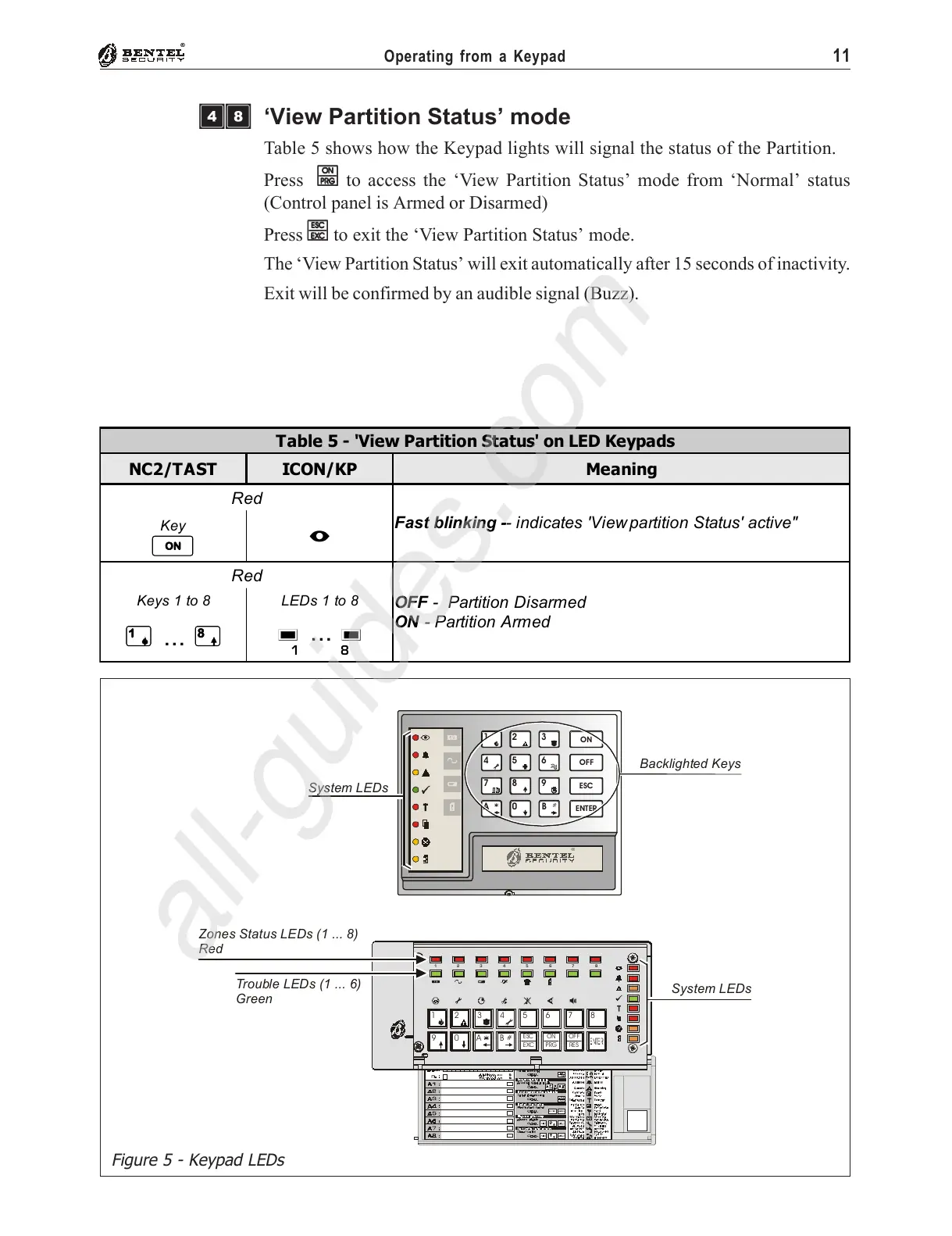
Figure 5 - Keypad LEDs
‘View Partition Status’ mode
Table 5 shows how the Keypad lights will signal the status of the Partition.
Press
OO
OO
O to access the ‘View Partition Status’ mode from ‘Normal’ status
(Control panel is Armed or Disarmed)
Press
ee
ee
e to exit the ‘View Partition Status’ mode.
The ‘View Partition Status’ will exit automatically after 15 seconds of inactivity.
Exit will be confirmed by an audible signal (Buzz).
#
3
45678
0A B
EXC
ESC
12
9
PRG
ON
RES
OFF
87654321
System LEDs
Zones Status LEDs (1 ... 8)
Red
Trouble LEDs (1 ... 6)
Green
#
D5.0 BNMLOGO P. 1 2 804 99
D5.0 NNMLED P. 1 280 499
®
ON
OFF
ESC
ENT ER
1
4
7
A
2
5
8
0
3
6
9
B
System LEDs
Backlighted Keys
Table 5 - 'View Partition Status' on LED Keypads
NC2/TAST ICON/KP Meaning
Red
Fast blinking -- indicates 'View partition Status' active"
Key
O
I
Red
OFF - Partition Disarmed
ON - Partition Armed
Keys 1 to 8
1
...
8
LEDs 1 to 8
g
...
g
1 81
ÌÐ










 To Next Page