39
®®
Using Digital Keys and Cards
Arm — Global Mode (Turning ON your system)
This operation will Arm all the Partitions controlled by the Digital Key/Card and
Reader in use.
To Arm the System in Global Mode (Red LED ON), proceed as follows:
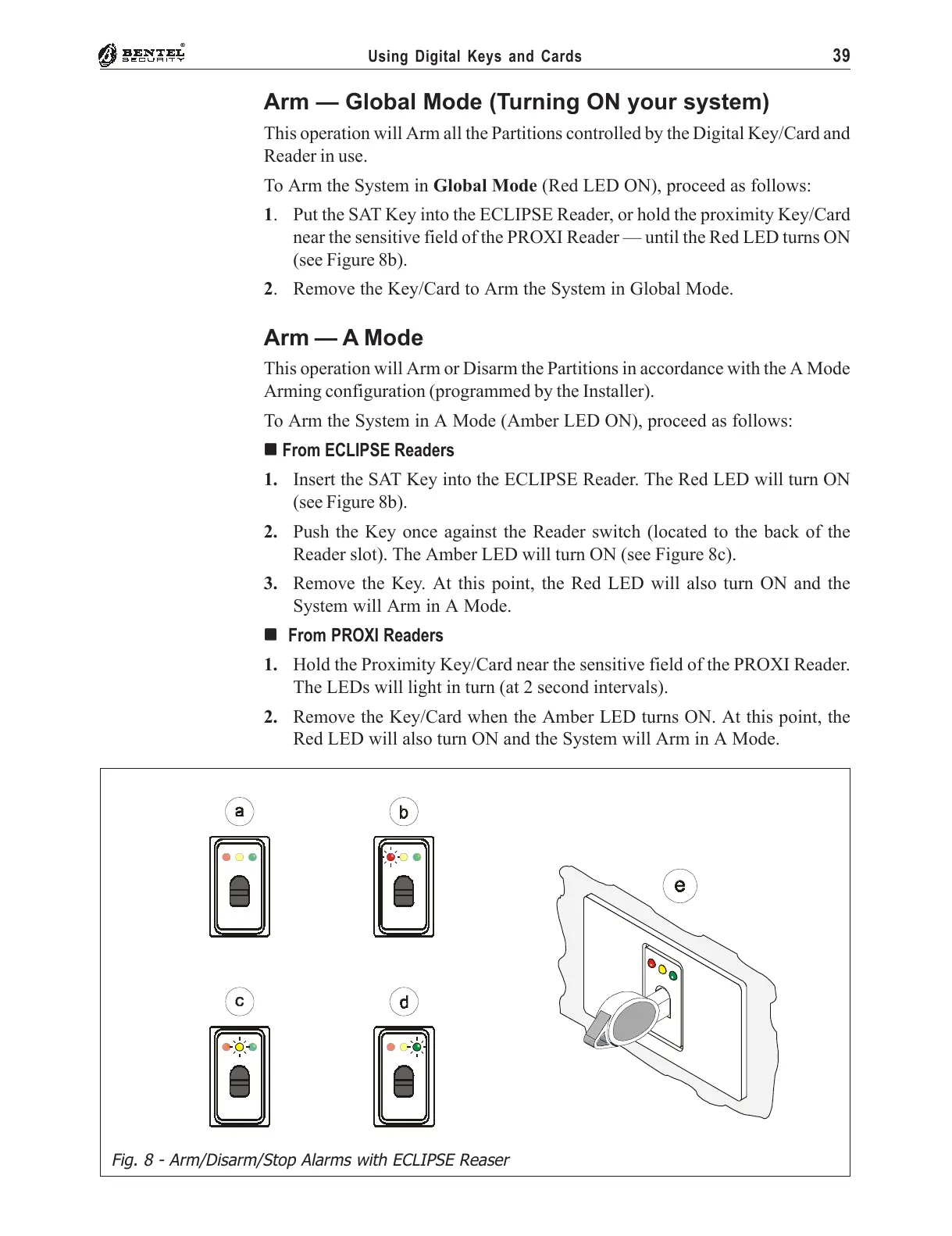
1. Put the SAT Key into the ECLIPSE Reader, or hold the proximity Key/Card
near the sensitive field of the PROXI Reader — until the Red LED turns ON
(see Figure 8b).
2. Remove the Key/Card to Arm the System in Global Mode.
Arm — A Mode
This operation will Arm or Disarm the Partitions in accordance with the A Mode
Arming configuration (programmed by the Installer).
To Arm the System in A Mode (Amber LED ON), proceed as follows:
''
''
' From ECLIPSE Readers
1. Insert the SAT Key into the ECLIPSE Reader. The Red LED will turn ON
(see Figure 8b).
2. Push the Key once against the Reader switch (located to the back of the
Reader slot). The Amber LED will turn ON (see Figure 8c).
3. Remove the Key. At this point, the Red LED will also turn ON and the
System will Arm in A Mode.
''
''
' From PROXI Readers
1. Hold the Proximity Key/Card near the sensitive field of the PROXI Reader.
The LEDs will light in turn (at 2 second intervals).
2. Remove the Key/Card when the Amber LED turns ON. At this point, the
Red LED will also turn ON and the System will Arm in A Mode.
Fig. 8 - Arm/Disarm/Stop Alarms with ECLIPSE Reaser










 To Next Page