35
®®
Using Digital Keys and Cards
USING DIGITAL KEYS AND CARDS
Introduction
The Digital Keys/Cards will allow you to perform all the basic operations
from enabled Readers.
Readers
Readers have 3 System status LEDs (Red, Green and Amber).
This Control panel manages:
%%
%%
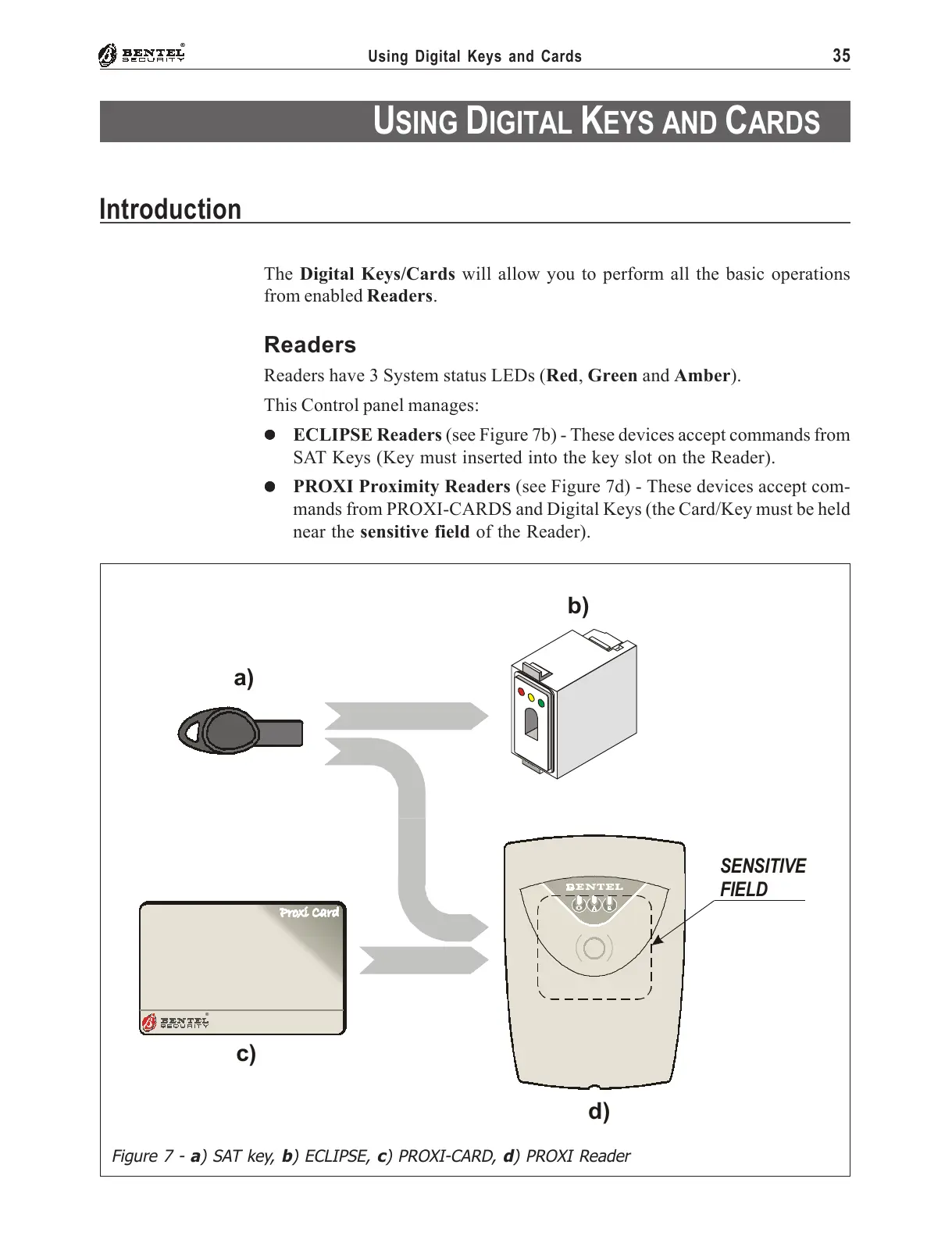
% ECLIPSE Readers (see Figure 7b) - These devices accept commands from
SAT Keys (Key must inserted into the key slot on the Reader).
%%
%%
% PROXI Proximity Readers (see Figure 7d) - These devices accept com-
mands from PROXI-CARDS and Digital Keys (the Card/Key must be held
near the sensitive field of the Reader).
a)
b)
®
c)
d)
SENSITIVE
FIELD
Figure 7 - a) SAT key, b) ECLIPSE, c) PROXI-CARD, d) PROXI Reader










 To Next Page