29
®®
Operating from a Keypad
Programming Codes
The Program Codes option will allow Main Users to program and change the
PINs of all Codes, except for those of other Main Users. For security reasons, do
not use the Factory Default Codes, or obvious codes, such as
11111111
11111111
1111 or
12341234
12341234
1234.
This Control panel manages 24 Codes (programmed as per requirements by the
Installer). The Codes will be classified as Main User, User, Panic, Patrol or
DTMF, and enabled on at least one Partition.
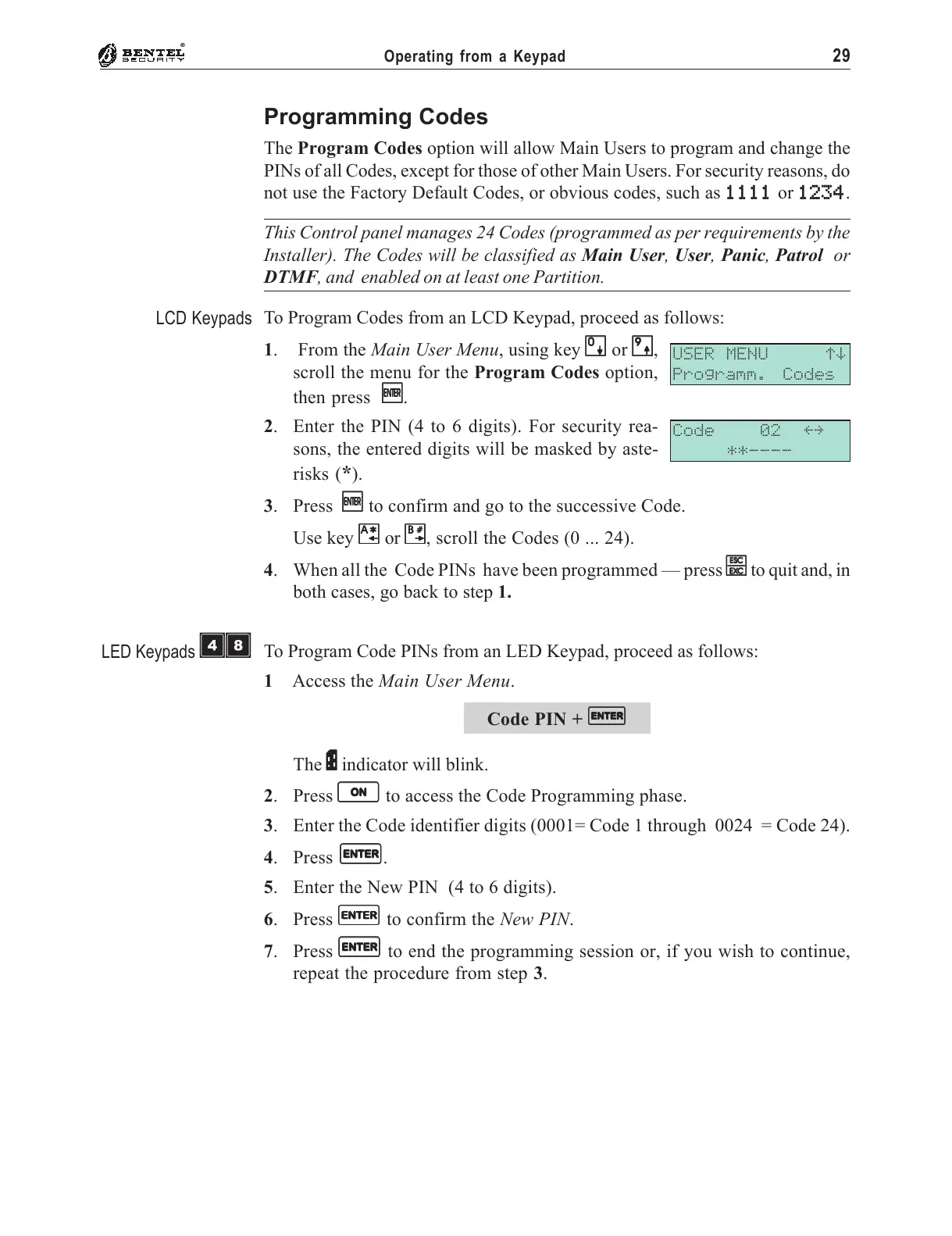
To Program Codes from an LCD Keypad, proceed as follows:
1. From the Main User Menu, using key
00
00
0 or
99
99
9,
scroll the menu for the Program Codes option,
then press
EE
EE
E.
2. Enter the PIN (4 to 6 digits). For security rea-
sons, the entered digits will be masked by aste-
risks (
*).
3. Press
EE
EE
E to confirm and go to the successive Code.
Use key
AA
AA
A or
BB
BB
B, scroll the Codes (0 ... 24).
4. When all the Code PINs have been programmed — press
ee
ee
e to quit and, in
both cases, go back to step 1.
To Program Code PINs from an LED Keypad, proceed as follows:
1 Access the Main User Menu.
Code PIN +
EE
EE
E
The
PP
PP
P indicator will blink.
2. Press
OO
OO
O to access the Code Programming phase.
3. Enter the Code identifier digits (0001= Code 1 through 0024 = Code 24).
4. Press
EE
EE
E.
5. Enter the New PIN (4 to 6 digits).
6. Press
EE
EE
E to confirm the New PIN.
7. Press
EE
EE
E to end the programming session or, if you wish to continue,
repeat the procedure from step 3.
USER MENU áâ
Programm. Codes
Code 02 ßà
**----
LCD Keypads
LED Keypads
ÌÐ










 To Next Page