13-1
Chapter 13
Radio Controlled Clock
You can connect a Wharton Radio Controlled Clock to a Controller to
provide a complete time synchronisation and display system. The
Radio Controlled Clock picks up time signals from Rugby in England
or from Frankfurt in Germany.
Connecting
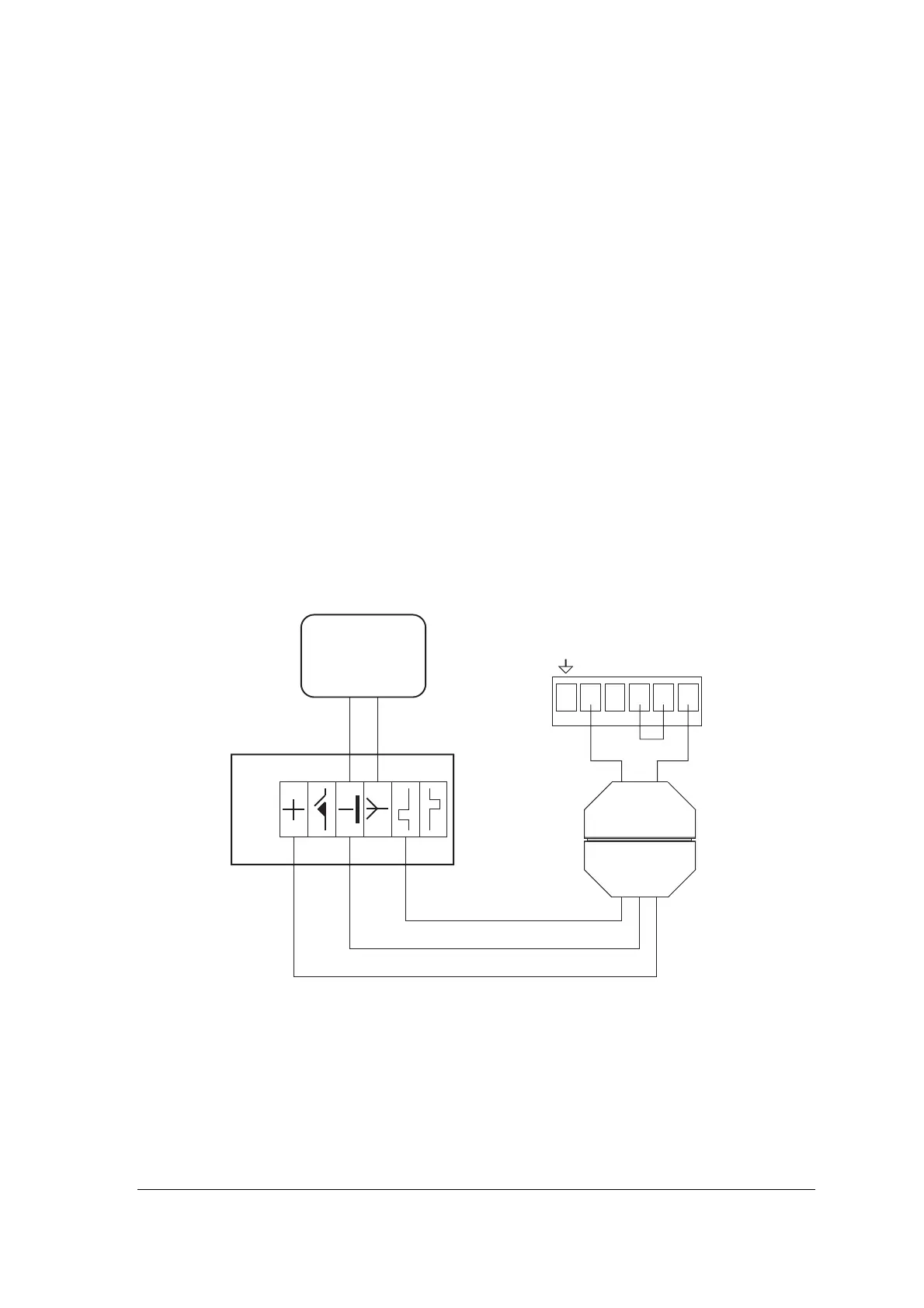
The Wharton Radio Controlled Clock connects to the RS232
connector CONN1 of the 4101-2 Controller motherboard via a 5810
RS232 Converter. The 5810 Converter is housed in a 25-way D-type
female connector shell and has colour-coded cables coming out of the
back. The 5810 Converter must be plugged into a 25-way D-type
male connector from which connections should be made to CONN1
on the motherboard, as shown in the diagram below.
Wharton clock
antenna
Wharton
clock
Green Red
0VRTSCTSTXDRXD
4101-2 motherboard
RS232 connector - CONN1
5810 RS232
Converter
Pin7Pin2
Yellow
Black
Red
25-way D-type
Male Connector
The connections between the 5810 Converter and the Radio
Controlled clock are as shown in the diagram above, using the
colour-coded cables from the 5810 Converter.



 To Next Page