4253 Input/Output module 16/8 & 4953 I/O Status Display module
7-7
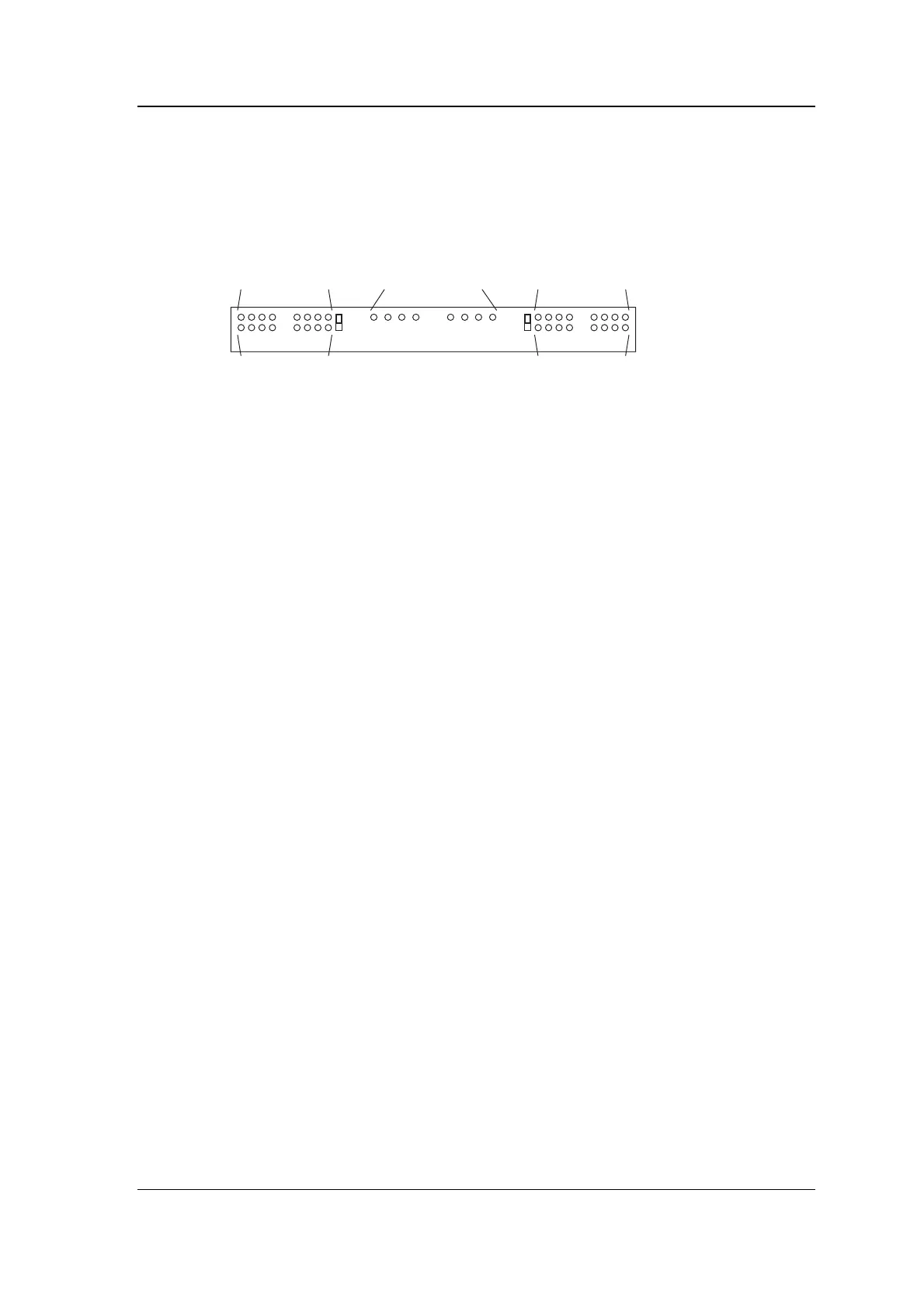
LEDs and jumpers on the 4953 module
The following diagram shows the position of LEDs and jumpers on
the 4953 Status Display module.
A
B
A
B
Even address
inputs - alarm
Even address
inputs - tamper
Odd address
inputs - alarm
Odd address
inputs - tamper
Outputs - active
Setting up the 4953 I/O Status Display
module
Jumpers JU1 and JU2 in the B position disable the tamper
indication for the even address and odd address inputs respectively.
You need to do this if your inputs are not wired for tamper using the
resistors shown in the earlier diagram.
4953 I/O Status Display module LED
indications
Input indications
Each input has two LED indications - alarm and tamper. When the
amber LED is lit, the corresponding input is in its alarm state as
configured on the 4253 I/O module (closed if input is configured
normally open, or open if input is configured normally closed).
When the red LED is lit, the corresponding input is in the tamper
state (this indication can be disabled using jumpers JU1 and JU2
because in installations without tamper resistors the red LEDs will be
on all the time).
Output indications
Each output has a single LED indication which lights amber when
the corresponding relay is activated as configured on the 4253 I/O
module (active means closed if the relay is configured “normally
open”, or open if relay is configured “normally closed”).



 To Next Page