4101-2 Controller Installation Handbook
8-14
The cable should have 3 conductors with overall screening, for
example Belden 9533. It must not be more than 15 metres long. If the
computer is further away than this then you must use an RS232 to
RS485 converter at the computer end and connect to the upstream
RS485 connections of the Comms module.
To pass emission regulations, all RS232 and RS485 cables entering
or leaving the Controller case must pass through a ferrite sleeve, see
the chapter on “Earthing and screening”.
Connecting Controllers to a Comms module
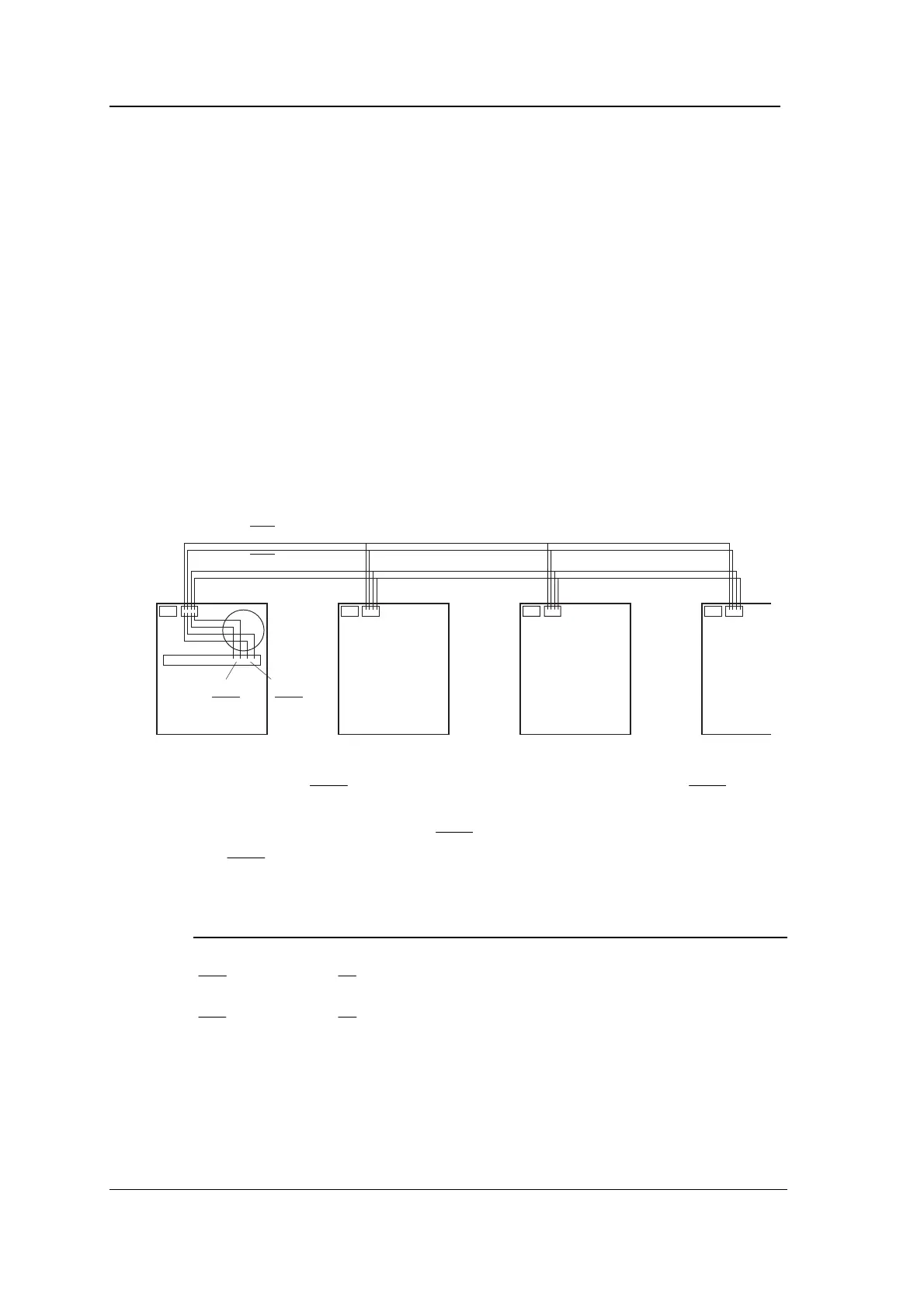
The CONN2 connections of all Controller motherboards in a branch
should be connected together in parallel (including CONN2 of the
motherboard in which the Comms module is installed). The
downstream RS485 connections of the Comms module should then
also be connected to CONN2 of the motherboard, as shown in the
following diagram.
RXD/RXD
TXD/TXD
RXD
RXD
TXD
TXD
The RXD from the motherboard is connected to TXD of the Comms
module. The
from the motherboard is connected to
of the
Comms module. The TXD from the motherboard is connected to RXD
of the Comms module. The
from the motherboard is connected
to
of the Comms module. The above diagram shows the
connections.
Comms Module Motherboards
Scr Connect cable screen to Controller case at one end only
RXD TX
RXD TX
TXD RX
TXD RX
SE No connection - signal earth not required
The cable should be twin individually screened twisted pair with
0.25mm
2
conductors (24AWG) or larger, for example BELDEN 8723
(0.38mm
2
, 22AWG). It can be up to 1km long on any complete
branch.



 To Next Page