141
HyperTerminal
HyperTerminal is a useful tool that comes with Windows
®
and can be used for RS-232 purposes. Simply
open a HyperTerminal session by going to: Start> Programs> Accessories> Communications>
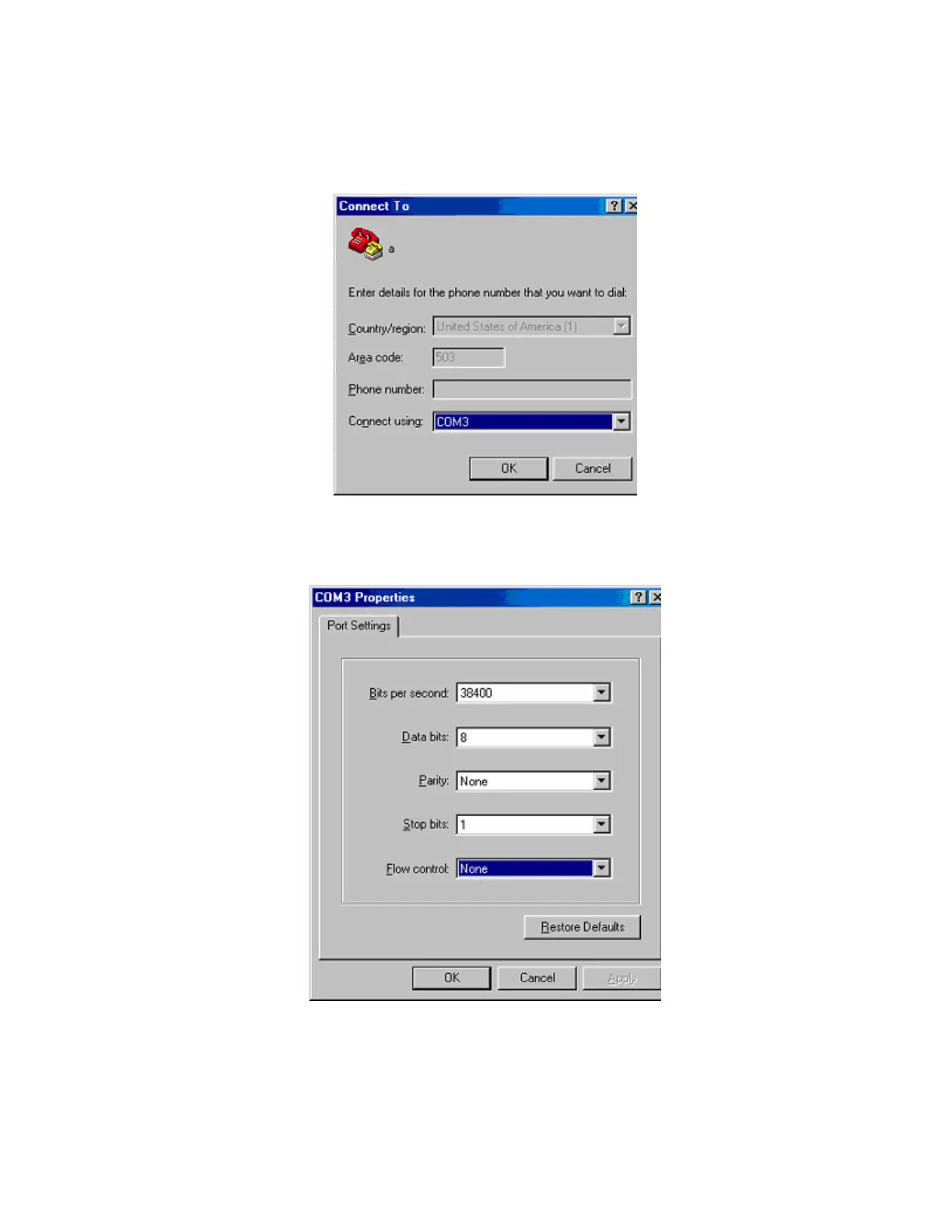
HyperTerminal. Enter a name for your connection and click ‘OK’. Under the pull-down menu labeled
‘Connect Using’ select the location of your RS-232 Comm. port.
Under the Comm. port properties set it to 38400, 8, None, 1, and None as shown below. Now
HyperTerminal is ready to use. Audia does not echo characters typed, so if you want to view what is being
typed into Audia, click on "echo typed characters locally" in the ASCII setup screen.



 To Next Page