57
Mixers
These Component Objects provide typical audio mixing functions, in five categories: Standard Mixers;
Matrix Mixers; Auto Mixers; Mix-Minus Combiners; and Room Combiners. Mix-Minus Combiners are
provided to enhance the capabilities of Auto Mixers in mix-minus and input expansion applications. Room
Combiners are provided to enhance the capabilities of Auto Mixers in room combining and zone routing
applications. Mixers are available in pre-defined configurations, however, the configuration may be
customized when being placed from the Object Toolbar.
Once a Component Object is placed into the Layout, all available settings can be accessed by double-
clicking over the object. This produces a Control Dialog Box, which displays the component controls in a
more conventional user interface.
see Standard Mixers Control Dialog
see Matrix Mixers Control Dialog
see Auto Mixers Control Dialog
see Mix-Minus Combiners Control Dialog
see Room Combiners Control Dialog
Right-clicking over the object provides a pop-up menu of options. Control Dialog Boxes for Room
Combiner components can be minimized to create user control surfaces (see Customizing Component
Objects).
Control Dialogs
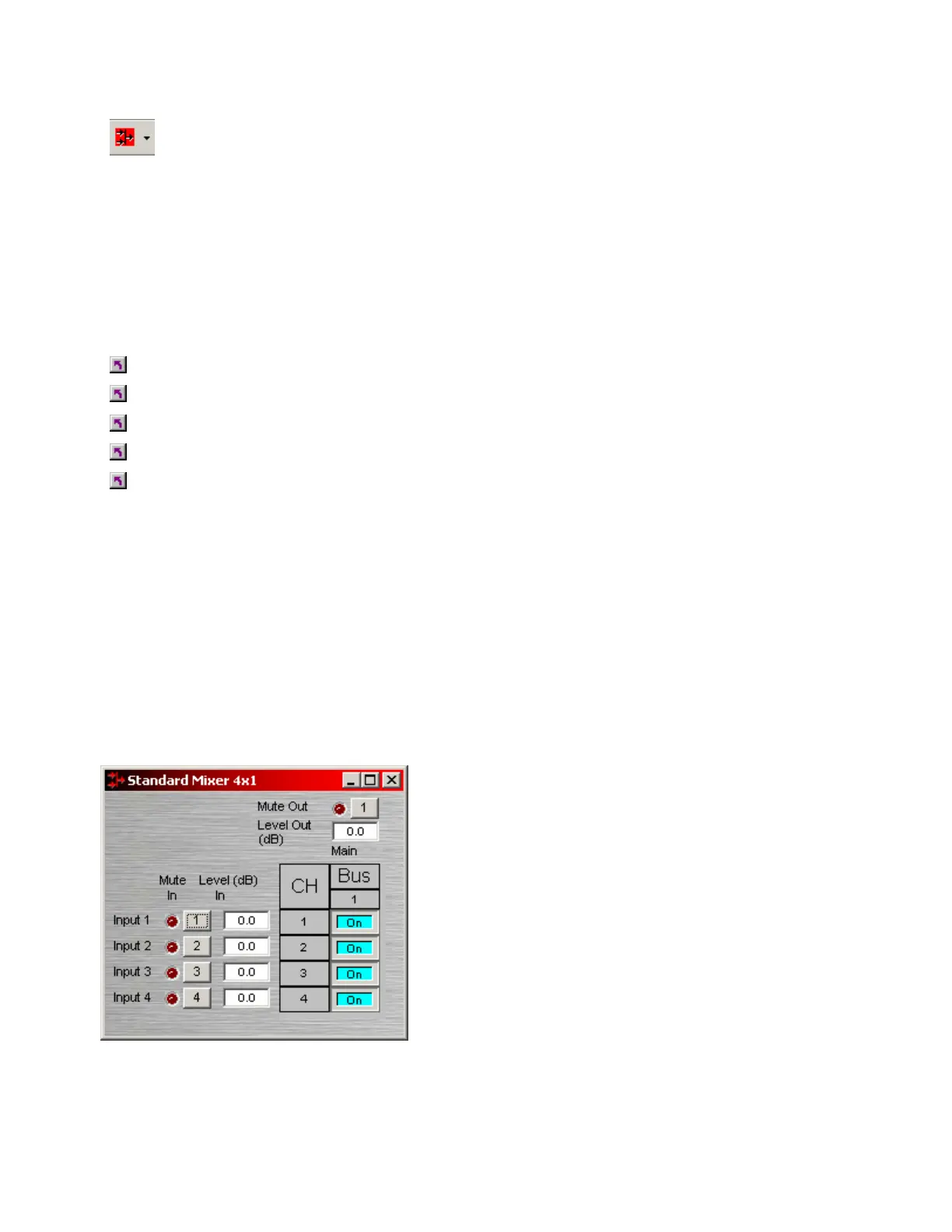
Standard Mixers
Mute In turns the input signal on/off. Level In adjusts the
relative input volume. Ch / Bus assigns inputs to specific
outputs. Mute Out turns the output signal on/off. Level
Out adjusts the relative output volume.
Right-clicking over certain settings will provide a menu of
additional options. Unlike other components, Mixers
allow labeling of inputs/outputs within their dialog boxes.
See Channel Identifier under Object Properties Sheet.



 To Next Page