92
Generators
These Component Objects provide sine-wave, sweep, pink-noise, and white-noise generator functions.
Generators may be connected to any component input, and may be used for diagnostic and setup
purposes, or for applications which require tones or sound-masking.
Once a Component Object is placed into the Layout, all available settings can be accessed by double-
clicking over the object. This produces a Control Dialog Box, which displays the component controls in a
more conventional user interface.
see Tone Generator Control Dialog
see Pink Noise Generator Control Dialog
see White Noise Generator Control Dialog
Right-clicking over the object provides a pop-up menu of options.
Control Dialogs
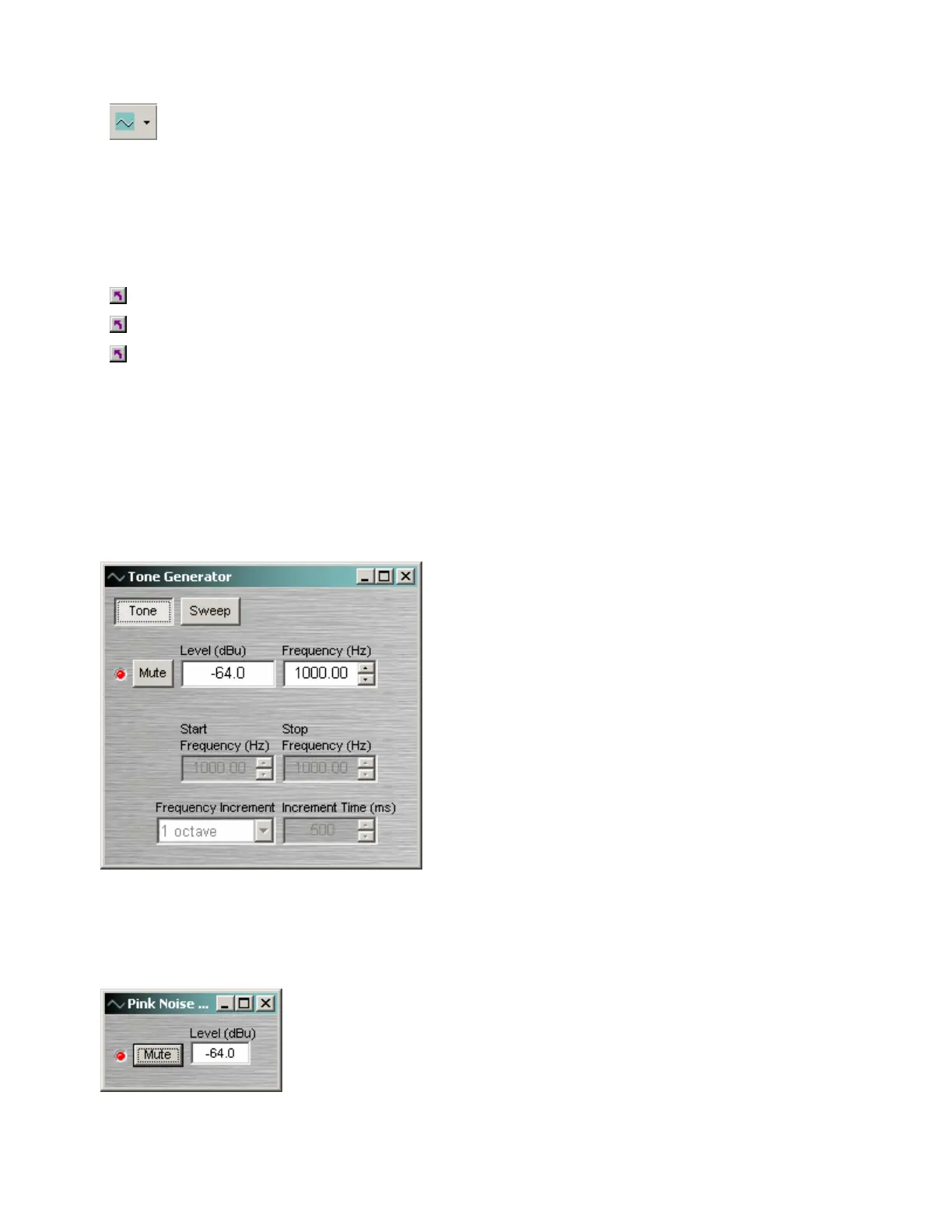
Tone Generator
Tone selects a single frequency. Sweep selects a
range of frequencies (instead of a single tone). Mute
turns on/off the generator. Level determines the
generator output level. Frequency determines the
frequency for Tone. Start Frequency & Stop
Frequency determine the range of frequencies for
Sweep. Frequency Interval selects the spacing (and
quantity) of individual tones for Sweep. Time Interval
determines the time each tone is held for Sweep.
Right-clicking over certain settings will provide a menu
of additional options.
Pink Noise Generator
Mute turns on/off the generator. Level determines generator output level.
Right-clicking over certain settings will provide a menu of additional options.



 To Next Page