71
Dynamics
These Component Objects provide Leveler, Comp/Limiter, Ducker, Noise Gate, & Ambient Noise
Compensator functions. Dynamics components may be connected between any other components within
the Layout, for applications which require automatic control of volume levels and/or dynamics.
Once a Component Object is placed into the Layout, all available settings can be accessed by double-
clicking over the object. This produces a Control Dialog Box, which displays the component controls in a
more conventional user interface.
see Leveler Control Dialog
see Comp/Limiter Control Dialog
see Ducker Control Dialog
see Noise Gate Control Dialog
see Ambient Noise Compensator Control Dialog
Right-clicking over the object provides a pop-up menu of options. Control Dialog Boxes for some Dynamics
components can be minimized to create user control surfaces (see Customizing Component Objects).
Control Dialogs
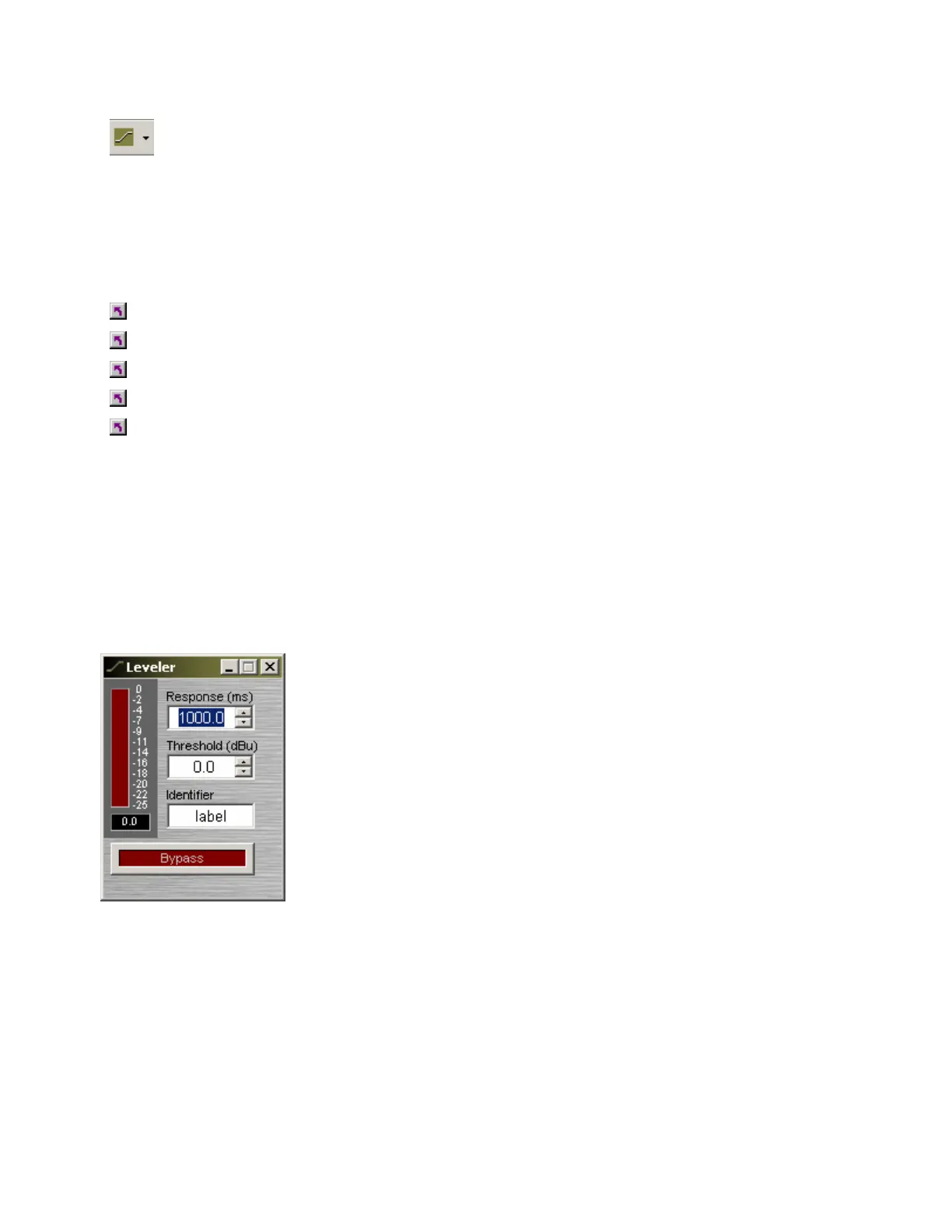
Leveler
Levelers are automatic gain controls, which affect long-term average
levels. Response Time determines how quickly the Leveler reacts to input
level changes. Threshold determines what input level will trigger gain
reduction. To maintain a consistent level, set Threshold to lowest desired
level. A meter & numeric display indicate the amount of gain reduction.
Identifier provides a custom label, when dialog box is minimized (see
below). Bypass disables the Leveler without changing settings.
Right-clicking over certain settings will provide a menu of additional
options. Control Dialog Boxes for Levelers can be minimized to create
user control surfaces (see Customizing Component Objects).



 To Next Page