65
Filters
These Component Objects provide High-Pass, Low-Pass, High-Shelf, Low-Shelf, & All-Pass filters. Filters
may be connected between any components within the Layout, for applications which require 'roll-offs',
simple tone controls, or even phase compensation.
Once a Component Object is placed into the Layout, all available settings can be accessed by double-
clicking over the object. This produces a Control Dialog Box, which displays the component controls in a
more conventional user interface.
see High Pass Filter Control Dialog
see Low Pass Filter Control Dialog
see High Shelf Filter Control Dialog
see Low Shelf Filter Control Dialog
see All-Pass Filter Control Dialog
Right-clicking over the object provides a pop-up menu of options.
Control Dialogs
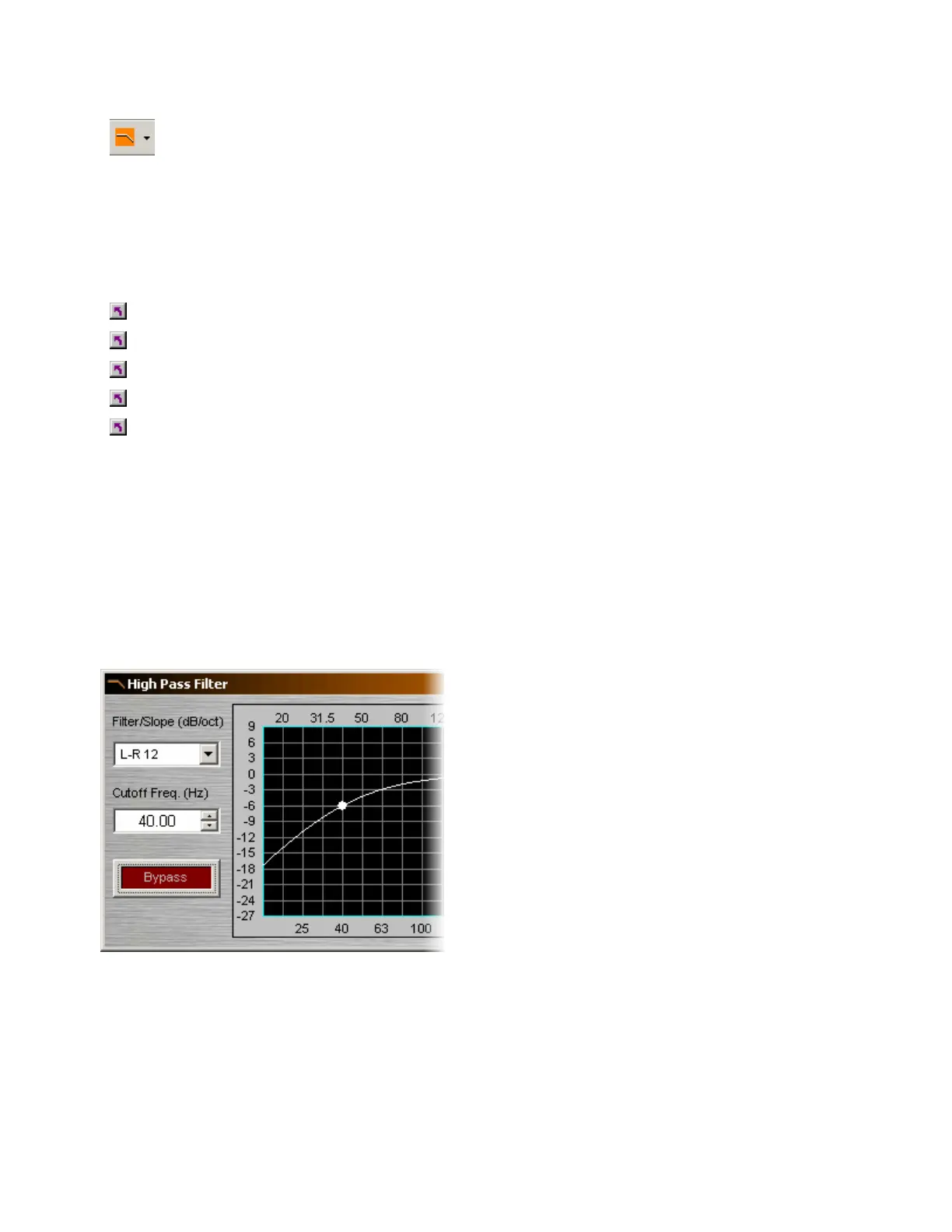
High Pass Filter
Filter / Slope selects the type (Linkwitz-Riley or
Butterworth) and slope of the filter. Cutoff Freq.
selects the cutoff frequency for the filter. Cutoff
Freq. may also be adjusted by dragging the cursor
shown inside the graph. Bypass disables the filter
without changing settings.
Right-clicking over certain settings will provide a
menu of additional options.



 To Next Page