32
Processing Library Menu
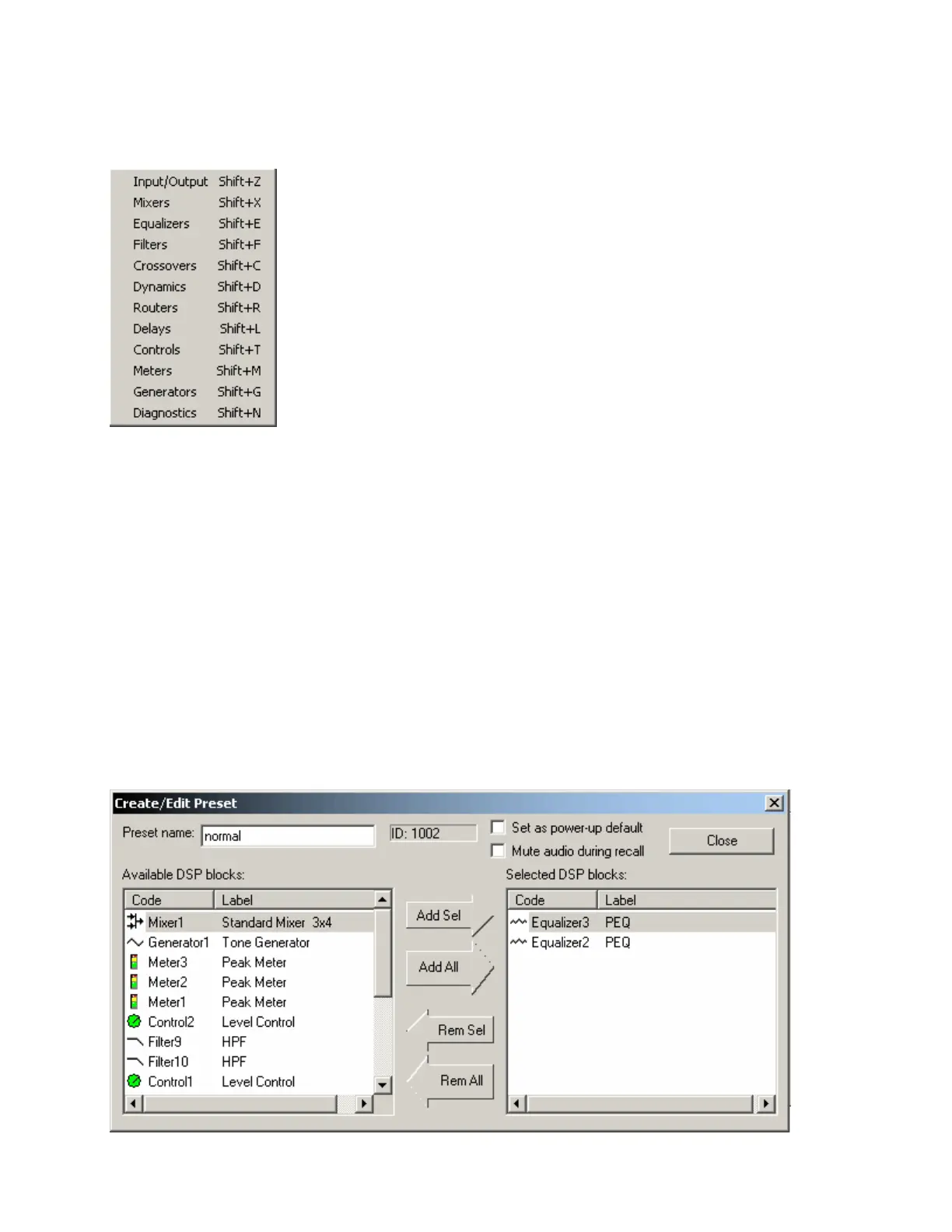
Provides a list of Component Object categories from the
Processing Library. When a category is selected from the menu,
the Processing Library opens to that category automatically.
Presets Menu
Create/Edit/Recall
Provides the Create/Edit Preset dialog box, for creating, editing, saving, and recalling presets. Each preset
can have a custom Preset Name, and will automatically be assigned a Preset ID number. A check-box is
provided to assign the selected preset to be Set As Power-Up Default. This preset will automatically be
recalled each time the system is powered up. A check-box is also provided to assign the selected preset to
Mute Audio During Recall. If audio is not muted during recall, some processing noises may be audible.
Component Objects (DSP Blocks) may be selected, and added or removed from any preset using the Add
Sel, Add All, Rem Sel, and Rem All buttons. Therefore, presets may be customized to affect Component
Objects individually, in groups, or as an entire system. Initially, all Component Objects in the Layout will be
selected (included in the preset). Individually selected components become highlighted in the layout.
Right-clicking the selected component allows it to be located in the layout and its control dialog to be
opened. These features make it easy to change individual component settings within the preset being
created/edited.



 To Next Page