33
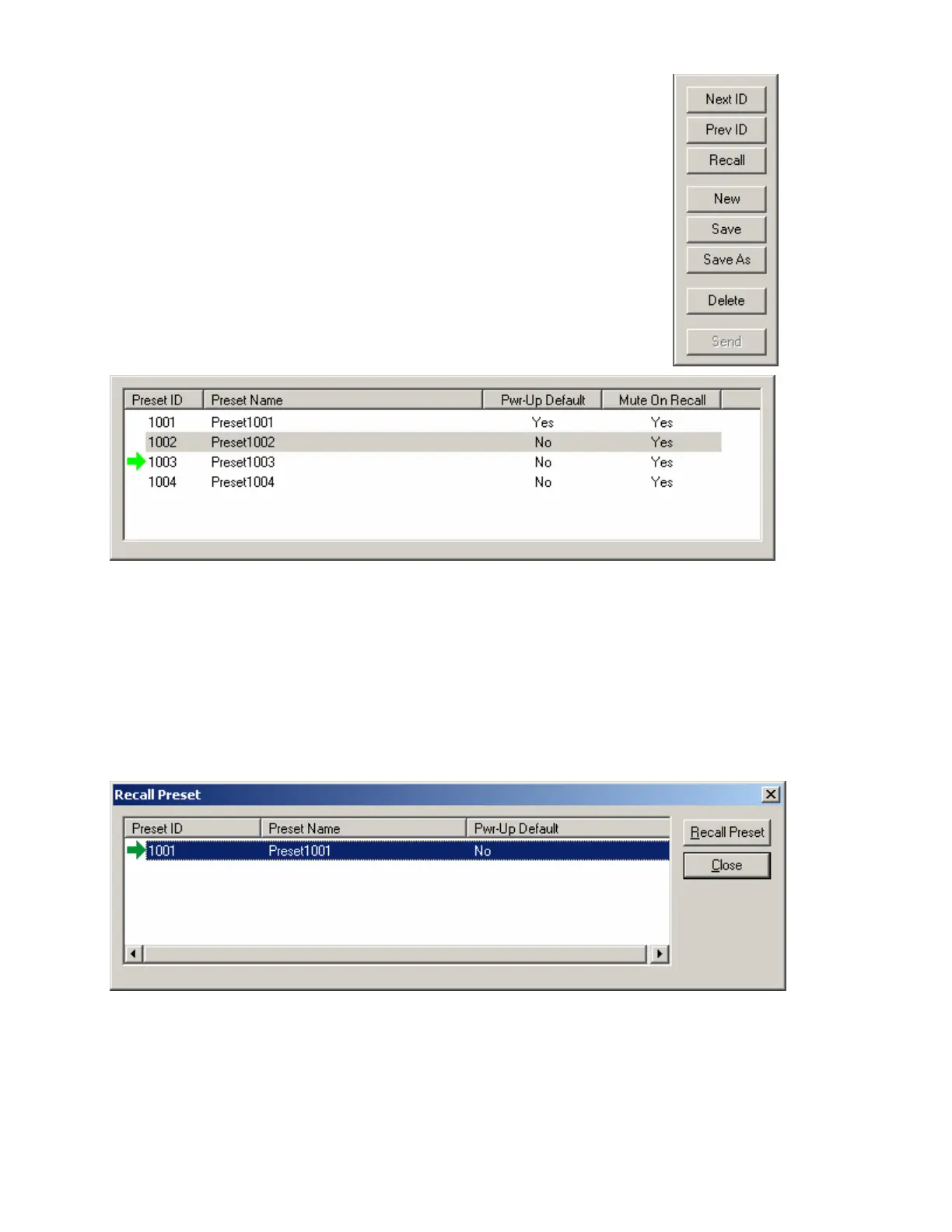
A tab at the upper-right of the Create/Edit Preset dialog box provides
additional functions. Next ID and Prev ID allow selection from a list of
existing presets. Recall retrieves all settings stored in the selected
preset. New selects the next available Preset ID, for creation of a new
preset. Save will over-write the selected Preset ID with all changes,
including Preset Name. Save As will write changes into the next
available Preset ID. Delete will remove the selected preset from
memory. Send will send all saved presets to the Audia devices in the
system. NOTE: Be sure to use Recall before attempting to edit an
existing preset. Otherwise, the preset could be over-written with settings
from a previous preset, and any settings made since it was recalled.
A tab at the lower-left of the Create/Edit Preset dialog box provides a list
of existing presets. Left-clicking selects a preset. Double-clicking recalls
a preset (as indicated by a green arrow to the left).
Recall
Provides the Recall Preset dialog box, for recalling existing presets. Recall Preset will retrieve all settings
stored in the selected preset. Presets can also be recalled using components called Preset Buttons and
Remote Preset Buttons, which can be placed into the Layout from Controls on the Object Toolbar.



 To Next Page