62
Control Dialogs
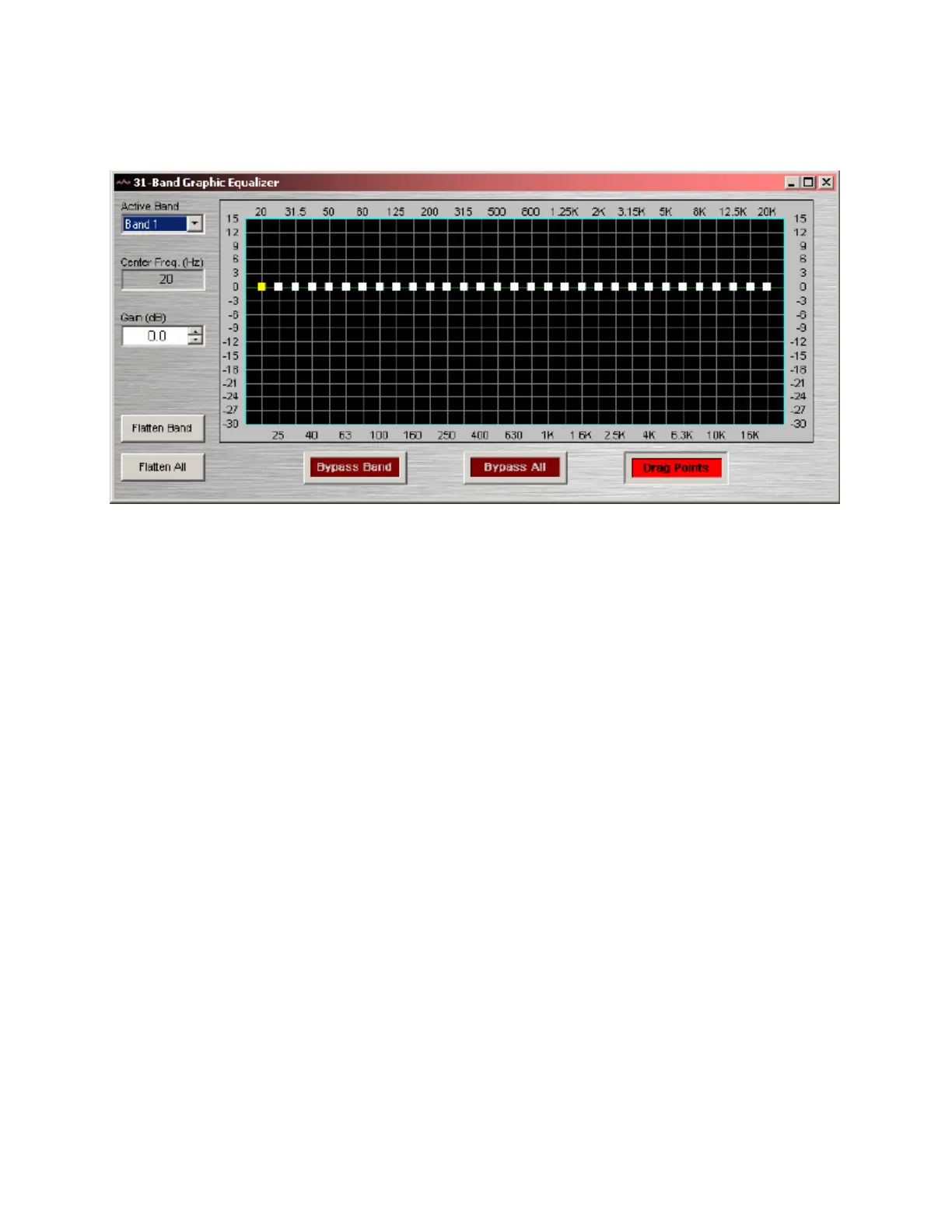
Graphic Equalizer
Active Band selects the current band to be adjusted. Center Freq. displays the center frequency for the
current band. Gain adjusts the amount of cut or boost applied at the center frequency for the current band.
Active Band and Gain may also be adjusted by dragging the band controls shown inside the graph. The
selected band control becomes yellow, and dragging it up/down affects Gain for that band. Flatten Band &
Flatten All change the band(s) Gain to '0' (flat). Bypass Band & Bypass All disable the band(s) without
changing settings. Drag Points turns on/off the band controls, revealing the resultant curve only.
Right-clicking over certain settings will provide a menu of additional options.



 To Next Page