CB (E7) 06/2018 Page 140/174
21.3.3 Starting the sterilization cycle and running the hot-air sterilization
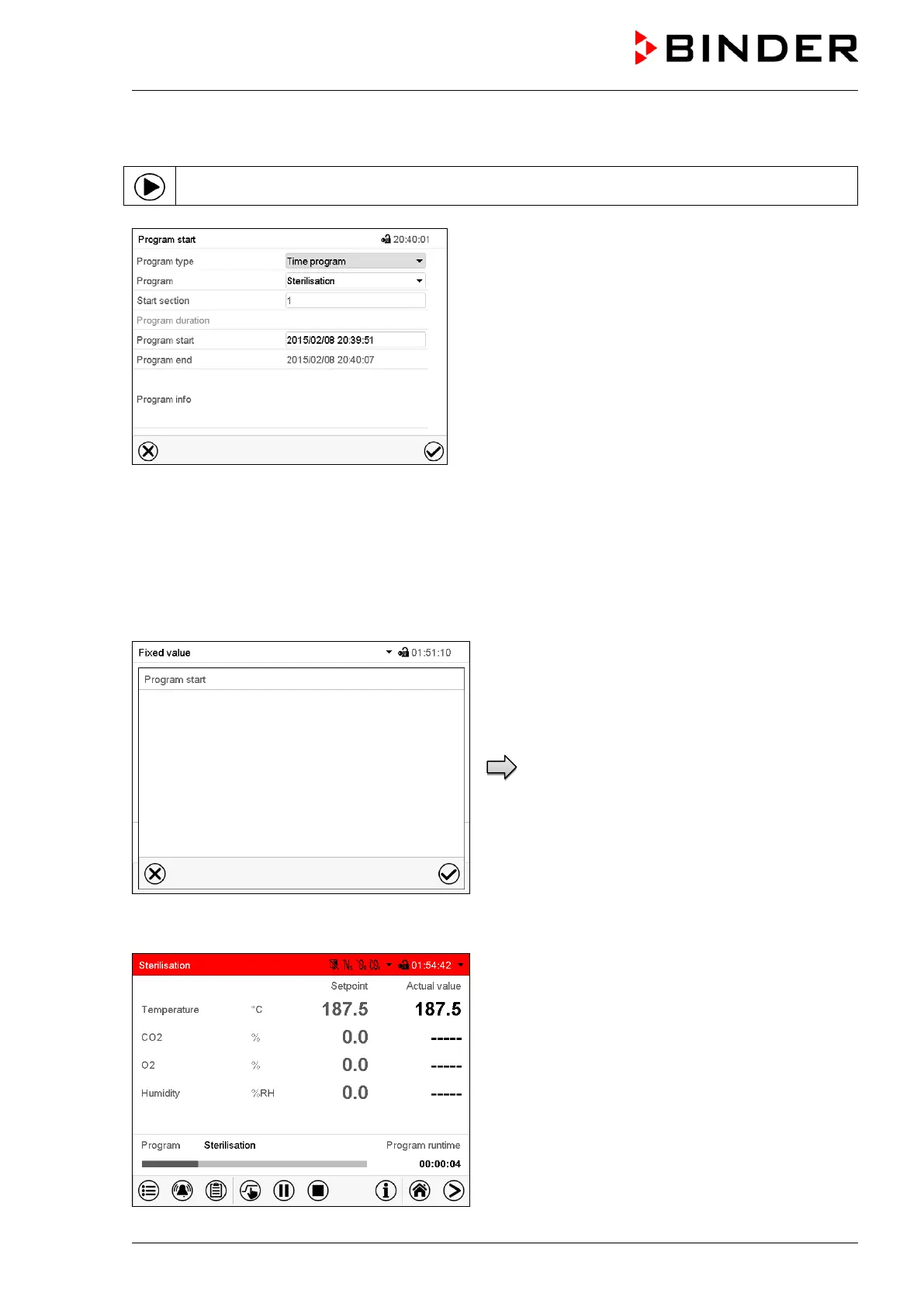
In Normal display press the Program start icon to access the “Program start” menu.
“Program start” menu
• In the field “Program type” select the setting “Time program”.
• In the field “Program” select the program “Sterilization”.
• Select the field “Program start” and enter the desired program start time in the “Program start” entry
menu. Press the Confirm icon.
A confirmation prompt is displayed.
Make sure that the water pan was emptied and
all samples were removed from the chamber and
press the Confirm icon to confirm the message.
The controller returns to the initial view and the
program delay time until program start begins.
When the program delay time is over, the hot-air
sterilization cycle begins.
Confirmation prompt.
Normal display with alarm message “Sterilization”.
The sterilization is running.
The zero-voltage relay alarm output and the buzzer
are not activated.
Samples and water removed? Start sterilization?









 To Next Page