CB (E7) 06/2018 Page 41/174
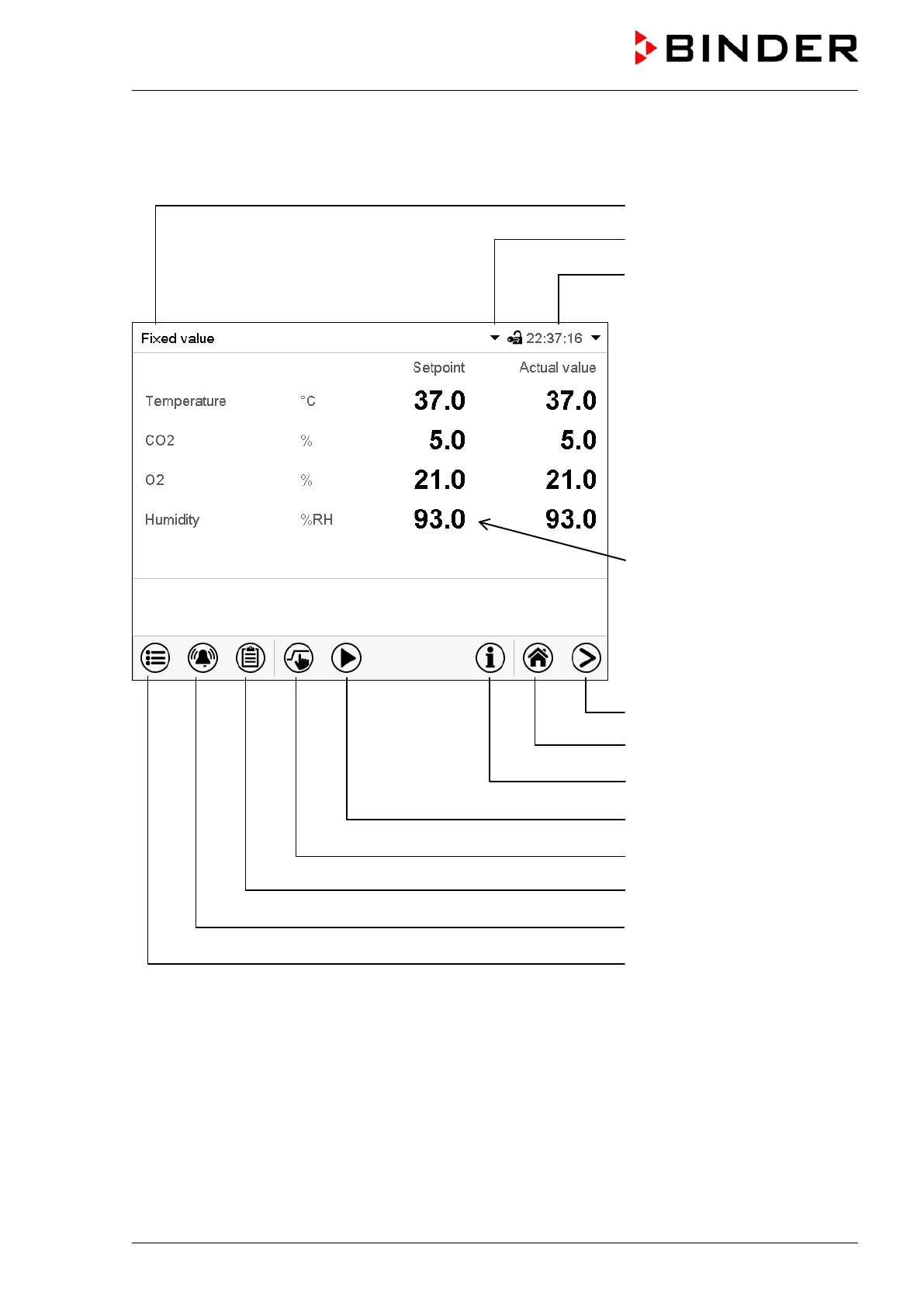
5.1 Operating functions in normal display
Text list for information icons
Date, time, authorization level
of the logged-in user, memory
Quick setpoint entry
Continue to next screen
Back to Normal display
Information
Program start
Setpoint entry
Event list
Display of active alarms
Access to main menu
Figure 17: Operating functions of the MB2 controller in normal display (sample values, chamber with O
2
control)









 To Next Page