CB (E7) 06/2018 Page 52/174
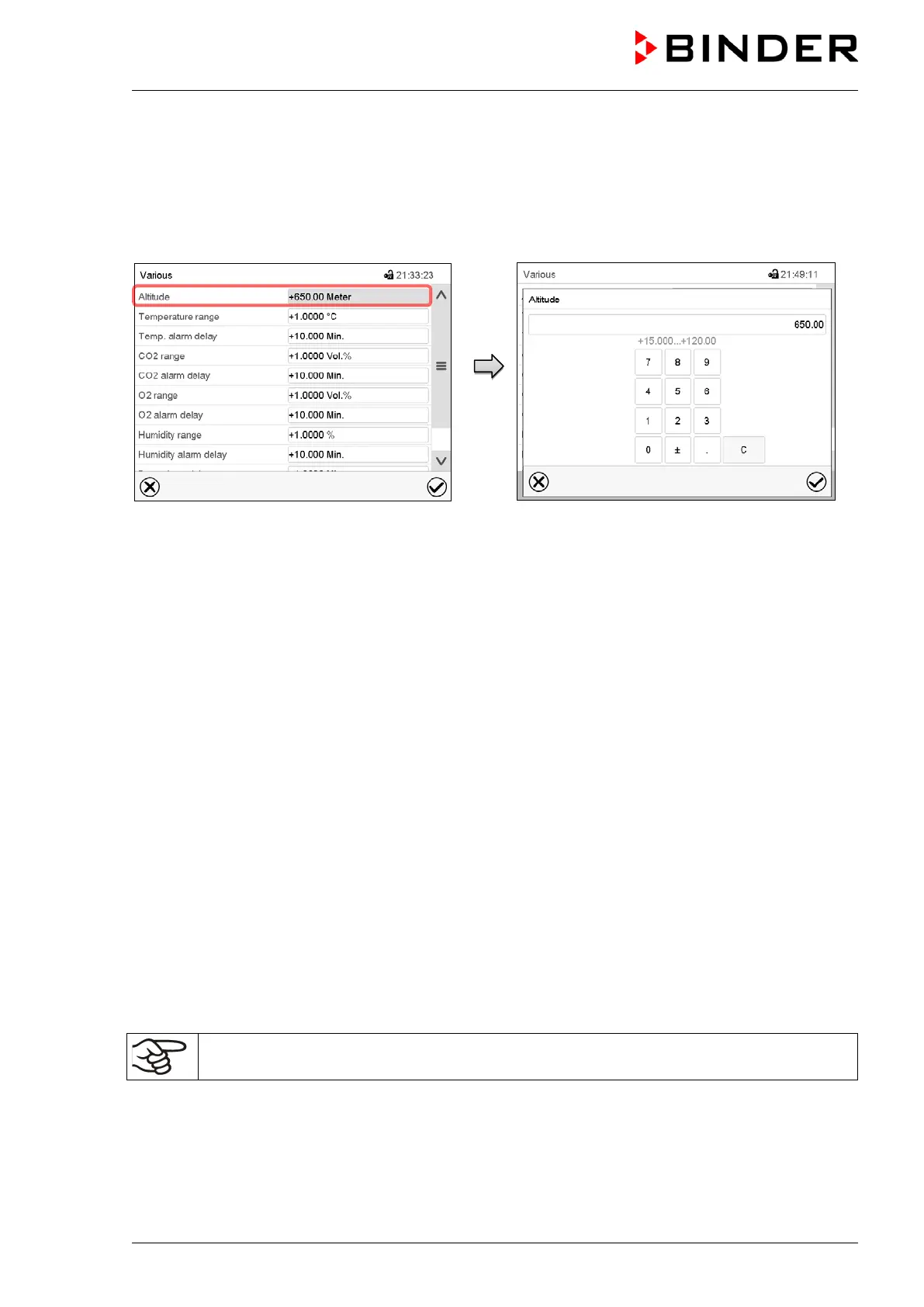
6.3 Entering the altitude of the installation site
After first turning on the chamber, it is required to enter the altitude above sea level of the installation site
into the controller. This entry serves to correct the calculation of CO
2
concentration in vol.-% from the
measurement of partial pressure. The setting will remain stored after shutting the power off.
Path: Main menu > Settings > Various
Submenu “Various”.
Select the field “Altitude”
“Altitude” entry menu. Enter the desired altitude
above sea level in meters and confirm entry with
Confirm icon.
Factory setting: 650 m
6.4 Factory settings
The chamber is supplied with the following basic preset parameters:
• Temperature setpoint 37 °C / 98.6 °F
• CO
2
setpoint 5 vol.-%
• O
2
setpoint (chamber with O
2
control) 21 vol.-%
• Humidity setpoint (chamber with active humidification) 93 % r.h.
• Safety controller class 3.1 Offset 2 °C
• Sterilization temperature 187.5 °C / 369.5 °F
• Audible alarm signal (buzzer) activated
• Altitude above sea level 650 m
The set temperature determines the target working temperature in the inner chamber, i.e. set value 37 °C
/ 98.6°F = target working temperature 37 °C / 98.6°F. The same is valid for the CO
2
and O
2
concentration
(chamber with O
2
control) and humidity (chamber with active humidification). For the hot-air sterilization,
the set value is 187.5 °C / 369.5°F and cannot be changed.
As long as there is a difference between the actual and set value shown in the display,
adequate operation of the chamber is not guaranteed.









 To Next Page