CB (E7) 06/2018 Page 42/174
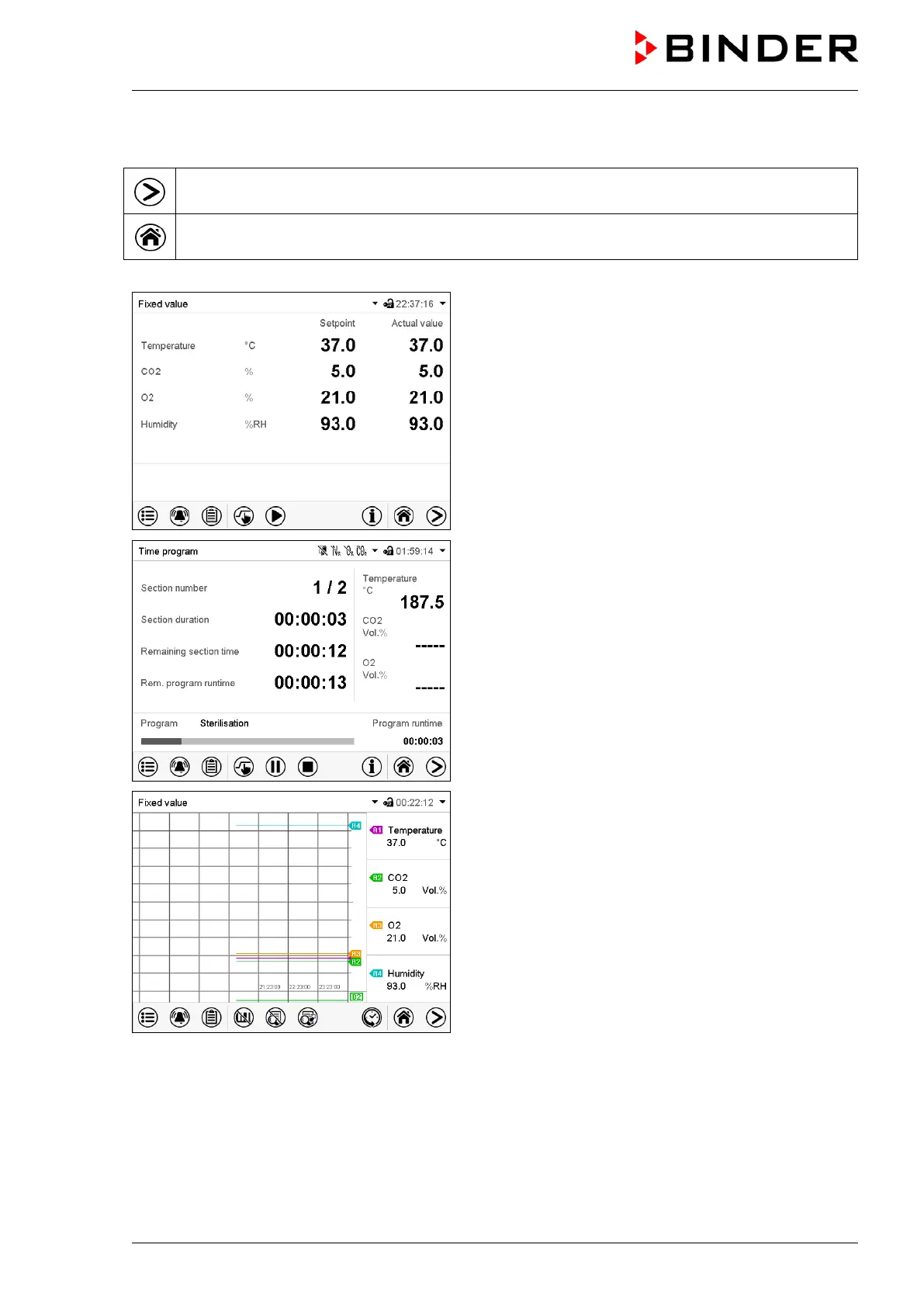
5.2 Display views: Normal display, program display, chart-recorder display
Press the Change view icon to toggle between normal display, program display and chart-
recorder display.
Press the Normal display icon to return from program display and chart recorder display back to
Normal display.
Normal display (actual values / setpoint values)
Program display (example: time program)
Chart recorder display
(Sample values, chamber with O
2
control and active humidification)









 To Next Page