CB (E7) 06/2018 Page 66/174
9.4 Creating a new time program
Path: Main menu > Programs > Time program
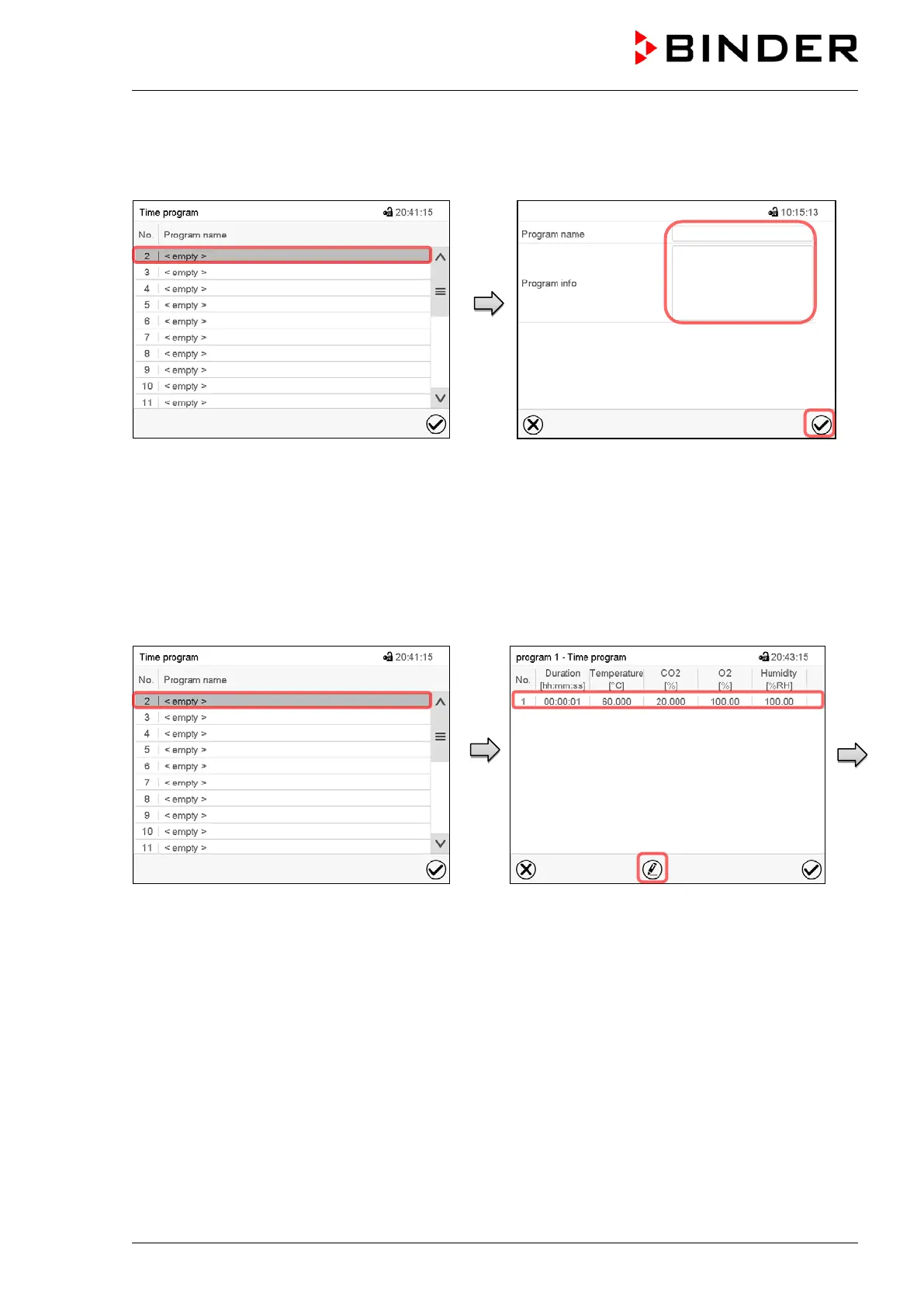
“Time program” menu:
overview of the existing programs.
Select an empty program place.
Enter the program name and, if desired,
additional program information in the
corresponding fields.
Press the Confirm icon.
The program view opens (chap. 9.5).
9.5 Program editor: program management
Path: Main menu > Programs > Time program
“Time program” menu:
overview of the existing programs.
Select an existing program (example: program
3) or create a new program (chap. 9.4).
The program view opens.
Program view (example: program 1).
If a new program has been created, there is
just one program section.
There are the following options:
Select a program section to open the
section editor (chap. 9.6)
Press the Edit icon to open the program
editor









 To Next Page