CB (E7) 06/2018 Page 55/174
6.8 Activating / deactivating CO
2
, O
2
and humidity control
If CO
2
control and/or O
2
control (chamber with O
2
control) and/or humidity control (chamber with active
humidification) shall not be used, it is possible to deactivate them in the controller.
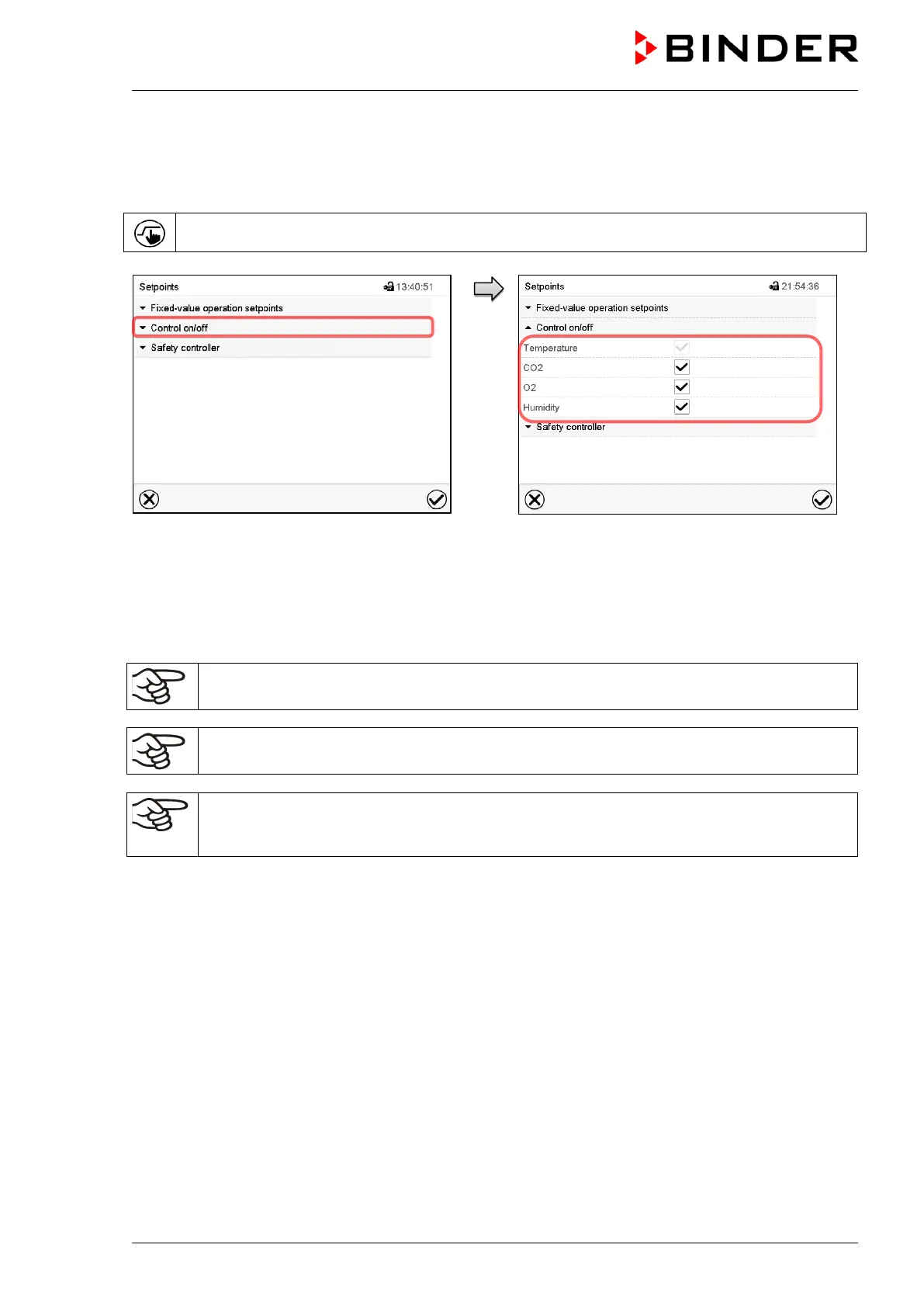
Press the Setpoint setting icon to access the “Setpoint” setting menu from Normal display.
“Setpoints” menu.
Select “Control on/off”.
You can turn on or off CO
2
control and O
2
control (chamber with O
2
control) and humidity
control (active humidification)
Mark / unmark the checkbox to activate /
deactivate the desired function and press the
Confirm icon.
When operating the chamber with deactivated CO
2
control, no CO
2
pressure alarm and no
CO
2
tolerance range alarm will be emitted.
Chamber with O
2
control: When operating the chamber with deactivated O
2
control, no O
2
and
N
2
pressure alarms and no O
2
tolerance range alarm will be emitted.
Chamber with active humidification: When operating the chamber with deactivated humidity
control no humidity tolerance range alarm will be emitted. The controller continues to show the
actual humidity value but no longer the humidity set-point.
When operating the chamber with deactivated humidity control, humidification can be realized using the
Permadry™ water pan (chap. 6.9).









 To Next Page