CB (E7) 06/2018 Page 80/174
10.4 Program editor: program management
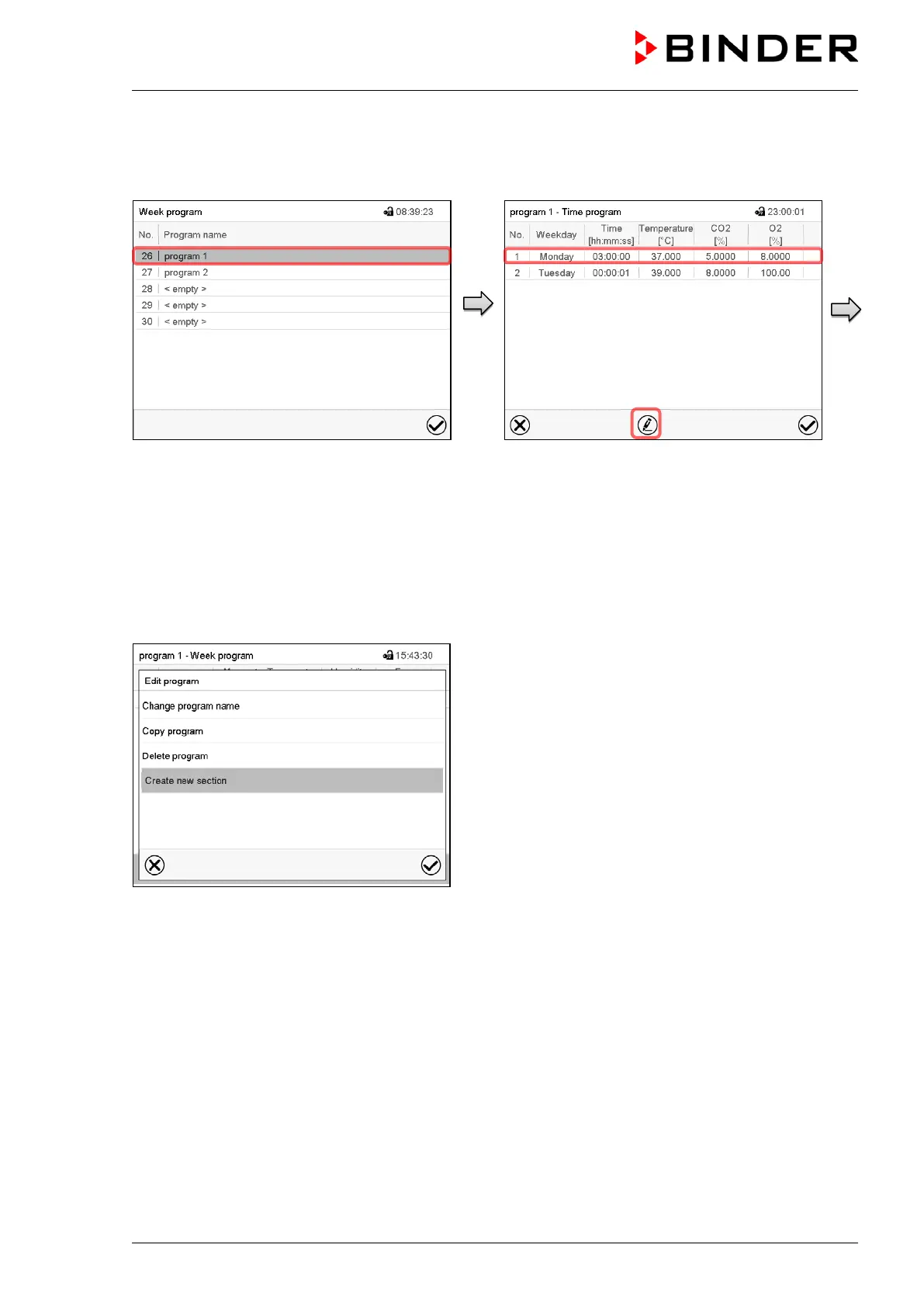
Path: Main menu > Programs > Week program
“Week program” menu:
overview of the existing programs.
Select an existing program
(example: program 1).
Program view (example: program 1).
If a new program has been created, there is
just one program section.
There are the following options:
Select a program section to open the
section editor (chap. 10.4.1)
Press the Edit icon to open the program
editor
Program editor: “Edit program” menu.
Select the desired function and press the Confirm icon.
The program editor offers following options:
• Change program name. This menu also offers to configure the ramp / step mode setting (chap.
10.6.1).
• Copy program
• Replace program: Replacing an new or an existing program with the copied program. This menu point
is visible only after a section has been copied.
• Delete program
• Add new section









 To Next Page