CB (E7) 06/2018 Page 90/174
11.2 State of alarm
1. Visual indications in Normal display: alarm message, screen header flashing in red color
2. Audible alert, if the buzzer is enabled (chap. 11.4).
3. In some cases: Switching the zero-voltage relay alarm output (chap. 11.6) to transmit the alarm e.g.,
to a central monitoring system.
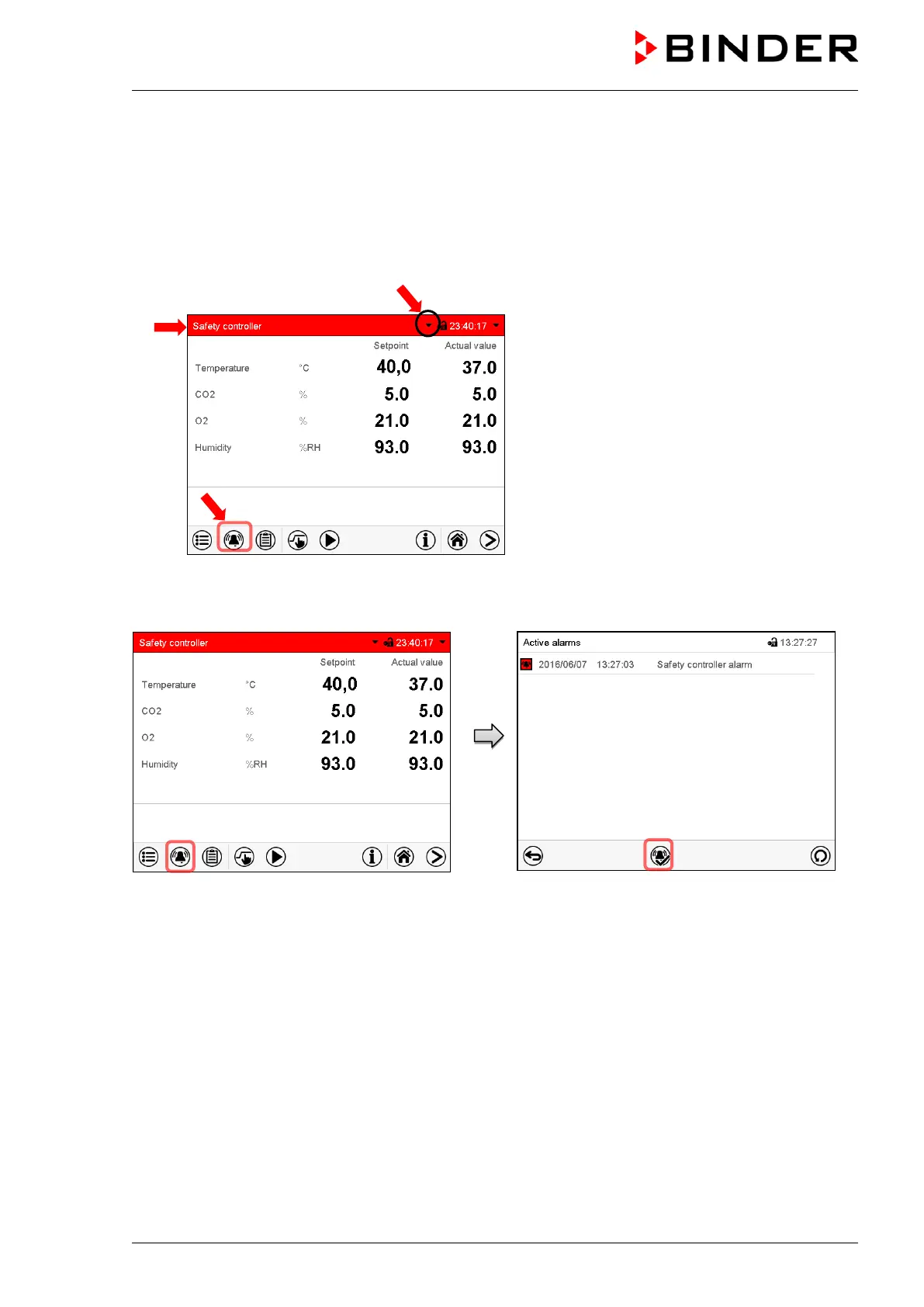
Normal display in state of alarm (example).
(a)
Screen header flashing in red color and
showing the alarm message
(b) Alarm
icon on the bottom of the screen:
change to the list of active alarms and
alarm acknowledgement
(c) If applicable, information icon in the screen
header. Indication of a certain condition
11.3 Resetting an alarm, list of active alarms
Normal display in state of alarm (example).
Press the Alarm icon
List of active alarms.
Press the Reset alarm icon.
Pressing the Reset alarm icon mutes the buzzer for all active alarms. The icon then disappears.
• Acknowledging while the alarm condition persists: Only the buzzer turns off. The visual alarm
indication remains on the controller display. The alarm remains in the list of active alarms.
When the alarm condition has ended, the visual alarm indication is automatically cleared. The alarm is
then no longer in the list of active alarms.
• Acknowledging after the alarm condition has ended: The buzzer and the visual alarm indication are
reset together. The alarm is then no longer in the list of active alarms.
• The zero-voltage relay alarm output resets together with the alarm.
For appropriate actions in the event of an alarm, please refer to chap. 24 “Troubleshooting”.









 To Next Page