CB (E7) 06/2018 Page 46/174
5.5 Controller menu structure
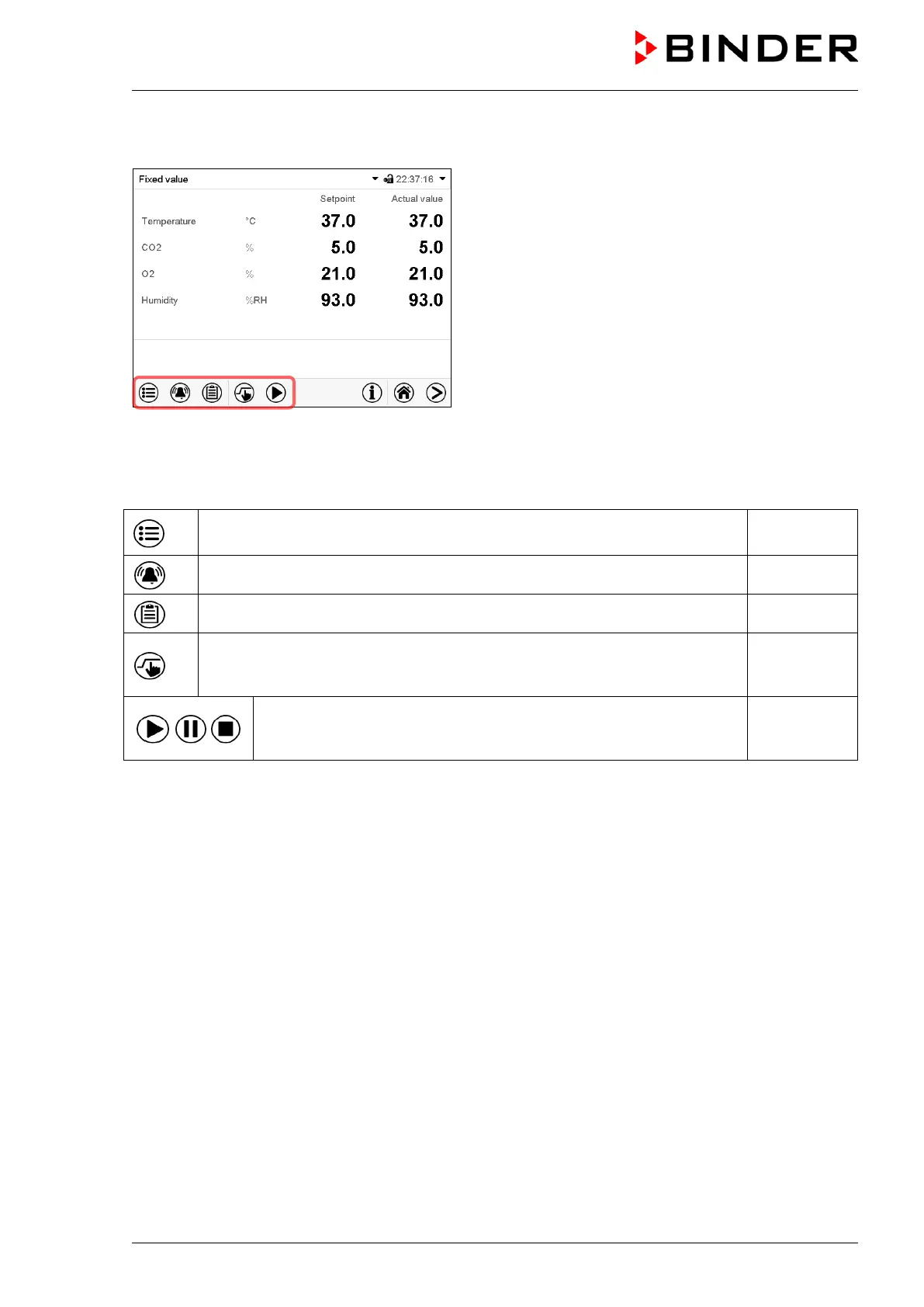
Use the navigation icons in the screen footer in Normal display to access the desired controller
functions.
The available functions depend on the current authorization level “Service”, “Admin” or “User” (chap.
13.1). This is selected either during login or can be available without password protection.
Main menu: program settings, further information, “Service” submenu.
The “Settings” submenu allows general configuration of the controller.
chap. 5.5.1
List of active alarms chap. 11
Access to the event list chap. 15.3
Setpoint entry for Fixed value operation, turning on/off CO
2
control, O
2
control (chamber with O
2
control) and humidity control (active
humidification), safety controller settings
chap. 7, 6.8,
12.2
Start/ pause/ cancel an already entered, respectively a running time
program or start / cancel an already entered, respectively a running
week program
chap. 9.1,
9.2, 10.1
Unless noted otherwise, the figures show the functional range, which is available for the user with
“Admin” authorization level.









 To Next Page