EasyManua.ls Logo

Binder CB 170 - Page 73

Binder CB 170
175 pages
Print Icon
To Next Page IconTo Next Page
To Previous Page IconTo Previous Page
Loading...
CB (E7) 06/2018 Page 73/174
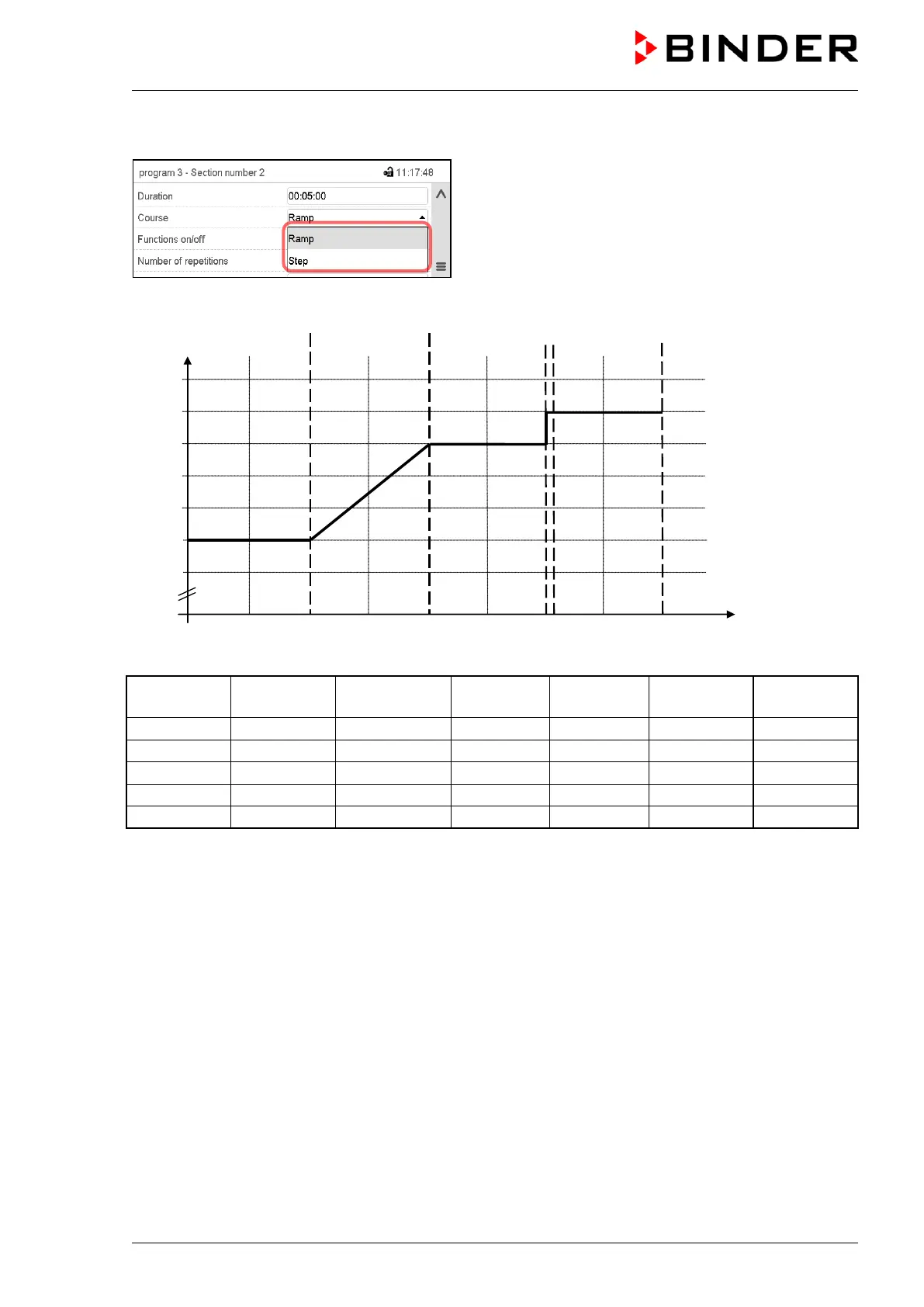
Selecting the setting “Ramp” or “Step”
Section view (partial view).
In the field “Course” select the desired setting
“Ramp” or “Step”.
“Ramp” and “Step” mode example (representation of a temperature course)
W/°C
t/min.
0
38.0
38.5
39.0
39.5
40.0
30 60 90
120 150 180 210 240
37.0
37.5
------------1-------------------------
2------------------------3------------
4----------5------------
Corresponding program table
Section No.
Duration
[hh:mm:ss]
Temperature
[°C]
CO2
[Vol.-%]
O2
[Vol.-%]
Humidity
[% rH]
Ramp or
Step
1
01:00:00
37.5
xxxx
xxxx
xxxx
Step
2
01:00:00
37.5
xxxx
xxxx
xxxx
Ramp
3
01:00:00
39.0
xxxx
xxxx
xxxx
Step
4
00:00:10
39.5
xxxx
xxxx
xxxx
Step
5
01:00:00
39.5
xxxx
xxxx
xxxx
Step

Table of Contents

Related product manuals