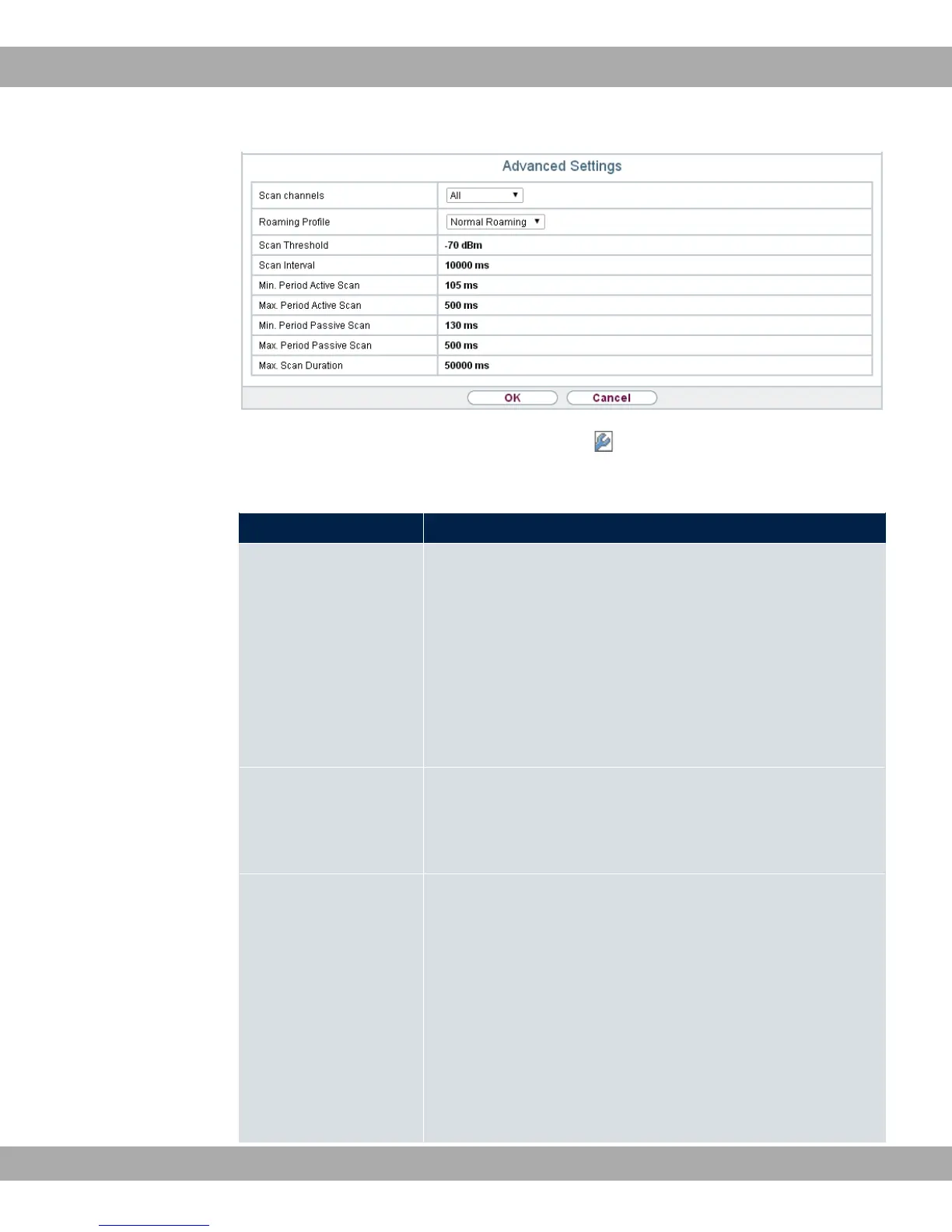
Fig. 60: Wireless LAN->WLAN->Radio Settings-> ->Advanced Settings for Operation
Mode 3%% 61
Fields in the menu Advanced Settings for Access Client Mode.
Field Description
Scan channels Choose the channels which the WLAN client automatically
scans for available wireless networks.
Possible values:
• 311 (default value): All channels are scanned.
• 3: The channel is automatically selected.
• . $: The desired channels can therefore be
defined.
User Defined Channel
Plan
Only for Scan channels = . $
Define the channels which the WLAN client automatically scans
for available wireless networks.
Roaming Profile Select the roaming profile. The options available include typical
roaming functions.
Possible values:
• < @#: The WLAN client searches for available
wireless networks as soon as the radio signal of the existing
radio connection becomes unsuitable for higher data rates.
• )1 @# (default value): Standard roaming.
• 17 @#: The WLAN client searches for available
wireless networks as soon as the radio signal of the existing
10 Wireless LAN bintec elmeg GmbH
150 bintec RS Series



 To Next Page