Install the Shipping Hardware—BioStack 4 | 39
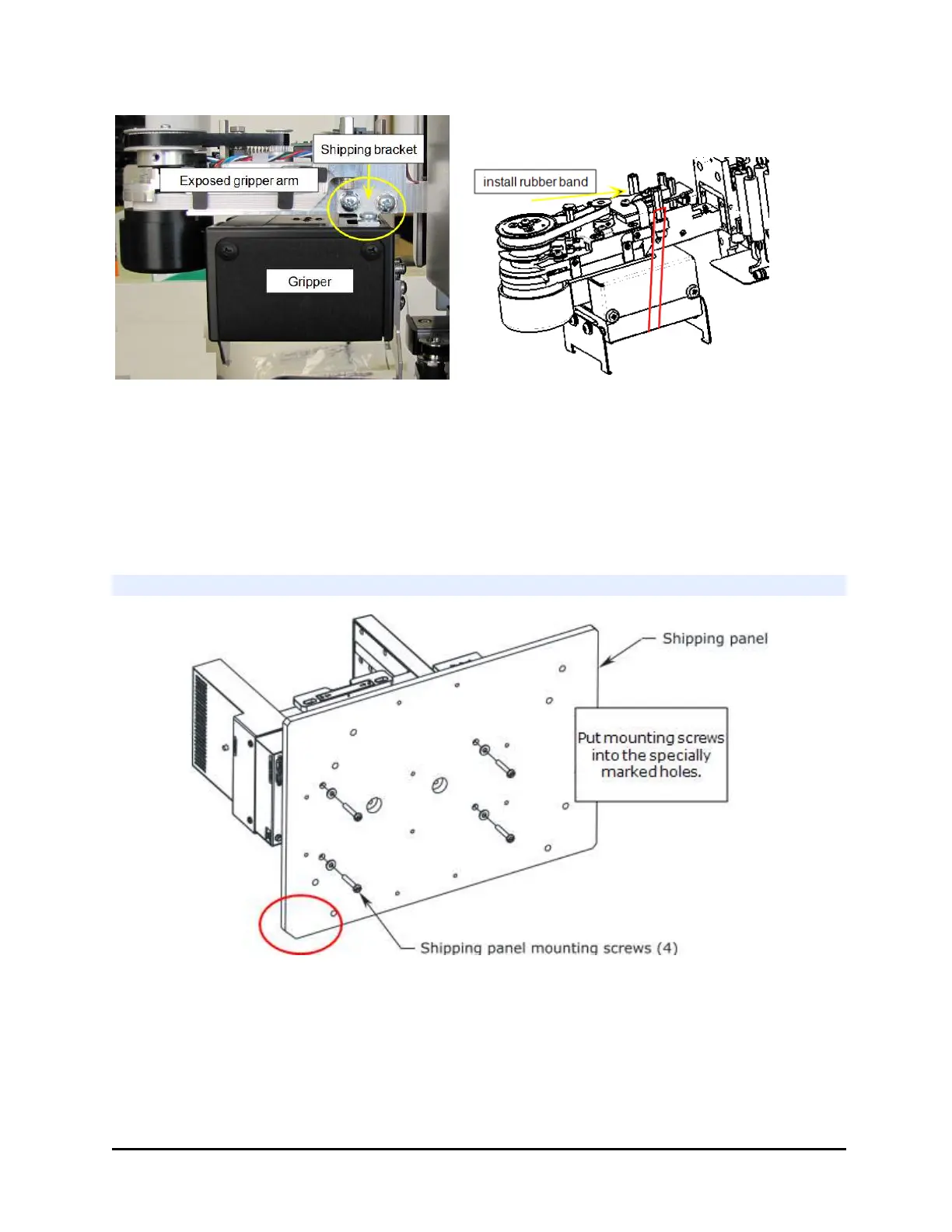
6. Wrap the wrist with a rubber band to secure it for shipping. Loop the rubber
band around posts on either side of the wrist.
7. Install the shipping block inside the BioStack and the plate carrier screw.
8. Install the large shipping bracket that wraps around the front.
Next step: Repacking—Install Shipping Panel below.
Repacking—Install Shipping Panel
Shipping panel in the proper orientation—notch in left-bottom corner
1. Carefully lay the BioStack on its side, with the bottom facing you and flush
against the edge of the work surface.
2. If applicable, remove the four aligning posts/legs. Keep the posts with the
accessories package.
BioTek Instruments, Inc.



 To Next Page