787 Flight Crew Operations Manual
DO NOT USE FOR FLIGHT
Airplane General, Emergency
Equipment, Doors, Windows -
Controls and Indicators
Copyright © The Boeing Company. See title page for details.
D615Z003-TBC 1.30.13
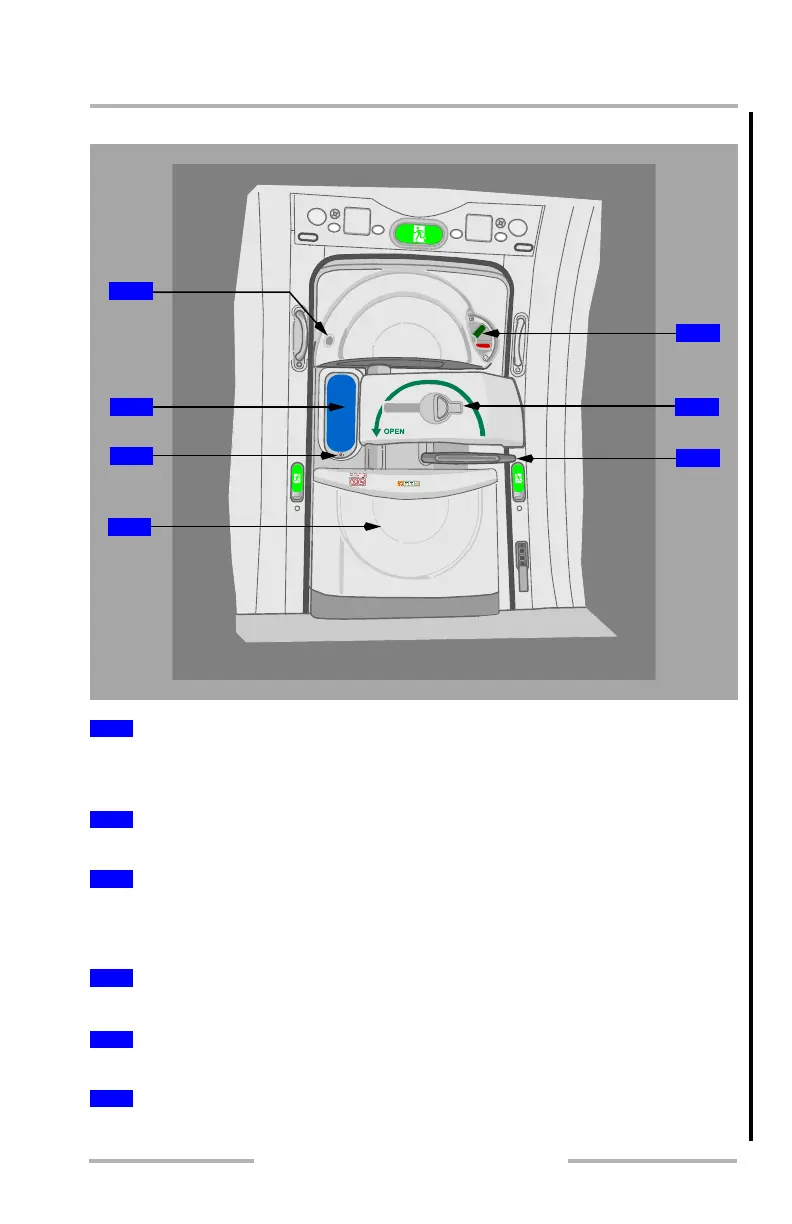
Passenger Entry Door
Push (upper half of switch) – lightens viewing window.
Push (lower half of switch) – darkens viewing window.
Allows observation outside the airplane.
Illuminated (green) – padlock symbol indicates the door is closed, latched, and
locked.
[Option – Rafts at every door]
Contains the slide/raft.
See the detailed Door Mode Select Panel description in the next graphic.
Grab and pull inward to release the gust lock and move the door inward.
1
Window Dimming Control Switch
2
Viewing Window
3
Door Locked Indicator
4
Door Bustle
5
Door Mode Select Panel
6
Gust Lock Release Handle
2
3
6
5
7
4
1
February 15, 2010



 To Next Page