787 Flight Crew Operations Manual
DO NOT USE FOR FLIGHT
Airplane General, Emergency
Equipment, Doors, Windows -
Controls and Indicators
Copyright © The Boeing Company. See title page for details.
1.30.26 D615Z003-TBC
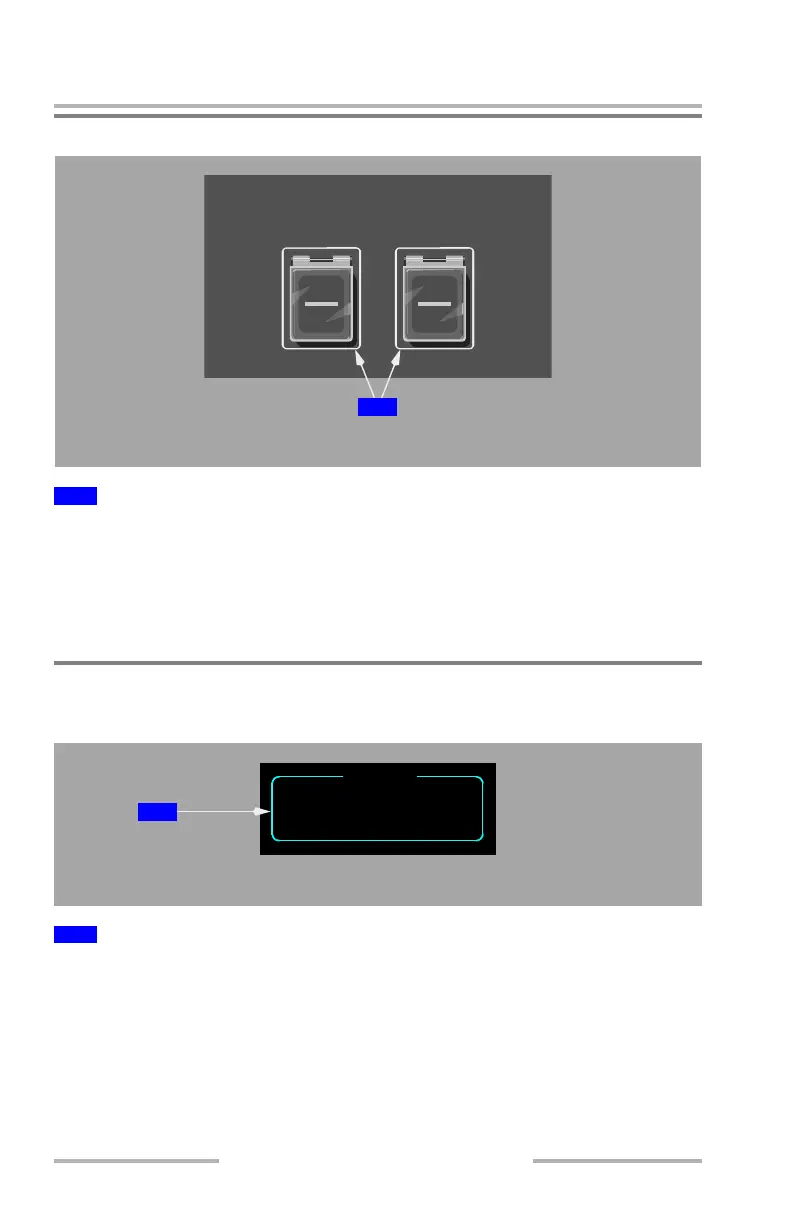
Common Computing Resource (CCR) Reset Switches
Push –
• temporarily removes all power from the related CCR causing a restart
within the associated system
• restart cycle takes approximately 1 minute for the CCR to begin running
• restart attempts to recover a blanking condition of the forward displays
Oxygen Systems
Oxygen Indications
Displays crew oxygen cylinder pressure (PSI).
Note: Oxygen indication is displayed by pushing the system (SYS) display
switch on the display select panel, and then selecting the status (STAT)
synoptic key from the menu page.
1
CCR RESET Switches
1
Oxygen Pressure Display
RL
CCR RESET
OVERHEAD PANEL
1
CREW PRESS 1850
OXYGEN
MULTIFUNCTION DISPLAY
1
February 15, 2010



 To Next Page