787 Flight Crew Operations Manual
DO NOT USE FOR FLIGHT
Flight Instruments, Displays -
System Description
Copyright © The Boeing Company. See title page for details.
10.20.12 D615Z003-TBC
EICAS Transfer Switching
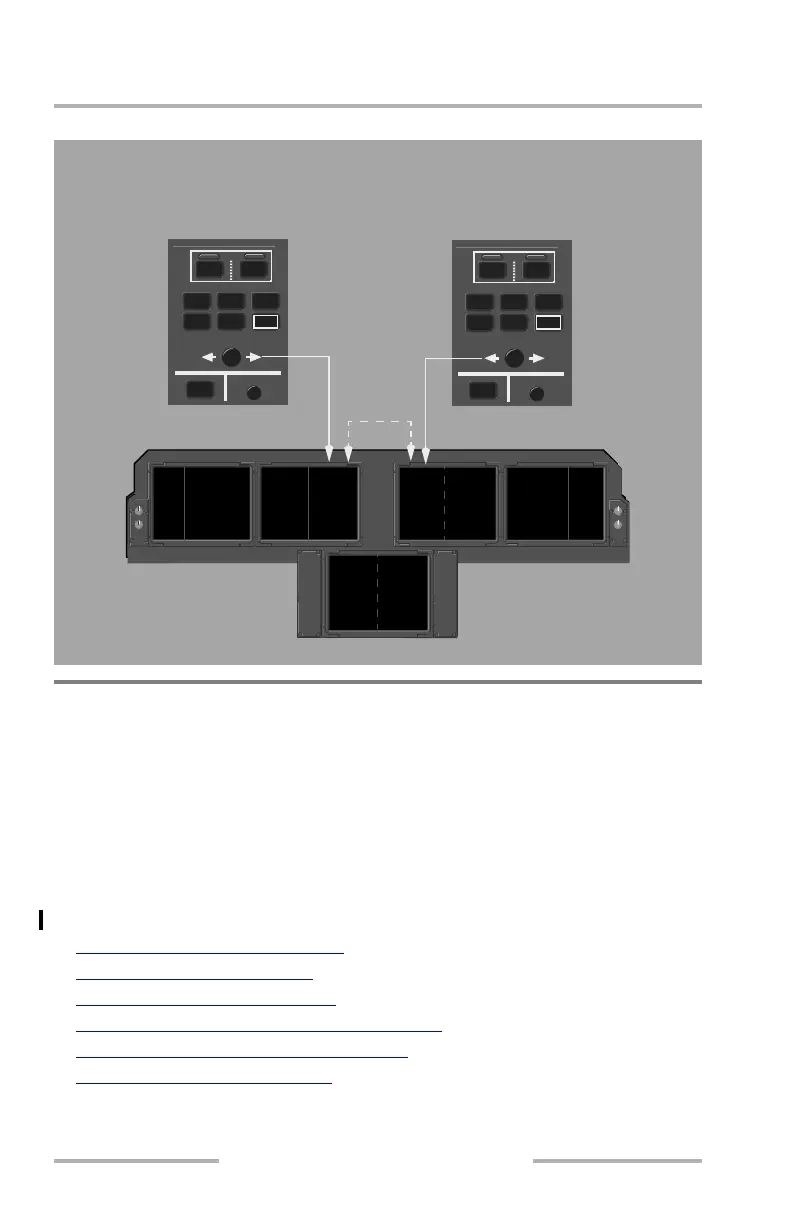
Cursor Location Control
The Cursor Control Devices (CCD), Multifunction Keypads (MFK), and EFIS
control panels provide control of the display cursor. Each pilot has an identical set
of controls for their respective sides of the flight deck. Cursor symbols access only
MFDs and EFB displays.
The on-side cursor is automatically pulled to any display only if the pilot requests
that particular display. However, if a default display is shown because another
display was deselected, the cursor is not pulled to the default display.
For additional information, refer to:
• MFD Communications Functions
, Ch. 5, Sec. 40
• Electronic Checklist Displays
, Ch. 10, Sec. 50
• Electronic Checklist Description
, Ch. 10, Sec. 60
• Electronic Flight Bag - Controls and Displays
, Ch. 10, Sec. 70
• Electronic Flight Bag - System Operation
, Ch. 10, Sec. 80
• Flight Management, Navigation
, Ch. 11, Sec. 10
ENG
ND
COMM
CHKL
INFO
CDU
SYS
EICAS
CANC/RCL
L
MFD
R
PFDAUX EICAS PFDND ND
CDU CDU
AUX
PFDAUX EICAS PFDND ND
CDU CDU
AUX
The EICAS transfer switches toggle the EICAS display between
the Captain inboard DU and the First Officer inboard DU.
PFDAUX PFD AUX
MFDMFD
MFDMFD
MFD
or
EICAS
MFD
or
EICAS
ENG
NDCOMM
CHKL
INFOCDUSYS
EICAS
CANC/RCL
L
MFD
R
February 15, 2010



 To Next Page