EN
16
Device description
www.bora.com
3
4
1
2
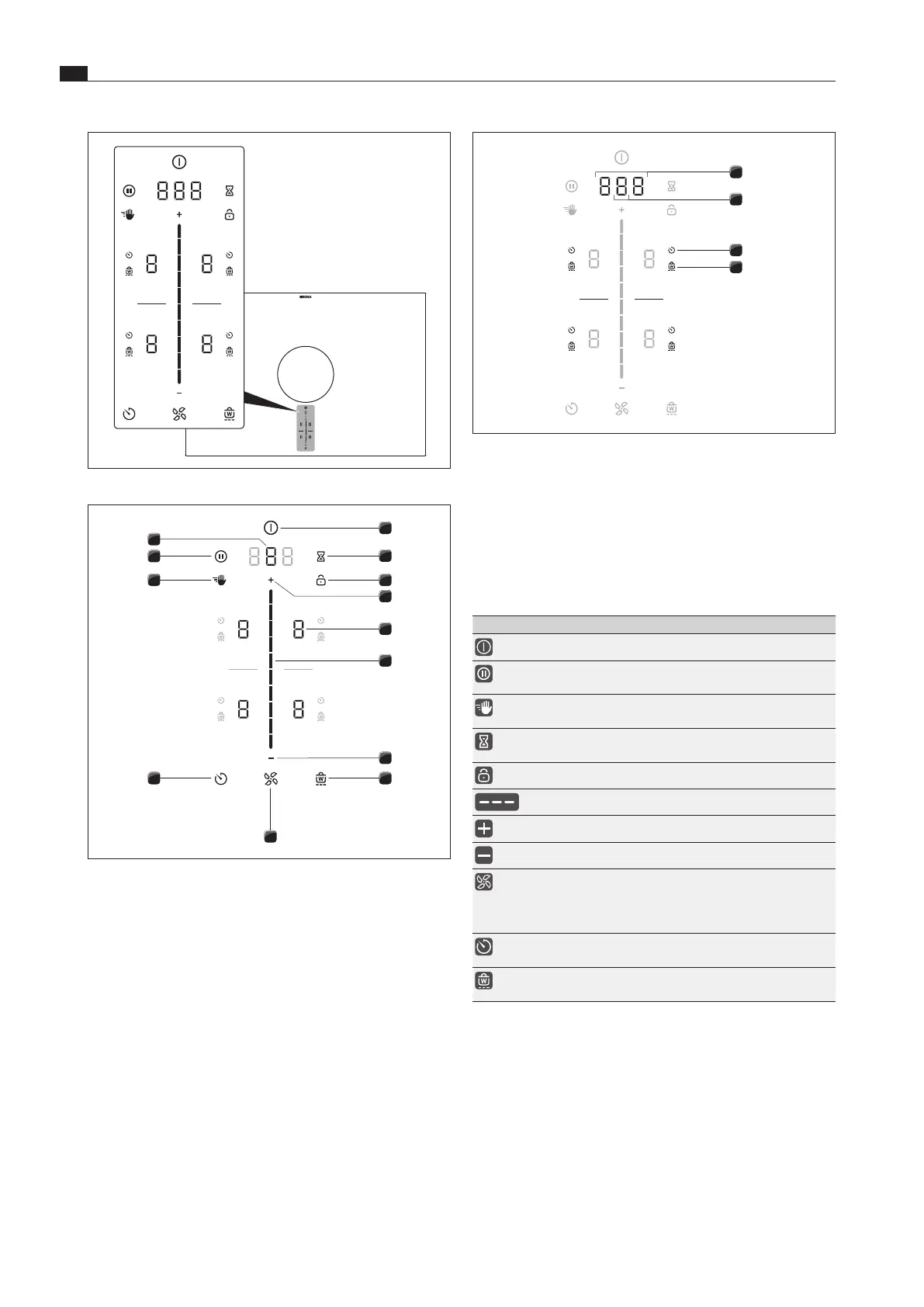
Fig. 5.6 Indicator zones
[1] Multi-function display
[2] Fan display
[3] Cooking zone timer indicator (4x)
[4] Warming indicator (4x)
5.2.3 Symbols
Symbols Description Function/meaning
Power button Switching on/off
Pause button Activating/deactivating the
pause function
Cleaning button Activating/deactivating the
cleaning lock
Egg timer button Setting the short-time timer
(egg timer)
Lock button Display lock
Slider Setting values
Plus button Increasing values
Minus button Decreasing values
Fan button Activating/deactivating the
automatic extractor function,
cancelling the after-run
function
Timer button Setting the cooking zone
timer
Warming button Activating/deactivating the
warming function
Tab. 5.2 Meaning of the symbols displayed (icons)
Fig. 5.4 Central touch/slider operating panel
1
2
3
6
4
5
7
810
11
12
13
9
Fig. 5.5 Touch zones/buttons
[1] Switching on/off
[2] Short-time timer (egg timer)
[3] Display lock
[4] Power level setting zone plus
[5] Cooking zone selection (4x)
[6] Touch slider (power level setting zone)
[7] Power level setting zone minus
[8] Warming function
[9] Fan functions
[10] Cooking zone timer
[11] Cleaning lock
[12] Pause function
[13] Select fan/Call up menu



 To Next Page