EN
45
Operation
www.bora.com
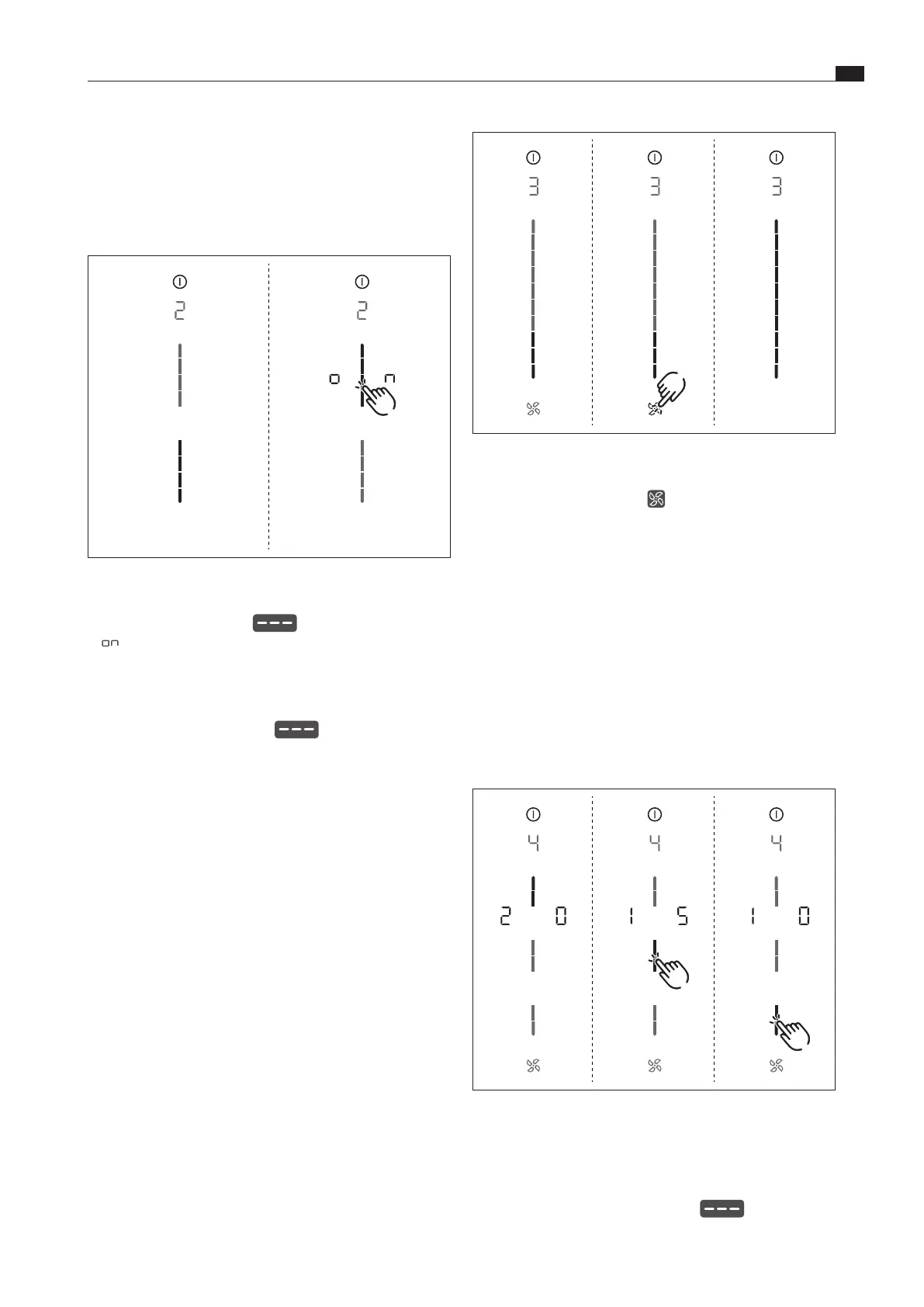
Fig. 7.4 Menu item 3: Show and reset lter status
Resetting the filter status:
XX
long press on the fan button .
XO
All slider elements are once again displayed at 100% brightness.
XX
Move to another menu item or close the menu.
7.6.4 Menu item 4:
Duration of the automatic after-run
function
i
The duration of the automatic extractor function can be
set using menu item 4.
There are three times to choose from:
XO
20 minutes
XO
15 minutes
XO
10 minutes
Fig. 7.5 Menu item 4: Duration of the automatic after-run
function
XO
The current duration is displayed for 2 seconds.
Selecting the duration of the automatic after-run function:
XX
Tap the corresponding slider segment .
XX
Move to another menu item or close the menu.
7.6.2 Menu item 2:
Childproofing feature
i
With menu item 2 the childproofing feature can be
permanently switched on or off. This setting is adopted
for each new cooking session.
Fig. 7.3 Menu item 2: Childproong feature
Permanently activating the childproofing feature
XX
Tap the top slider segment
XO
is displayed.
XX
Move to another menu item or close the menu.
XO
The childproofing feature is permanently activated.
Permanently deactivating the childproofing feature
XX
Tap the bottom slider segment
XX
Move to another menu item or close the menu.
XO
The childproofing feature is permanently deactivated.
7.6.3 Menu item 3:
Showing and resetting the filter status
(only in recirculation mode)
i
If menu item 3 is called up, the filter status will be
automatically shown.



 To Next Page