EN
44
Operation
www.bora.com
User menu overview
Menu item/Description/Selection area Factory
setting
1 Volume of the acoustic signals (0-9) 4
2 Childproofing feature (On/Off) Off
3 Show and reset filter status
4 Duration of the automatic after-run function
(10, 15, 20 min)
20 min
5 Touch zone reaction speed
(1 slow, 2 medium, 3 fast)
2
6 LED test
7 Permanent pan size recognition Off
8 Software/hardware version
9 Safety shut-down (1 long, 2 medium, 3 short) 2
A Super simple mode Off
0 Reset to factory settings
Tab. 7.4 User menu overview
7.6.1 Menu item 1:
Volume of the acoustic signals
i
In the event of an error message the acoustic signal is
always heard at full volume and cannot be changed.
i
The acoustic signal when switching on or off is always set
to at least volume level 4.
i
The current set volume is shown in the rear, left-hand
cooking zone display when the menu item is called up.
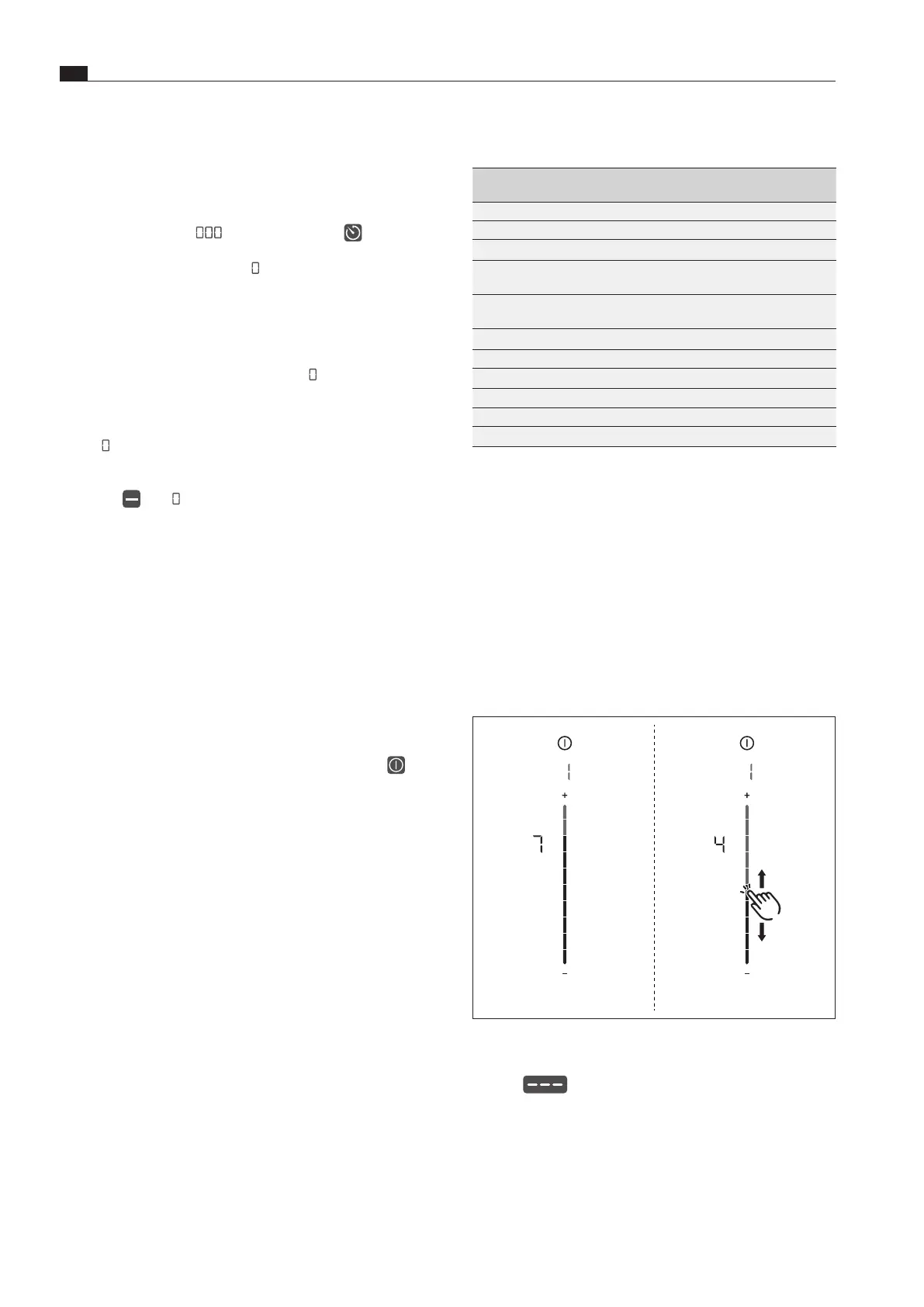
Fig. 7.2 Menu item 1: Volume of the acoustic signals
Setting the acoustic signal volume:
XX
Swipe
upwards or downwards until the required
volume is reached.
XX
Move to another menu item or close the menu.
Time lapsed
XO
10 seconds before the set time lapses, the system flashes the
remaining time.
XO
In the last 5 seconds of the countdown an acoustic signal can
be heard every second.
XO
The time display
and the timer button flash.
XO
After the end of the set time the cooking zone is automatically
deactivated (= power level
).
7.5.10 Switching off the cooking zone
XX
Tap the required cooking zone.
XX
Swipe right down to the bottom until
appears in the cooking
zone indicator
or
XX
long press on the cooking zone
XO
is displayed in the cooking zone display.
XO
After 2 seconds, the standard display appears.
or
XX
tap until
appears in the cooking zone indicator.
7.6 User menu
Certain functions can be set in the user menu.
i
Below you will find explanations on how to use the menu
and a description of the most important menu items.
i
The menu can only be called up if all cooking zones and
the cooktop extractor are inactive. In addition, there must
be no residual heat.
Calling up the user menu
XX
Switch on the device by pressing the power button
.
XO
If start-up is successful, the standard display will appear in the
operating panel.
XX
Long press on the multi-function display.
XO
The menu is called up and the first menu item is displayed.
Closing the user menu
XX
Long press on the multi-function display
XO
The menu is closed and the standard display appears.
Navigating the user menu
XX
Tap the multi-function display
XO
The system moves to the next menu item.
XO
The system automatically adopts and saves set values when
you move to another menu item or close the menu.



 To Next Page