BradyPrinter S3700 User Manual 95
Maintenance
Cleaning the Printer
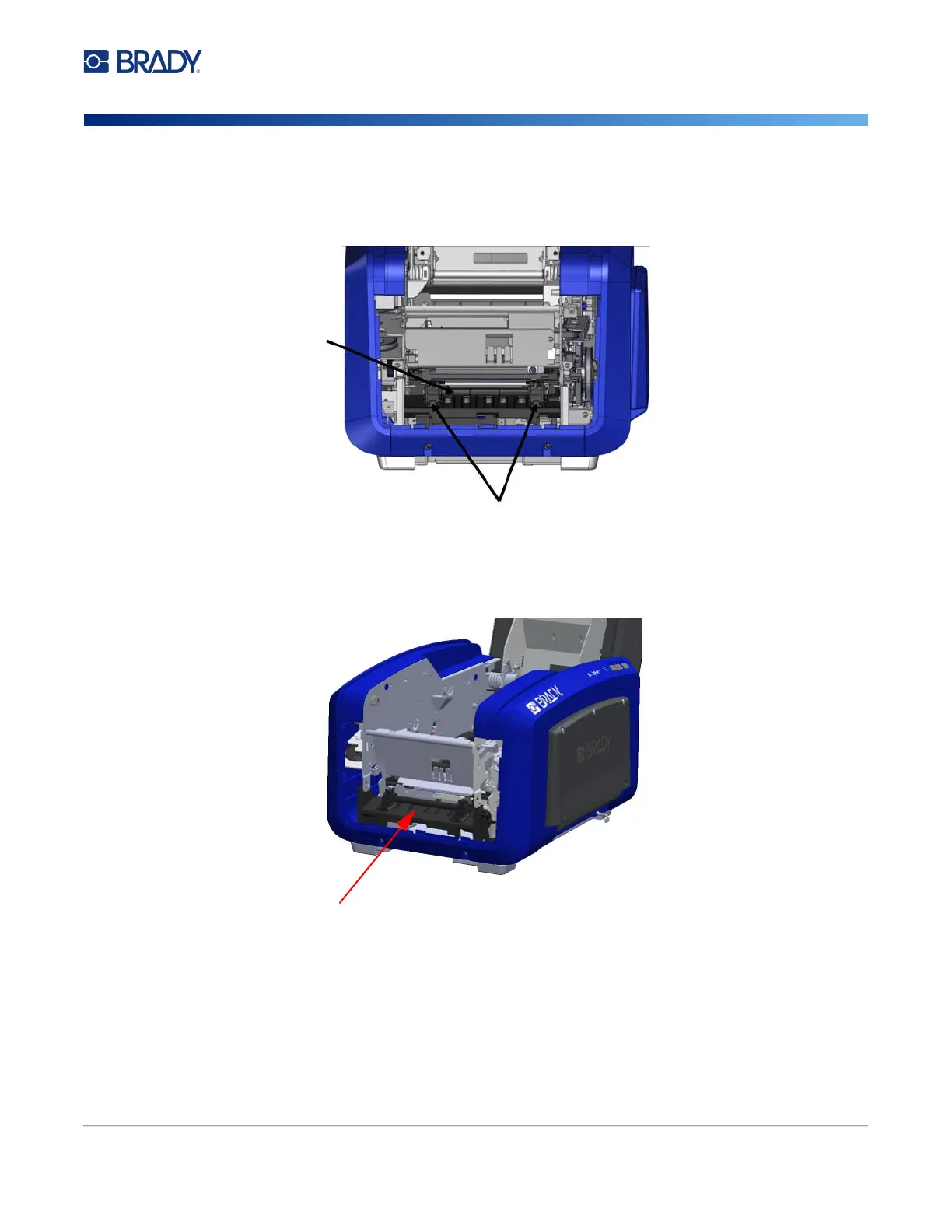
5. To remove the black roller, slightly pull the snap tab toward you while lifting the roller to release
the catch. Perform this action on both sides of the roller (left and right).
6. When free of the catches, lift the roller out.
7. Using a cotton swab, clean the cutter area.
8. To return the black roller to its original position, align the tabs with the insertion slots, then snap
the roller into place.
Roller
Snap tabs
Cutter area











 To Next Page