BradyPrinter S3700 User Manual 94
Maintenance
Cleaning the Printer
Touchscreen
Note: Normal cleaners with ammonia, soaps, or any acids can damage the screen. Use only a
lint-free cloth dampened with Isopropyl alcohol
To clean the touch screen:
1. Lightly moisten a soft (non-scratching) cloth with Isopropyl alcohol or use a pre-moistened
swab from the Brady Cleaning Kit PCK-6.
2. Gently wipe the display screen until clean.
3. Remove excess Isopropyl alcohol with a dry, soft (non-scratching) cloth.
Cutter Blade
Note: When cleaning the cutter, you should also clean the media and cutter sensors.
The printer cleaning kit ships with the printer. It contains swabs and a squeeze bottle to be filled with
the Isoproply Alcohol. The Cutter Cleaning Tool (B31-CCT) ships with the printer can also be
purchased as an accessory.
1. Remove the side panel.
2. Open the printer cover.
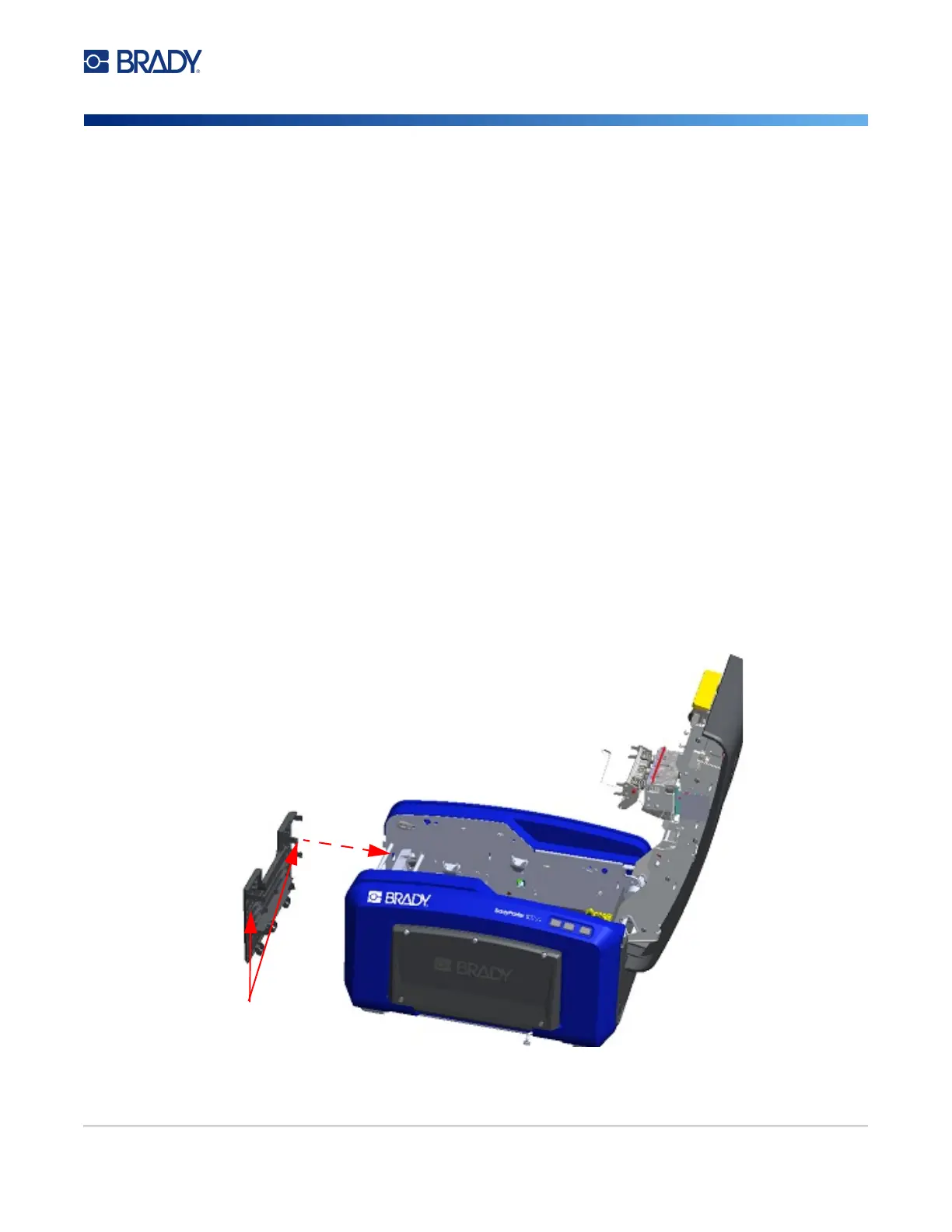
3. From the inside of the printer, use a tool (such as a screwdriver) to push the panel release
catch in on the left and right side of the printer.
4. Pull the panel out.
Panel release tabs











 To Next Page