BradyPrinter S3700 User Manual 17
Setup
Loading Supplies
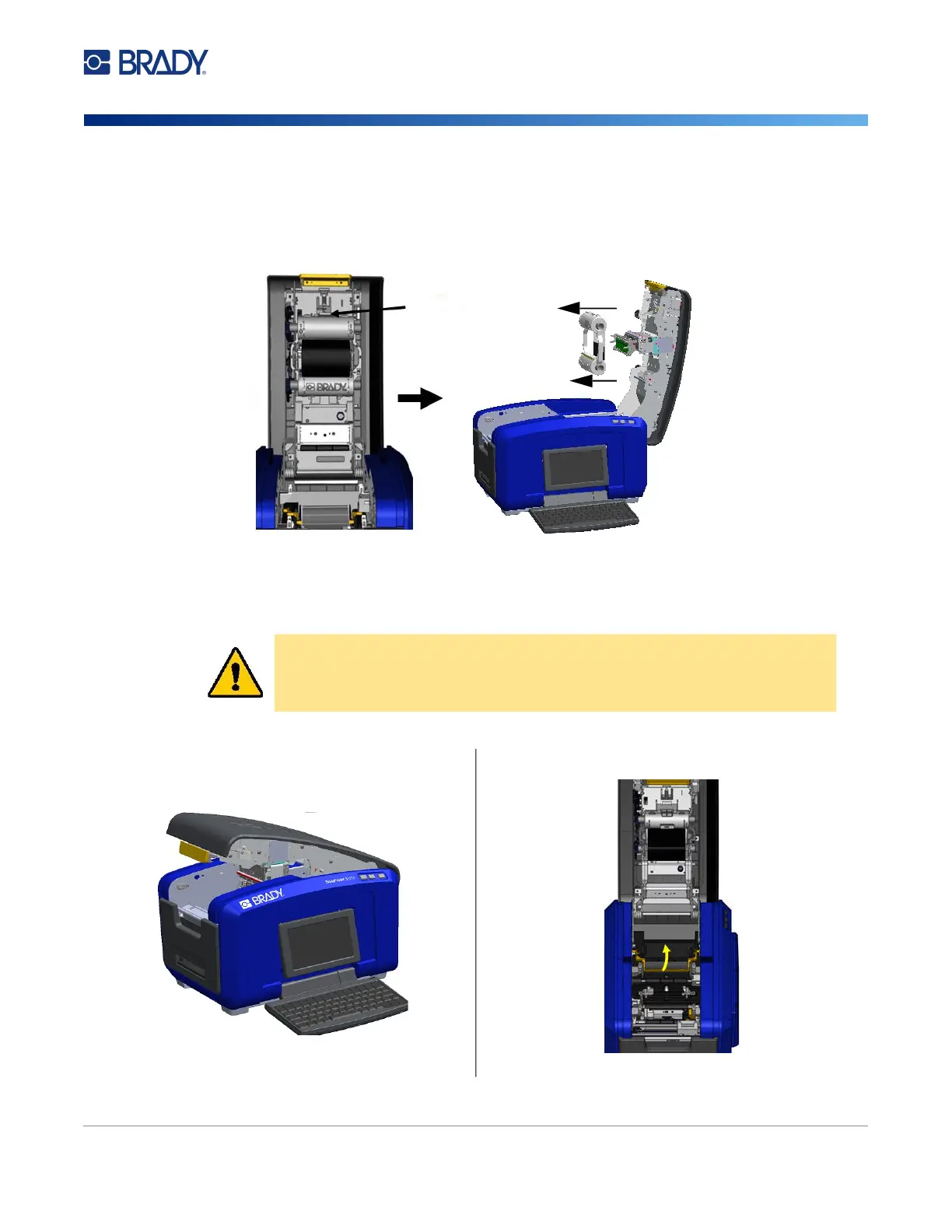
Removing the Ribbon
Open the cover, press down on the ribbon cartridge release tab, grasp the top barrel of the cartridge by
the two sides and pull the cartridge straight out from the printhead.
Installing Labels
CAUTION! The cover pops open quickly. Place your hand on the cover as you
press the latch.
1. Open the cover by pulling up on the bottom of the
yellow latch.
2. Swing the media wiper bar up, out of the tape well.
Cartridge
Release Tab











 To Next Page