BradyPrinter S3700 User Manual 18
Setup
Loading Supplies
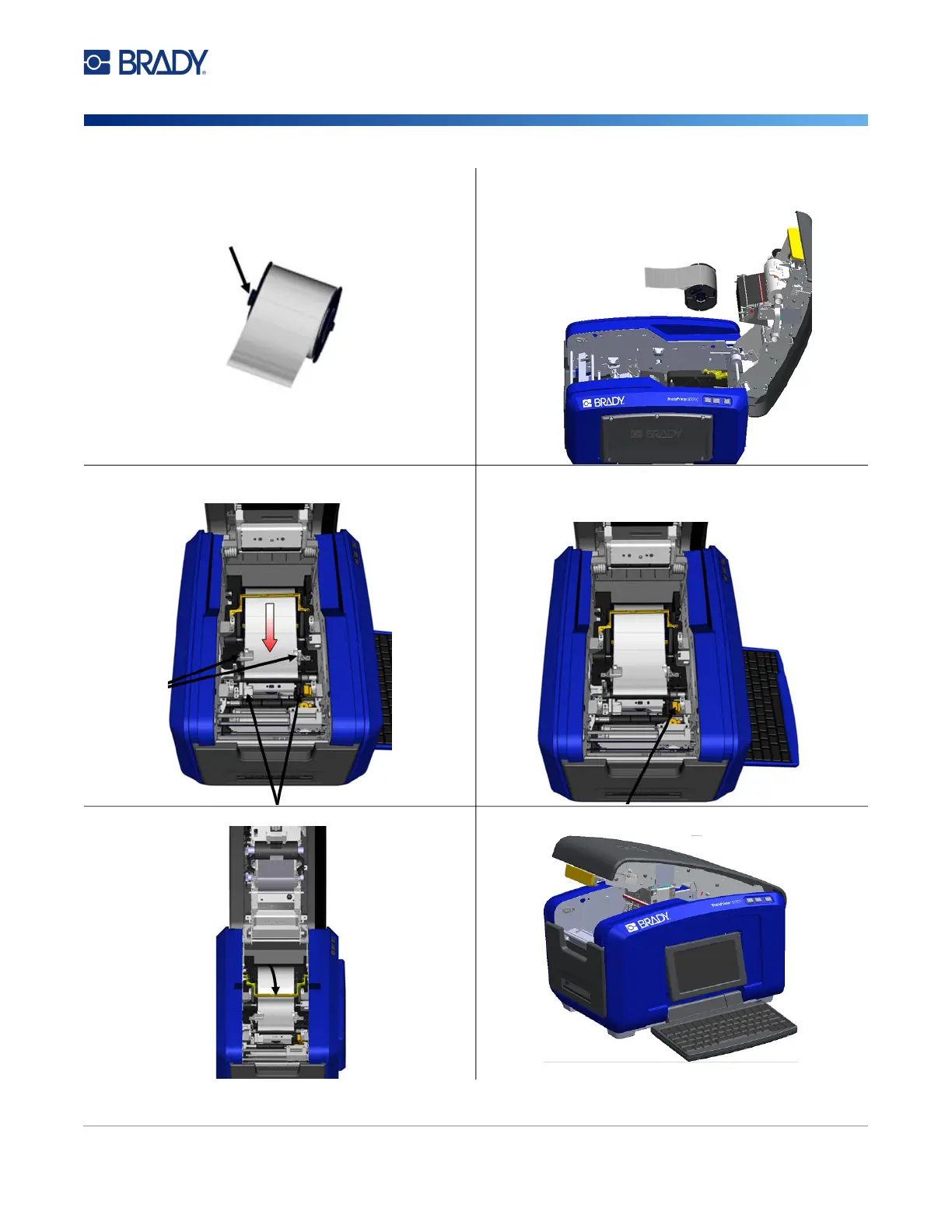
3. Grasp the tape roll with the tape coming off the top of
the roll, the smart cell on the left and the tabs on the
sides pointing up.
4. Drop the tape roll into the tape well, lining up the
touch cell with the touch cell reader.
5. Thread the label tape under and through the media
guides, until the tape covers the black roller.
6. Pinch the tape adjustment lever and slide the media
guides until they are lined up with the edges of the
tape liner.
7. If using continuous labels, lower the media bar. 8. Close the cover.











 To Next Page