BradyPrinter S3700 User Manual 19
Setup
Accessories
Removing the Labels
Accessories
The following accessories are available for the BradyPrinter S3700 printer and can be purchased
separately from your distributor.
• Cleaning Kit
• Soft-sided Carrying Case
• XY Cutter Blades
• Media Wiper Pads
• Stylus
• USB Cable
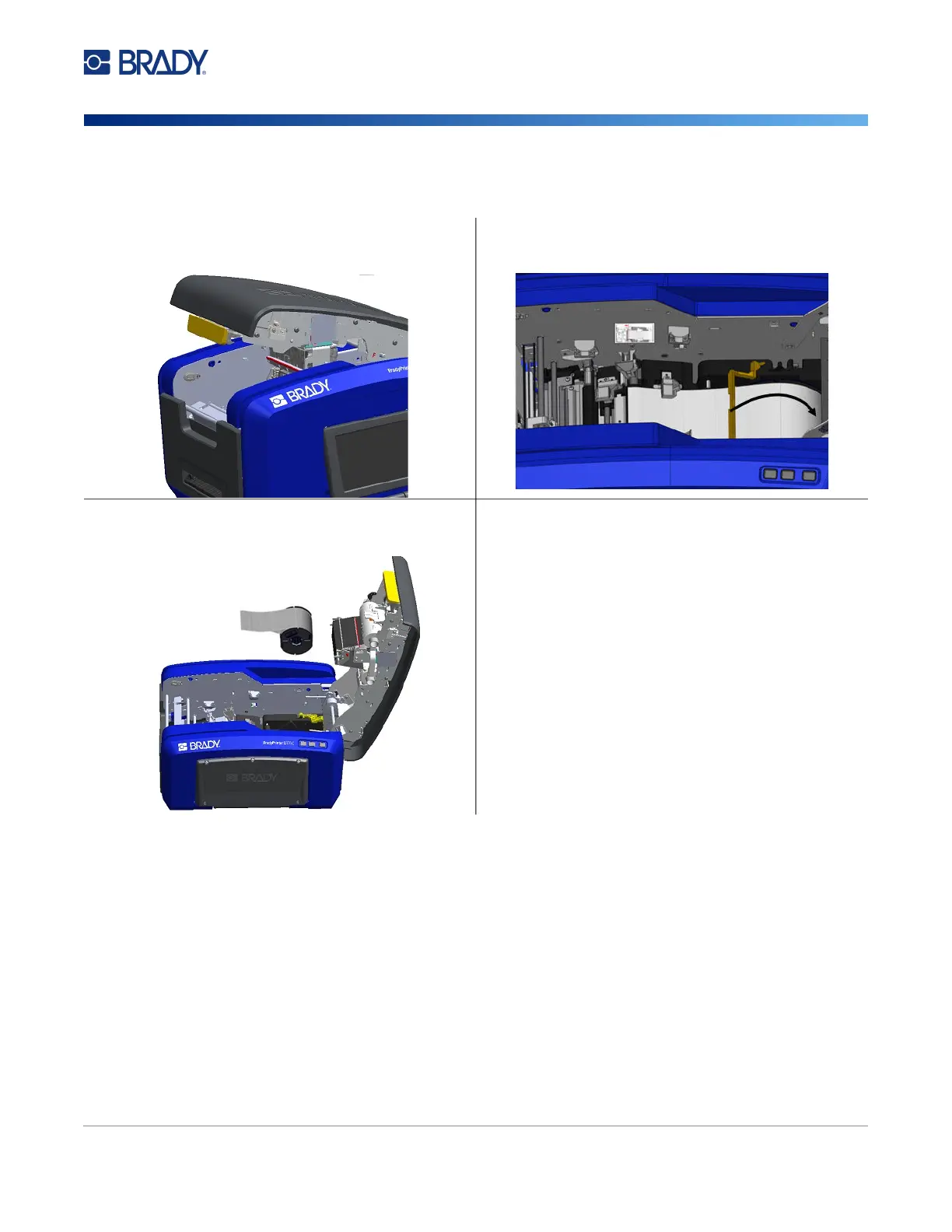
1. Open the cover by pulling up on the bottom of the
yellow latch.
2. If removing continuous media, lift the media wiper bar
up off of the tape.
3.
Grasp the tape roll and pull up, sliding the media out
from under the guides.











 To Next Page