BradyPrinter S3700 User Manual 20
3 General Operation
Screen Components
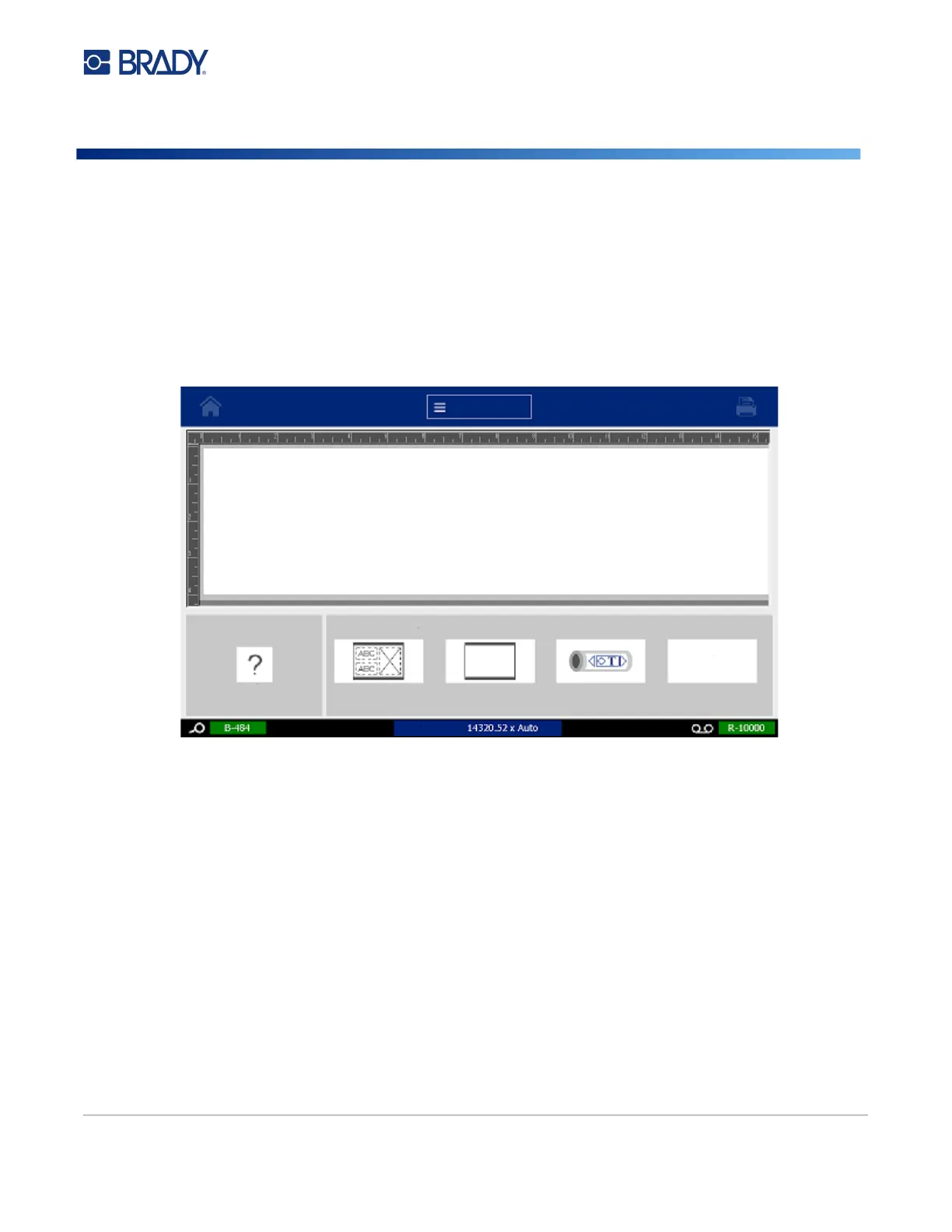
The printer uses touchscreen technology. Use your finger to select the desired option on the screen.
Home Page
1. Home - Returns you to the Home page from anywhere in the application.
2. Menu - Displays File, Label and System options.
3. Print - Displays the Print dialog box for printing the current label. If there is nothing in the
Editor the print button is grayed out.
4. Editor - Text or object entry area. Type, touch or select objects to display and edit in this area.
The Editor also shows the color and size of the installed media and ribbon.
5. Control Panel - Primary area for selecting options for creating, editing and working with labels
and objects. The panel changes depending on what option is selected.
6. Status Bar - Shows the current label size and indicators for the amount of label supply and
ribbon remaining.
7. Tools Panel - Provides additional options for the specific tool selected. The Tools panel
changes according to the object selected.
Menu
1
2
3
4
5
6
7
Type or
touch here...
Label Size
...or select a Label Type:
Menu
More Label
Types
General Templates
Custom Label
CLP Pipe Markers











 To Next Page